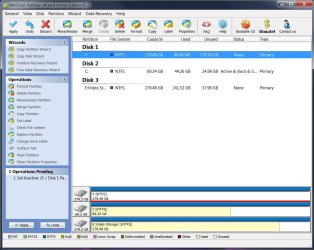
All Linux code must be deleted.
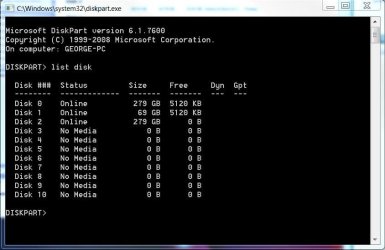
Type in command line
DISKPART
LIST DISK
SELECT DISK # (win HD)
CLEAN ALL
CREATE PARTITION PRIMARY
SELECT PARTITION 1
ACTIVE
FORMAT fs=NTFS
ASSIGN
EXIT
EXIT
How to Remove Linux and Install Windows XP
I mentioned in an earlier post that I'm not sharp with computers & would like to get clarification.
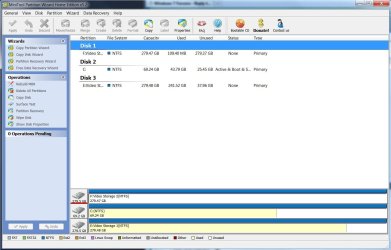
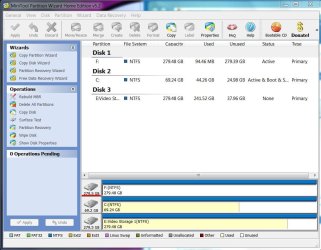
-Currently, drive F says 280Gb NTFS & shows no other partitions. All appears normal.
-Linux OS was installed on this drive but no other. While Linux OS was on F:, Win 7_64-bit was installed on C: as a clean install over Win XP home. Grub had no problems in finding Windows 7 for dual boot (just renamed it to Windows 7 in GRUB).
-Everything appears fine. No boot issues. No mention of GRUB while booting as it did before. I have moved some data to F: but not exceeding its former size.
So, do I still need to use DiskPart? I don't think DiskPart is hard to use but all seems OK.
My Computer
At a glance
Windows 7 64-bitIntel Core i5-2500K 3300 Mhz16Gb Patriot PC3-12800 1600 MhzEVGA GeForce GTX 560 Ti (Fermi)
- Computer type
- PC/Desktop
- Computer Manufacturer/Model Number
- Custom built 2011
- OS
- Windows 7 64-bit
- CPU
- Intel Core i5-2500K 3300 Mhz
- Motherboard
- Gigabyte P67A-UD3-B3
- Memory
- 16Gb Patriot PC3-12800 1600 Mhz
- Graphics Card(s)
- EVGA GeForce GTX 560 Ti (Fermi)
- Sound Card
- On Motherboard
- Monitor(s) Displays
- Dell U2412M & NEC EA232WMi
- Screen Resolution
- DELL 1920x1200 - NEC 1920x1080
- Hard Drives
- Crucial 128 Gb SSD
Hitachi Deskstar 2Tb 7200 RPM 32MB Cache
Seagate Barracuda 500Gb 7200 RPM
Hitachi GST Deskstar 1.5TB 7200 RPM 64MB Cache
- PSU
- Seasonic M1211-620 Bronze
- Case
- Antec Solo
- Cooling
- Tuniq Tower 120 Extreme Rev 1
- Keyboard
- Apple
- Mouse
- Microsoft
- Internet Speed
- 5mbs
- Other Info
- Sunbeam PL-RS-3 Rheosmart 3 Fan Controller 3.5" Bay 3 Channel 30W Fan Controller Panel