Solved having display driver not responding and black dots on my desktop

Try updating your drivers.
 

My Computer My Computer

At a glance

Win7 H.Prem. 32bit+SP1
Computer Manufacturer/Model Number
Look in my Signature.
OS
Win7 H.Prem. 32bit+SP1
hi, i did as you said, but they still appear when im watching youtube videos... Help? :cry:
 

My Computer My Computer

At a glance

Windows 7 x64
OS
Windows 7 x64
Last edited:

My Computer My Computer

At a glance

Win7 H.Prem. 32bit+SP1
Computer Manufacturer/Model Number
Look in my Signature.
OS
Win7 H.Prem. 32bit+SP1
I did as you said again, but to no avail. They still show up when I'm watching youtube videos or any type of video in fact. They don't show up while I'm playing games though. The dots wouldn't be a virus because it happened on the very first day. My specs are:

Gigabyte AMD Radeon HD 6870
Intel Core i5-2500K CPU @ 3.30 GHz
Memory: 8192MB RAM
BIOS: Award Modular BIOS v6.00PG
OS: Windows 7 Home Premium 64 bit

Sorry for all the trouble :o

Edit: Also when I'm running a game while watching a video the screen will freeze and will either get the blue screen or will say: "Display AMD display driver stopped responding and has been sucessfully recovered"
 

My Computer My Computer

At a glance

Windows 7 x64
OS
Windows 7 x64
Have you updated the drivers recently? If so, you might want to try rolling back the driver to the previously installed driver that was working correctly.
 

My Computer My Computer

At a glance

Windows 7 Professional x64 SP1Pentium(R) Dual-Core CPU E5400 @ 2.70GHz 2.70...10.0 GB (9.75 GB usable)
OS
Windows 7 Professional x64 SP1
CPU
Pentium(R) Dual-Core CPU E5400 @ 2.70GHz 2.70 GHz
Memory
10.0 GB (9.75 GB usable)
1.png
2.png

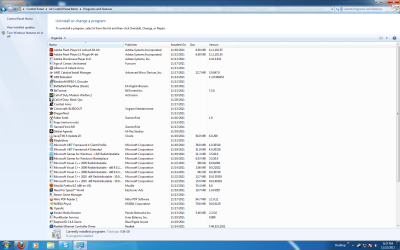
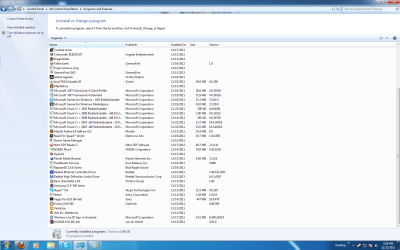
here are the screenshots.
 

My Computer My Computer

At a glance

Windows 7 x64
OS
Windows 7 x64
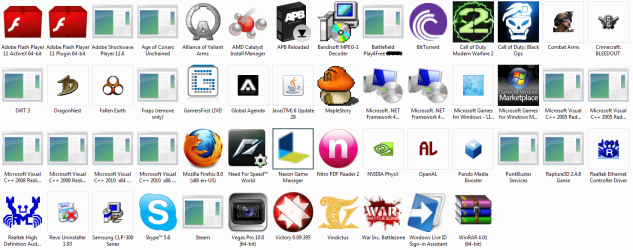
Thanks but sorry to say the text is too small to read, do it like this.

RR.JPG
 

My Computer My Computer

At a glance

Win7 H.Prem. 32bit+SP1
Computer Manufacturer/Model Number
Look in my Signature.
OS
Win7 H.Prem. 32bit+SP1
1.png
Sorry i cant make it any bigger the text doesn't get bigger when i make it larger.
 

My Computer My Computer

At a glance

Windows 7 x64
OS
Windows 7 x64
Hi all,
When I use my computer, these black dots appear, and sometimes when I'm watching youtube or a video on my computer, it'll crash and say "display driver AMD display has been recovered". Can someone help me?
Back to the start.
1 do they appear in normal use of your pc.
2 do they appear in all YouTube videos.
3 do they appear if watching other video's.
4 is your pc using the version of Windows it came with or an upgraded version.
 

My Computer My Computer

At a glance

Win7 H.Prem. 32bit+SP1
Computer Manufacturer/Model Number
Look in my Signature.
OS
Win7 H.Prem. 32bit+SP1
1 do they appear in normal use of your pc.
- Occasionally when I'm running a game and maybe just doing something on the desktop like making new folders, etc.
2 do they appear in all YouTube videos.
- Yeah they do and sometimes the youtube video screen will become green and u can only hear the audio
3 do they appear if watching other video's.
- Yes.
4 is your pc using the version of Windows it came with or an upgraded version.
- Yes.
 

My Computer My Computer

At a glance

Windows 7 x64
OS
Windows 7 x64
IMO they appear to be artifacts from either a failing video card or one that is overheating.
Fabe
 

My Computer My Computer

At a glance

Windows 7 ultimate 64 bit / XP Home sp3intel Core 2 Duo E8400 3.0ghz8 gigs 1066 OCZ Fata1tyEVGA GTX 580 Call of Duty Black Ops Edition
Computer Manufacturer/Model Number
Self Built
OS
Windows 7 ultimate 64 bit / XP Home sp3
CPU
intel Core 2 Duo E8400 3.0ghz
Motherboard
Asus P5ND bios 1401
Memory
8 gigs 1066 OCZ Fata1ty
Graphics Card(s)
EVGA GTX 580 Call of Duty Black Ops Edition
Sound Card
Creative Soundblaster Audigy 2zs
Monitor(s) Displays
Asus 24in LCD's 2MS X2
Screen Resolution
1920x1080p @60Hz
Hard Drives
WD Caviar 500 Black/ WD Caviar 200 Blue
PSU
OCZ 700W GameXtreme
Case
NZXT Apollo
Cooling
Corsair H50 CPU/120mm x3 /60mm x2 /Corsair Dominator Ram
Keyboard
Logitech Bluetooth Wireless MX5000
Mouse
Logitech Bluetooth Wireless MX1000
Internet Speed
Download 19.83 Upload 0.97
Other Info
Logitech Z2300 Speakers/ Bose Noise Cancelling Headphones/Avermedia PCI-e Hybrid TV Bravo/Epson NX415 all in one/ 4 Port Powered USB Hub/ LG 10x Bluray Burner /TSST Corp DVDRW External
1 do they appear in normal use of your pc.
- Occasionally when I'm running a game and maybe just doing something on the desktop like making new folders, etc.
2 do they appear in all YouTube videos.
- Yeah they do and sometimes the youtube video screen will become green and u can only hear the audio
3 do they appear if watching other video's.
- Yes.
4 is your pc using the version of Windows it came with or an upgraded version.
- Yes.
If you have the Recovery disk/s which you should have made or still have the Recovery partition, access it, read the available option, making a note of them then post your findings.
If using Recovery partition, watch as your pc starts to see what key is needed. Usually F11
 

My Computer My Computer

At a glance

Win7 H.Prem. 32bit+SP1
Computer Manufacturer/Model Number
Look in my Signature.
OS
Win7 H.Prem. 32bit+SP1
Back
Top