Help! I inadvertantly might have messed up my external hard drive

Thank you everyone for all your advice, I managed to recover all my important files to a spot on my laptop HD, I went out tonight and purchased a Seagate 3TB external HD, ya it too has the Seagate Dashboard for uploading and downloading easily to the Cloud, Facebook, ect..., However- I am the type of person who just needs the external HD for storage and I don't need any of that other garbage and I have discovered that I am allowed to delete it all off of the HD, now I have a nice clean uncluttered 2.72 TB hard drive. I will still use my "My Book" for basically storage of "not so important" files, I am sure I can trust it but so far I am liking this Seagate. Right now I am transferring all the recovered files onto it as we speak.
 

My Computer My Computer

At a glance

Windows 7 64 bitAMD Dual Core 2,2 GHZ4GB, upgrading to 8GBintegrated
OS
Windows 7 64 bit
CPU
AMD Dual Core 2,2 GHZ
Motherboard
dunno...its a laptop
Memory
4GB, upgrading to 8GB
Graphics Card(s)
integrated
Sound Card
does it need one?
Monitor(s) Displays
built in
Screen Resolution
lots
Hard Drives
2 x 250 GB
PSU
wall outlet
Case
plastic
Cooling
swamp cooler
Keyboard
finger operated
Mouse
cat got it
Internet Speed
1 meg
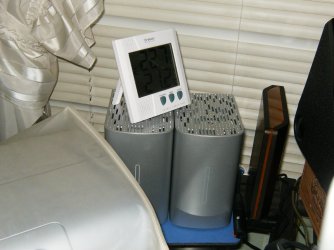
Glad you have your data and all the drives working well. I too love my "My Books" & my "Freeagents".HPIM1307.JPG
 

My Computer My Computer

At a glance

Windows 7 Ultimate 64i7 3770k OC'd 4.6 @ 1.17v, also FX 8120 & i5 ...32 gb G.Skill Sniper DDR3 10-12-12-31 @ 2133XFX Radeon 7870 2GB DDR5
Computer type
PC/Desktop
Computer Manufacturer/Model Number
A blend of brains, brawn and dumb luck.
OS
Windows 7 Ultimate 64
CPU
i7 3770k OC'd 4.6 @ 1.17v, also FX 8120 & i5 miniITX
Motherboard
MSI P67A-GD80 b3
Memory
32 gb G.Skill Sniper DDR3 10-12-12-31 @ 2133
Graphics Card(s)
XFX Radeon 7870 2GB DDR5
Sound Card
Sound Blaster Z Series Card
Monitor(s) Displays
(2) LG LED 23" 1920 x 1080 2ms Monitors via mini d-port
Screen Resolution
1680 X 1050 p
Hard Drives
Samsung 256 gb 830 SSD sata III
(1) 1 tb WD Black
(2) 1 tb Hitachi deskmates/sata II
(2) 1 tb WD green/sata II
(2) 3 tb Seagate Barracuda
(1) 120 gb OCZ Vertex SS
(1) Drobo 5N w/5 Seagate 3tb
PSU
EVGA modular 1000G2 80% gold rating & APC 1200 RS
Case
CoolerMaster Storm Styker
Cooling
7 case fans 140mm & 120mm, NZXT Kraken X60
Keyboard
(2) Logitech Illuminated Keyboards (1) usb (1) wireless
Mouse
Logitech G700 & T-BC21 - nano nx for the laptop
Internet Speed
Basic 120mbps down
Antivirus
Trend Micro Titanium Max Security & Malwarebytes Premium
Browser
Chrome and IE 10
Other Info
5 Noctua case fans + 3 Noctua in p/p on NZXT cooler
Integrated hot swap drive bays for 2.5" Drives
(2) Lite-on dvd/cd/Blu Ray optical 22X
Integrated fan controller and led on/off
HP Officejet Pro 8630 all-n-one
Hot-swappable 3.5" hard drive bay
Netgear Nighthawk router
Asus USB 3 & sata 6 PCIe card
Vantec IDE to sata adptr./Ultra sata adptr
Lenovo L420 i5 lappy with m sata
Drobo 5N advanced NAS
....However- I am the type of person who just needs the external HD for storage and I don't need any of that other garbage and I have discovered that I am allowed to delete it all off of the HD, now I have a nice clean uncluttered 2.72 TB hard drive. .......

That is it.

Now is your WD HDD clean? I am afraid not. It may still have a 700MB VCD ( or 40MB on later models of WD HDDs) UDF partition - even if you hide the VCD.

To delete that VCD partition (effectively killing it) and make your disk into a whole unit, download HP USB Disk Storage Format Tool HP USB Disk Storage Format Tool - CNET Download.com , Run it as Administrator and do a quick format (FAT32 or NTFS as you may wish).

( Please note the WDD capacity in My Computer before and after and confirm that the formatting has indeed added the extra space.)
 

My Computer My Computer

At a glance

Windows 7 Home Premium 32 bit
OS
Windows 7 Home Premium 32 bit
....However- I am the type of person who just needs the external HD for storage and I don't need any of that other garbage and I have discovered that I am allowed to delete it all off of the HD, now I have a nice clean uncluttered 2.72 TB hard drive. .......

That is it.

Now is your WD HDD clean? I am afraid not. It may still have a 700MB VCD ( or 40MB on later models of WD HDDs) UDF partition - even if you hide the VCD.

To delete that VCD partition (effectively killing it) and make your disk into a whole unit, download HP USB Disk Storage Format Tool HP USB Disk Storage Format Tool - CNET Download.com , Run it as Administrator and do a quick format (FAT32 or NTFS as you may wish).

( Please note the WDD capacity in My Computer before and after and confirm that the formatting has indeed added the extra space.)

I just went into the device drive manager and basically shut it off so that I cannot see the crapware anymore, I formatted the remaining 930 GBs of HD space, and have now basicallyloaded a bunch of stuff that isn't so criticall to keep. I mainly keep all my graphic design/ photography files on the new SeaGate drive and now all is well.
The last few night I however had to redirect my Lightroom Software so that it can see all my photo files, I just finished up doing that, Now I basically have my lightroom catalogues and original images stored on this drive and nothing else.
 

My Computer My Computer

At a glance

Windows 7 64 bitAMD Dual Core 2,2 GHZ4GB, upgrading to 8GBintegrated
OS
Windows 7 64 bit
CPU
AMD Dual Core 2,2 GHZ
Motherboard
dunno...its a laptop
Memory
4GB, upgrading to 8GB
Graphics Card(s)
integrated
Sound Card
does it need one?
Monitor(s) Displays
built in
Screen Resolution
lots
Hard Drives
2 x 250 GB
PSU
wall outlet
Case
plastic
Cooling
swamp cooler
Keyboard
finger operated
Mouse
cat got it
Internet Speed
1 meg
You have only hidden it from your PC. What will happen when it is connected to some other PC and someone "inadvertantly messed up with the external drive"?:)

I would consider killing the VCD and annexing the partition as a total solution. Anything else is a make-shift arrangement.
 

My Computer My Computer

At a glance

Windows 7 Home Premium 32 bit
OS
Windows 7 Home Premium 32 bit
You have only hidden it from your PC. What will happen when it is connected to some other PC and someone "inadvertantly messed up with the external drive"?:)

I would consider killing the VCD and annexing the partition as a total solution. Anything else is a make-shift arrangement.

Well I have already started to use it and have a bunch of data on it, ya I know the VCD is just hidden on my computer but as long as it stays that way then I am happy, no one else uses my HD, it is exclusively used by me and will remain that way.
that HD will just basically have a bunch of data on it that I could live with or without.
My new Seagate will have all my important images (from my photography business) stored on it.
 

My Computer My Computer

At a glance

Windows 7 64 bitAMD Dual Core 2,2 GHZ4GB, upgrading to 8GBintegrated
OS
Windows 7 64 bit
CPU
AMD Dual Core 2,2 GHZ
Motherboard
dunno...its a laptop
Memory
4GB, upgrading to 8GB
Graphics Card(s)
integrated
Sound Card
does it need one?
Monitor(s) Displays
built in
Screen Resolution
lots
Hard Drives
2 x 250 GB
PSU
wall outlet
Case
plastic
Cooling
swamp cooler
Keyboard
finger operated
Mouse
cat got it
Internet Speed
1 meg
Let us know if plugging the external into another PC visibly loads the driver and then whether again disabling it in Device Manager solves the problem again without further problems.

I read google results on this crapware for over an hour and didn't see exactly how to rid of it completely. In the past I've wiped any externals of crapware without issue but WD insists this will not work here. I'm sorry if I missed it Jumanji but how exactly is the drive rid of the firmware permanently without issue?

Thanks.
 
greg, it is here, an actual user experience. How to remove hidden Virtual CD (VCD) partitions on your Western Digital external disks

Formatting with HP USB Disk Storage Format Tool seems to kill it effectively (provided it is an older model wherein the VCD is 700 MB containing the Smartware. As I gather from OP's screenshot, he seems to have this 700MB partition.)

In later models of WD hard drives, the VCD partition is only 20MB and serves only to lock/unlock the drive. The unlocker partition resides on an HPA ( Host Protected Area) set in the DCO ( Device Configuration Overlay ) making it much more difficult to get rid of.

Even the HP Tool may not be able to kill it ( someone with a 20MB VCD partition has to try and confirm it and I don't have an WD drive with it :)). I understand that dd in Linux, HDat2 etc., can deal with it and annex it to the other main visible partition.

WD having consistently refused to help users in getting rid of it and directing them to buy only plain HDDs without Smartware/VCD if they do not want it, one has to be extra careful when buying WD drives to avoid these pains later.

EDIT: greg, This thread and the links therein may be of interest to you. I know you can work on it and come with solutions when needed. :)
 
Last edited:

My Computer My Computer

At a glance

Windows 7 Home Premium 32 bit
OS
Windows 7 Home Premium 32 bit
I havent tried it out on a different computer yet, but then again I believe the ol' "If it aint broke, don't fix it" analogy, I just got the WD HD working the way I want it and I think I will leave well enough alone, I have learned that if I try to screw with things like this with my limited computer knowledge then I am sure to break it. I can live without the 700 MB that that crapware takes up.
My Seagate has lots of promise, I think I will put all my eggs in THAT basket, and just use the WD for other things.
 

My Computer My Computer

At a glance

Windows 7 64 bitAMD Dual Core 2,2 GHZ4GB, upgrading to 8GBintegrated
OS
Windows 7 64 bit
CPU
AMD Dual Core 2,2 GHZ
Motherboard
dunno...its a laptop
Memory
4GB, upgrading to 8GB
Graphics Card(s)
integrated
Sound Card
does it need one?
Monitor(s) Displays
built in
Screen Resolution
lots
Hard Drives
2 x 250 GB
PSU
wall outlet
Case
plastic
Cooling
swamp cooler
Keyboard
finger operated
Mouse
cat got it
Internet Speed
1 meg
^ Absolutely no compulsions :).

My previous post was in reply to gregrocker's query that preceded it.
 

My Computer My Computer

At a glance

Windows 7 Home Premium 32 bit
OS
Windows 7 Home Premium 32 bit
Back
Top