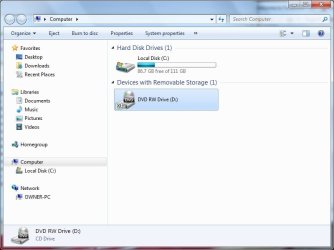
Now, now, Brian no need to swear. It will just take some time and patience to figure this out.
Your description of the CMD prompts sounds convoluted. Here are the two prompts, and what they should look like. Clicking on the pix will enlarge it.
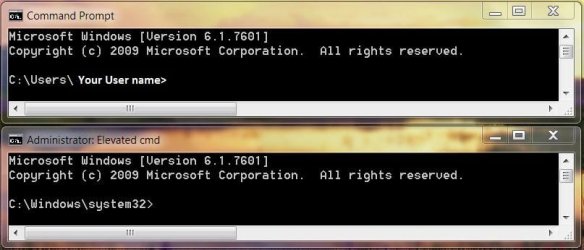
The top prompt is a regular prompt it will only say CMD Prompt in the title bar, and the input line starts with C:\User\ and then your user name>.
The Administrator Prompt has Administrator: Elevated Command in the title bar, and the input line starts with C:\Windows\system32>.
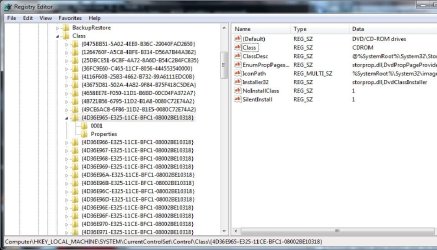
Can you explain what I underlined here?
The drive will not open and when I try to eject it from my computer icon, it says there is an error in the DVD Drive.
Can you tell me. Does the DVD drive make any spinning/whirring noises, any lights blinking?
And can you check this for me please?
Do me a favor please? Just to rule these out.
Go to Control Panel\All Control Panel Items\System and at the bottom left do you see "Windows is activated"?
Then at the bottom right corner, does it show a rectangular blue sticker saying "Ask for Genuine Windows software"?
Do you notice any :warn: in Device Manager? Go down all the triangles and open them to make sure there are none hiding, especially where it says >DVD/CD-ROM Drives.
You can open Device Manager quickly by typing devmgmt.msc into RUN or SEARCH and pressing ENTER.
If you use search pick the first listing under Programs
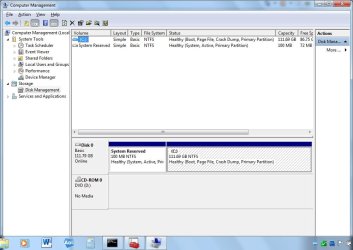
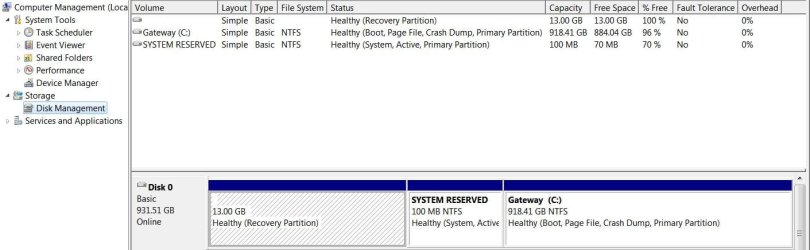
I would also like you to go into Computer Management, and post a screen shot of your drives.
http://www.sevenforums.com/tutorials/9733-screenshots-files-upload-post-seven-forums.html
You can open Computer Management quickly by typing Computer Management into SEARCH and pressing ENTER.
When you use search pick the first listing under Programs
In the left column, go down to the triangle beside Storage, and click on it, you will see a sub-category called Disk Management. Give it a short time to build a report, and show it.
The sides are drag-able so you can enlarge the center section or you could just click on maximize in the upper right corner of the title bar.
Using the
Snipping Tool, it is only necessary to show this much. I will use my management area to show you what we need.
I did find an interesting site for your Acer, I do not know if you have been there yet:
Acer Extensa 5220 5620 5620Z
One last question for now, did you recieve any disks when you purchased your machine?