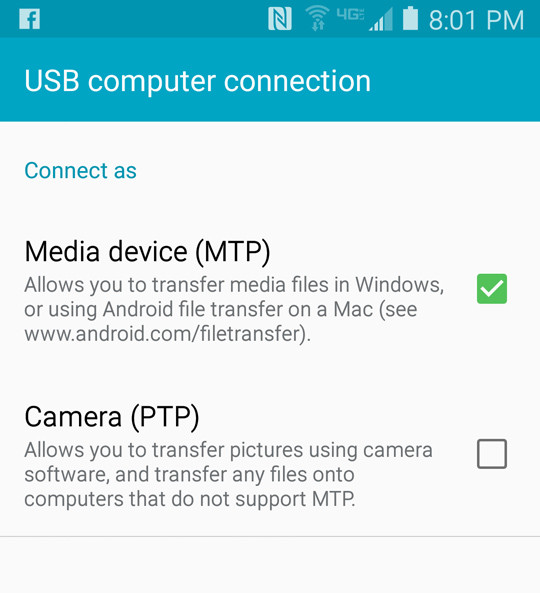
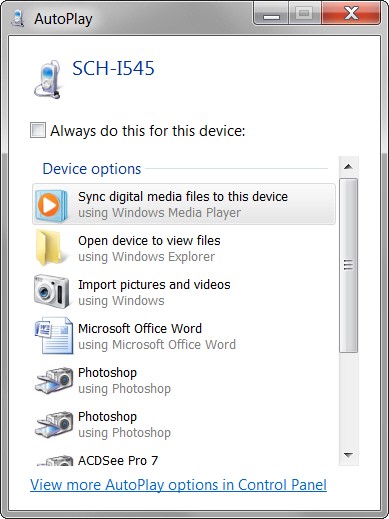
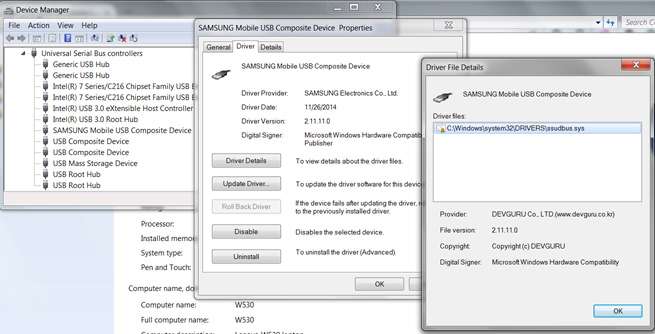
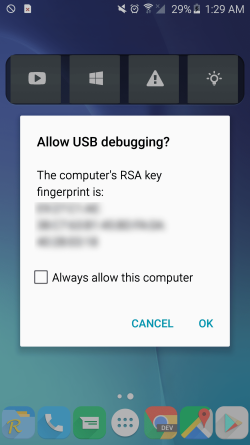
Actually I went through to the debugging bit and then did it and then onto that root thing and I stopped there because it warned me that it could literally root the phone - in other words completely mess it up.
Well I guess I have to cave into the fact that I have lost all that info in memo - because if I muck the phone up as well it becomes a very expensive exercise.
I might just try the helium method and I am guessing it is the one that the video is calling carbon, and see what happens if it is only for saving stuff in the future then I suppose it is worth it.
Thanks for all you help and patience if I had thought ahead I would have or should photographed the memo app screen to include all the info and had been more careful in what I was doing. Again I think this is a ridiculously convoluted and overly complicated system that Samsung and I would hazard a guess that those similar manufacturers have designed into their products and here am I thinking the phone was the best thing since sliced bread.
Edit: I did try Dr Fone (as well as EaseUS and some other software) and it did something in rooted mode but what I don't know and I think because that software did not list my model phone it actually did nothing in any way.
Well I guess I have to cave into the fact that I have lost all that info in memo - because if I muck the phone up as well it becomes a very expensive exercise.
I might just try the helium method and I am guessing it is the one that the video is calling carbon, and see what happens if it is only for saving stuff in the future then I suppose it is worth it.
Thanks for all you help and patience if I had thought ahead I would have or should photographed the memo app screen to include all the info and had been more careful in what I was doing. Again I think this is a ridiculously convoluted and overly complicated system that Samsung and I would hazard a guess that those similar manufacturers have designed into their products and here am I thinking the phone was the best thing since sliced bread.
Edit: I did try Dr Fone (as well as EaseUS and some other software) and it did something in rooted mode but what I don't know and I think because that software did not list my model phone it actually did nothing in any way.
My Computer
- Computer type
- PC/Desktop
- Computer Manufacturer/Model Number
- Own build (new) Desk1 / Asus ROG Win 7 / Desk2 1st build
- OS
- Desk1 7 Home Prem / Desk2 10 Pro / Main lap Asus ROG 10 Pro 2 laptop Toshiba 7 Pro Asus P2520 7 & 10
- CPU
- Desk1 i5 3750K / Laptop i7 GTX 860M / Desk2 i5 2500
- Motherboard
- Desk1 Asus P877-V / Desk2 Gigabyte H67 UD3H / Laptop ?
- Memory
- Desk1 8GB (1866) / Desk2 16GB (1333) / Laptop 8Gb DDR3
- Graphics Card(s)
- Desk 1& 2NVidia GTX 650 & Laptops on board Intel
- Sound Card
- Desk 1 & 2 -XONAR DG Realtek High Def audio Laptop
- Monitor(s) Displays
- Desk 1 Benq HD 2450 / Desk2 Philips 24" / Laptop 17.5"
- Screen Resolution
- 1920x1080 D1 & D2 & Laptop 1
- Hard Drives
- Desk1 Samsung 120GB 830 SSD
Asus ROG 256GB 850 Pro SSD
Desk2 Samsung 840 256 SSD
Toshiba 120GB EVO
- PSU
- Desk 1 Corsair HX 1050/ Laptop ? / Desk 2 Corsair HX 650
- Case
- Desk 1 Cooler HAF XM ? Toshiba laptop / Desk2 Coolermaster
- Cooling
- Fans on all Desk1 -2 Desk2 - all Coolermasters 5 Laptop ?
- Keyboard
- Desk 1 MS Sidewinder X6 Desk 2 MS Sidewinder X 4
- Mouse
- Desk 1&2 - Gigabyte MS 900 gamer - laptop - Logitec wireless
- Internet Speed
- ADSL2+
- Other Info
- One other Desktop (tester) and spare Toshba laptop both with SSD's
Running Kaspersky 2016 ISS on all machines config'd identically
Logitec audio stereo systems on each machine (x3)
Canon MG5250MFC
Router/modem TP-Link running WPA2SK