vexa
New member
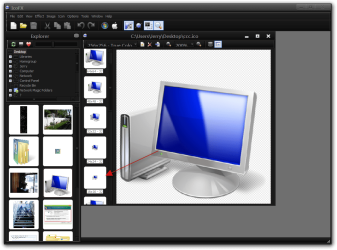
here's the screenshot, pretty disturbing for me.

using blank icons really can remove these icons but is quite difficult for me while looking for some folders or files.
tried to find an answer at google, but didnt find any relevant.
thx before guys!
using blank icons really can remove these icons but is quite difficult for me while looking for some folders or files.
tried to find an answer at google, but didnt find any relevant.
thx before guys!
Last edited by a moderator:
My Computer
At a glance
Windows 7 Professional SP1 x64Intel Core i5-4690corsair 4x 4 GBMSI GTX 770
- Computer type
- PC/Desktop
- Computer Manufacturer/Model Number
- custom build
- OS
- Windows 7 Professional SP1 x64
- CPU
- Intel Core i5-4690
- Motherboard
- MSI H97M-G43
- Memory
- corsair 4x 4 GB
- Graphics Card(s)
- MSI GTX 770
- Sound Card
- Onboard
- Monitor(s) Displays
- Dell s2440L
- Screen Resolution
- 1080p
- Hard Drives
- 128GB crucial SSD + 2TB seagate
- PSU
- Corsair CX600M
- Case
- Corsair Obsidian 350D
- Cooling
- Corsair h105
- Keyboard
- Corsair Vengeance K70
- Mouse
- Corsair Vengeance M65
- Internet Speed
- 7.2 mbps
- Antivirus
- Avast Free
- Browser
- Chrome + Waterfox