
How can I recover files from Unallocated Space partition?

Olufsen

New member
Local time
3:12 PM
Messages
7
I was trying to create recovery media on a 16GB USB stick for my new laptop but for some reason it wasn't working. I kept trying it and eventually it worked. A while later I came to access my 3TB USB HDD but it wasn't showing up in My Computer. I checked Disk Management and found my 3TB USB HDD had a 32GB RAW partition and a 2.7TB Unallocated Space partition.

So it looks like the recovery media application was, at first, trying to write to my 3TB USB HDD instead of my 16GB USB stick. It obviously didn't write anything to the 3TB USB HDD as the 32gb partition is a RAW format.

I have tried two pieces of partition recovery software, MiniTool Partition Wizard Professional 9.1 and EaseUS Partition Manage 10.8, but they only find loads of little partitions, I was expecting it to find one big 3TB partition.
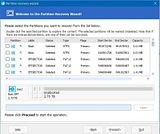


I haven't tried any file recovery software yet. I was hoping I could use partition recovery software to just restore the HDD back to its original state.

Could anyone help me out?
 
Last edited:

My Computer My Computer

At a glance

Win 10 x64
Computer type
PC/Desktop
OS
Win 10 x64
My eyes might have missed it, have you tried a Puppy Linux boot stick to first recover the folders and files off of the RAW-written partition?
 

My Computer My Computer

At a glance

Windows 7 Professional 64-bitDesktop i5; Acers i5 & i7desktop 16GB; 1 Acer 8GB & 1 Acer 16GB
Computer type
PC/Desktop
Computer Manufacturer/Model Number
Antec desktop; Acer Aspire laptops
OS
Windows 7 Professional 64-bit
CPU
Desktop i5; Acers i5 & i7
Memory
desktop 16GB; 1 Acer 8GB & 1 Acer 16GB
Hard Drives
1TB split into 2 equal partitions [OS and data] usable by RJS
Internet Speed
AT&T DSL
Browser
FF, GChrome, msIE
Other Info
Windows 7 Firewall, Emsisoft AM/AV, MSE [scan-only], SpywareBlaster, Ruiware/BillP combine
Hello there, many thanks for the swift reply.
I have not done that. I have been focusing on the 2.7TB partition.

I am now trying file recovery software, its only 20% of the way through, but its only picking up thousands of 32kb files. This doesn't look to good.
 
Last edited:

My Computer My Computer

At a glance

Win 10 x64
Computer type
PC/Desktop
OS
Win 10 x64
I have ran DMDE and this is what im getting:

The 32GB RAW partition does unfortunately seem to be full of zeros so any data that was on there is lost forever.
The 2.7TB Unallocated Space partition does have data on it. I need a way to get this off preserving the file structure it was in, if at all possible.
 

My Computer My Computer

At a glance

Win 10 x64
Computer type
PC/Desktop
OS
Win 10 x64
Try GetDataback Simple. https://www.runtime.org/data-recovery-software.htm If the free demo version shows your original folder/file structure, then you need to buy the licence to copy.. The free demo version also enables you to preview the files to check the integrity.
 

My Computer My Computer

At a glance

Windows 7 Home Premium 32 bit
OS
Windows 7 Home Premium 32 bit
I have tried EaseUS Data Recovery, it ran for about 18 hours, and There are files on the 2.7TB Unallocated Space partition but they are not in the original file structure, and most of them do not have their original metadata attached to them.
 

My Computer My Computer

At a glance

Win 10 x64
Computer type
PC/Desktop
OS
Win 10 x64
As I told you in my previous post try GetDataback Simple and scan your drive. See whether it shows all your folders and files with their original structure and file names. It is capable of doing that if the original MFT (Master File Table) is in tact. Chances are in your case it is. It only scans your drive and does not write anything to that drive. So you need not worry about it.
 

My Computer My Computer

At a glance

Windows 7 Home Premium 32 bit
OS
Windows 7 Home Premium 32 bit
Yes, 60 seconds and it showed me all my files in its original structure :-) PHEW

So is GetDataBack to only program that can do this? (I'm looking for a free option idealy)
Does it just restore the original hard drive, or do I need another 3TB hard drive to transfer it all on to?
 

My Computer My Computer

At a glance

Win 10 x64
Computer type
PC/Desktop
OS
Win 10 x64
As far as I know there is no free program that can do that. ( But then I have to admit that I am not a know-all.:)) In many cases we had recommended it as a last resort ( after trying TestDisk, PhotoRec etc.,) and it had done that magic.

But sure it will not restore your drive. You have to buy a license and copy to another drive.

You are in this sorry state of affair because you did not bother to remove all other external drives except the 32GB flash drive on to which you wanted the recovery disk.

It may still be possible to restore your drive but for that I have to examine your drive in detail. I have to know whether your 3TB external HDD was an MBR disk or GPT disk. Do you know that?

If it was an MBR Disk, then we may try to find the backup boot sector with Test Disk and rewrite it to the first sector of your original Partition. Then we can rebuild the sector 0, the MBR sector with Partition Wizard.

If it was a GPT disk, then ......

I haven't finished this post. But I have to go out now and will continue after my return in another hour.
 

My Computer My Computer

At a glance

Windows 7 Home Premium 32 bit
OS
Windows 7 Home Premium 32 bit
OK, Continuing, if your 3TB external drive was initialised and formatted as a GPT drive , it becomes a little more difficult and we will be in an uncharted area. We have to examine the last few sectors of your 3TB drive and ascertain the back up of the original GPT structure is in tact. Your 32GB has been written as a GPT or so it looks like from your DMDE screenshot.. Where has it put the backups? Has it put them in the last few sectors of the 32GB partition or has it put them in the last few sectors of the 3TB overwriting atleast in part the original backups?

On the whole we may have to go through a lot of investigative procedures and try to reconstruct the partition structure. There is no easy solution.

Now you have to ask yourself: Is this marathon and long winding process worth taking? Or would you just spend USD69 and get done with it? I am ready for the game :). Are you? No results guaranteed as with all Data Recovery procedures. It is only going to be a best effort based upon logic and reasoning. Your case is one of a kind not encountered by us before..If successful you smile or else .... The only saving grace will be, we are only trying to write a few sectors that define the partition structure and that will not affect/alter your data in any way. If our attempt fails, you can still get your data back with Getdataback simple since we will not be touching any of the sectors where your data resides.

I have long been advising in this forum: Know your drive - whether it is an MBR drive or GPT drive. Save the important sectors of the Partition structure (just sector 0 in case of MBR drives and for GPT just a handful of them each a miserly 512bytes, the normal physical sector size ) When diaster strikes, just restore these sectors from the backup. In most cases that should immediately bring the drive back alive. Even if it doesn't, that makes data recovery much easier and reliable.

My posts here:
http://www.sevenforums.com/performa...ary-mbr-logical-partitions-3.html#post2693984

http://www.sevenforums.com/performa...ary-mbr-logical-partitions-3.html#post2694875
 
Last edited:

My Computer My Computer

At a glance

Windows 7 Home Premium 32 bit
OS
Windows 7 Home Premium 32 bit
Thanks ever so much for your reply :-)
As I need the pictures this this week, I had to plump for the $80 and get the full program.
I had to copy my files to another hard drive, format the problem drive, then transfer my files back.

Thanks for the help, its muchly appreciated!
 

My Computer My Computer

At a glance

Win 10 x64
Computer type
PC/Desktop
OS
Win 10 x64
OK, fine. You relieved me from the marathon :D . When you copy the data back to the original drive after formatting, retain the data in the other drive for atleast sometime till you make sure that the recopied data is all well and good. Have a good day.

Edit: You may mark the thread as solved.
 

My Computer My Computer

At a glance

Windows 7 Home Premium 32 bit
OS
Windows 7 Home Premium 32 bit
Back
Top