- Local time
- 7:48 PM
- Messages
- 109
Hi. Is there a tutorial on here (or anywhere, for that matter) on how to burn CDs in Windows 7?
My PC is capable of burning them, but whenever I do it, things go wrong. I drag files to somewhere and burn and remove the CD, but the files keep showing up as ready to burn. Sometimes they're not on the CD, but they remain as ready to burn, or other strange happenings that I can't quite understand. I would like a simple explanation of what is happening and how to burn CDs, the goal is to burn all of my notes from school (I just finished all my classes) onto CD for future use - but off of my space limited SDD.
Thanks.
My PC is capable of burning them, but whenever I do it, things go wrong. I drag files to somewhere and burn and remove the CD, but the files keep showing up as ready to burn. Sometimes they're not on the CD, but they remain as ready to burn, or other strange happenings that I can't quite understand. I would like a simple explanation of what is happening and how to burn CDs, the goal is to burn all of my notes from school (I just finished all my classes) onto CD for future use - but off of my space limited SDD.
Thanks.
My Computer
At a glance
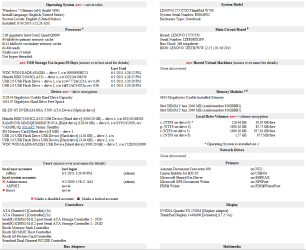
Microsoft Windows 7 Professional 64-bit 7601 ...AMD A6-5350M APU with Radeon(tm) HD Graphics16.00 GBAMD Radeon HD 8450G
- Computer type
- PC/Desktop
- Computer Manufacturer/Model Number
- Lenovo/2757CTO Thinkpad W700
- OS
- Microsoft Windows 7 Professional 64-bit 7601 Multiprocessor Free Service Pack 1
- CPU
- AMD A6-5350M APU with Radeon(tm) HD Graphics
- Motherboard
- LENOVO 20B20011US
- Memory
- 16.00 GB
- Graphics Card(s)
- AMD Radeon HD 8450G
- Sound Card
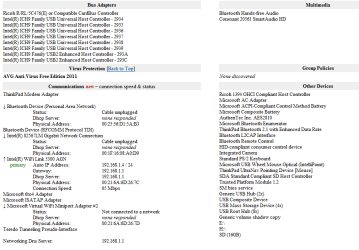
- (1) AMD High Definition Audio Device (2) Conexant 20671 Sm
- Monitor(s) Displays
- ??
- Screen Resolution
- 1366 x 768 x 32 bits (4294967296 colors) @ 60 Hz
- Hard Drives
- HGST HTS 545032A7E380 SATA Disk Device
- Mouse
- Microsoft Optical Wheel Mouse
- Other Info
- BIOS: Ver 1.00PARTTBLX


 because I wanted to use the regular window GUI because that way I am more likely to remember where it is. But clearly, the GUI does not always work. (Aside: Why the heck not? It just lowers my confidence in Windows.)