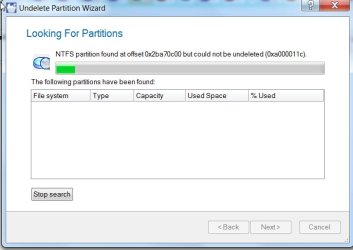
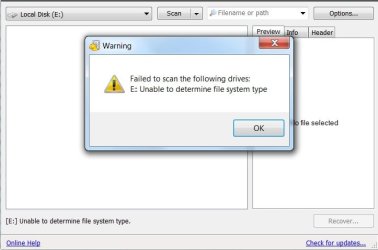
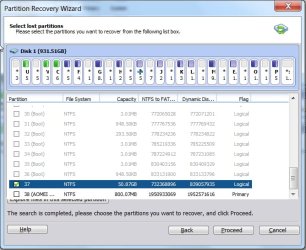
I was told if I do chkdsk /r /f d: and that it would convert Raw to NTFS. But, it states file system is NTFS even though it is listed as Raw. I think this the reason that I am not able to boot up into the new WD HDD 1TB because it's Raw.
Windiws 7 x64
i have two hard drives cloned. One of them has two partitions. On the computer before cloning via clonezilla I had :C and :E on one drive and the second new hard drive I cloned D.
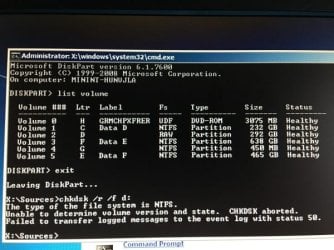
Therefore, in the picture Data D actually has data cloned from the D drive ; but is listed under letter C. The data from the C drive was named Program Files and it's not seen under label. I believe it is the Raw file because the size matches. The data from the E drive that was cloned is listed in picture under letter F.
Any help would be appreciated. Thanks in advance. How do I fix the Raw issue. I cloned the drives because I believe there were bad sectors.
I have attached a screenshot of what I am referring to.
Windiws 7 x64
i have two hard drives cloned. One of them has two partitions. On the computer before cloning via clonezilla I had :C and :E on one drive and the second new hard drive I cloned D.
Therefore, in the picture Data D actually has data cloned from the D drive ; but is listed under letter C. The data from the C drive was named Program Files and it's not seen under label. I believe it is the Raw file because the size matches. The data from the E drive that was cloned is listed in picture under letter F.
Any help would be appreciated. Thanks in advance. How do I fix the Raw issue. I cloned the drives because I believe there were bad sectors.
I have attached a screenshot of what I am referring to.
Attachments
My Computer
- Computer type
- PC/Desktop
- OS
- Winows 7 Home Premium x64
- Memory
- 6GB
- Hard Drives
- Western Digital 1TB 7200RPM
- Antivirus
- Norton
- Browser
- Chrome