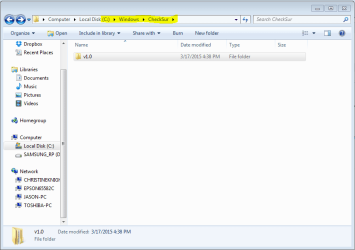
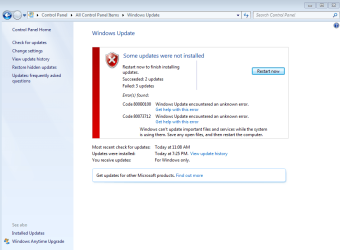
**My post includes the error codes from step #3 and this dropbox link for CBS.zip file created in step #4 of the thread posting instructions (CBS.log was 90mb zipped, almost no compression, not sure if I did it wrong).... I've run SURT and also uploaded CBS & checkSUR.log files
https://www.dropbox.com/s/o0ahtlnoik3gd6v/CBS.zip?dl=0
Hello and thank you for reading and for any advice and help you can offer.
This thread is not for my system specs on my profile here but for another Laptop I have that my wife and I are giving to our 10 yr old son, at the end of the school year as a gift.
Here are the basic specs for the Laptop and OS with the problem:
Samsung NP-QX410 Laptop
Seagate 120G HDD
4G dram
Windows 7 Home Premium SP1
About 2 weeks ago we resurrected this Samsung Laptop from a bad Samsung HDD and temporarily replaced it with an older model Seagate 120gb HDD. Everything has been going smooth....until a week ago when I updated the BIOS using Samsung update to version 5. Also, I installed Ccleaner and ran that. These 2 actions may or may not have anything to do with the windows update issue....
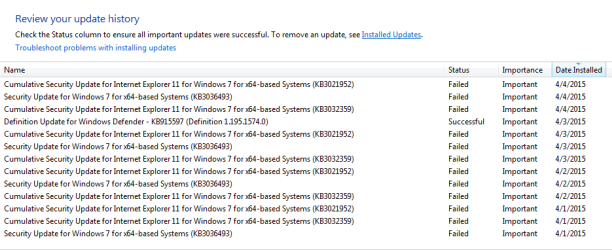
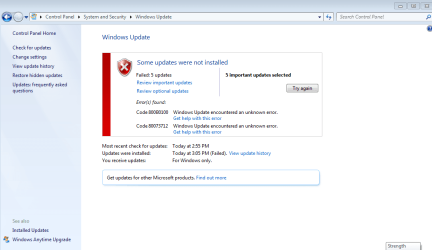
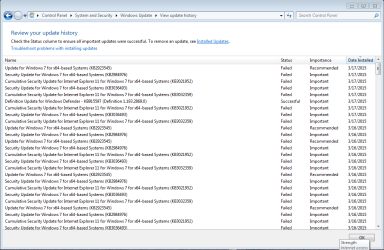
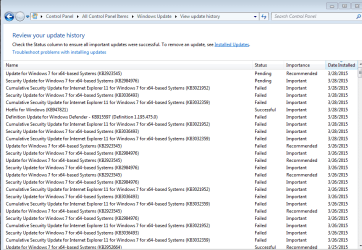
I installed many windows updates over the course of 2 days before these last 2 actions. No problems, so I find that suspicious. Now, I have 5 Windows updates that just won't install after many attempts.
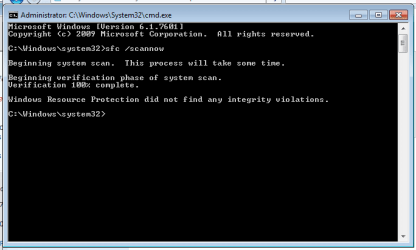
I've gone to support.microsoft and tried mr fixit. Also, I've tried sfc /scannow. no issues.
Everything otherwise seems ok with laptop. (I'm ordering an SSD to replace the old Seagate 120gb 5200rpm which should make a huge difference!) But we'd really like to have this Windows update issue resolved before we give our son the laptop as a gift.
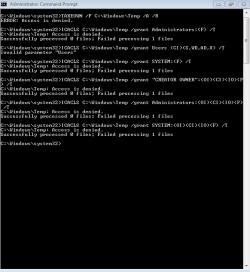
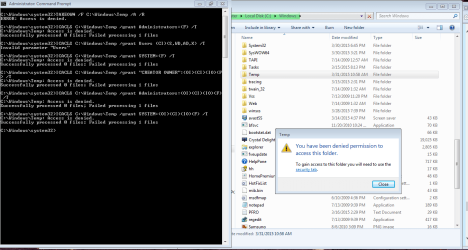
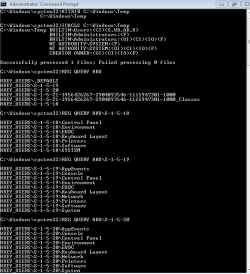
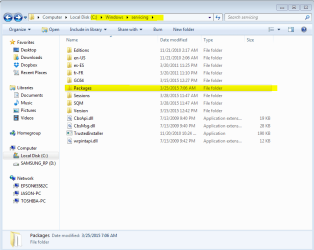
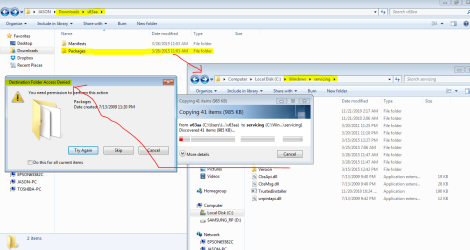
THANK YOU AGAIN FOR READING.....and let me know what you think.....here are some screenshots that may be helpful...... and the CBS.log zip file DROPBOX LINK if you missed it above...
https://www.dropbox.com/s/o0ahtlnoik3gd6v/CBS.zip?dl=0
https://www.dropbox.com/s/o0ahtlnoik3gd6v/CBS.zip?dl=0
Hello and thank you for reading and for any advice and help you can offer.
This thread is not for my system specs on my profile here but for another Laptop I have that my wife and I are giving to our 10 yr old son, at the end of the school year as a gift.
Here are the basic specs for the Laptop and OS with the problem:
Samsung NP-QX410 Laptop
Seagate 120G HDD
4G dram
Windows 7 Home Premium SP1
About 2 weeks ago we resurrected this Samsung Laptop from a bad Samsung HDD and temporarily replaced it with an older model Seagate 120gb HDD. Everything has been going smooth....until a week ago when I updated the BIOS using Samsung update to version 5. Also, I installed Ccleaner and ran that. These 2 actions may or may not have anything to do with the windows update issue....
I installed many windows updates over the course of 2 days before these last 2 actions. No problems, so I find that suspicious. Now, I have 5 Windows updates that just won't install after many attempts.
I've gone to support.microsoft and tried mr fixit. Also, I've tried sfc /scannow. no issues.
Everything otherwise seems ok with laptop. (I'm ordering an SSD to replace the old Seagate 120gb 5200rpm which should make a huge difference!) But we'd really like to have this Windows update issue resolved before we give our son the laptop as a gift.
THANK YOU AGAIN FOR READING.....and let me know what you think.....here are some screenshots that may be helpful...... and the CBS.log zip file DROPBOX LINK if you missed it above...
https://www.dropbox.com/s/o0ahtlnoik3gd6v/CBS.zip?dl=0
Attachments
My Computer
At a glance
windows 7 professional 64 bit Version 6.1.760...Intel(R) Pentium(R) CPU B970 @ 2.30GHz, 2300 ...8GbIntel HD Graphics Driver Vers 9.17.10.3347 Da...
- Computer type
- Laptop
- Computer Manufacturer/Model Number
- Toshiba Satellite c855-s5214
- OS
- windows 7 professional 64 bit Version 6.1.7601 Service Pack 1 Build 7601
- CPU
- Intel(R) Pentium(R) CPU B970 @ 2.30GHz, 2300 Mhz, 2 cores
- Motherboard
- Toshiba Portable BIOS Insyde Corp Version 1.60 Date 4/20/12
- Memory
- 8Gb
- Graphics Card(s)
- Intel HD Graphics Driver Vers 9.17.10.3347 Date 10/31/20
- Hard Drives
- SanDisk Extreme Pro SSD 480 Gb (approx. 381gb free)
Firmware Version X21200RL
Migrated and Installed 4/3/2015
- Antivirus
- BitDefender AntiVirus Free Edition Version 1.0.21.1099
- Browser
- Internet Explorer 11 update version 11.0.16
- Other Info
- Additional Systems:
Samsung NP-QX410 Laptop Windows 7 Home Premium SP1
Samsung 850 EVO 250G 4G ram
Avast! Free 2015
Toshiba A205-S7468 Laptop Windows 7 Ultimate
WD 320G HDD 4G ram
AVG free 2015


 F) /T
F) /T