BestUsername
New member
- Local time
- 8:26 AM
- Messages
- 18
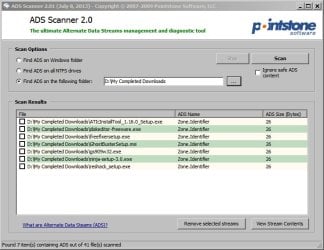
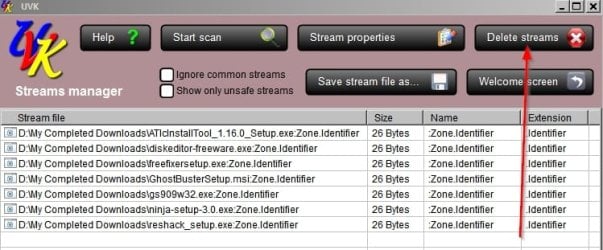
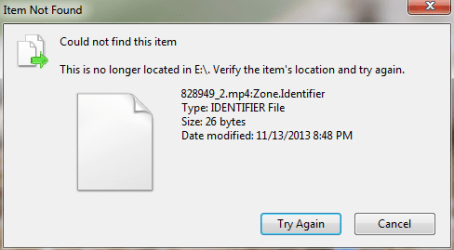
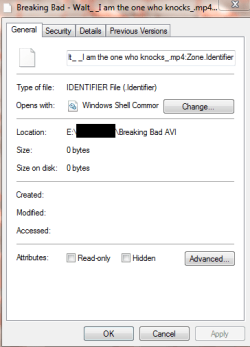
Win 7 x64 OS. I did a data recovery to restore thousands of deleted files on my external hard drive. After the files were successfully restored, I also had thousands of 1kb "zone.identifier" files for each of the restored files. I've tried deleting the zone.identifier files but get an "Item Not found" error window, which says "This is no longer located in E:\. Verify the item's location and try again." So... how do I remove or delete these files?
I've attached pictures of
1) an example of the file & it's zone.identifier copy
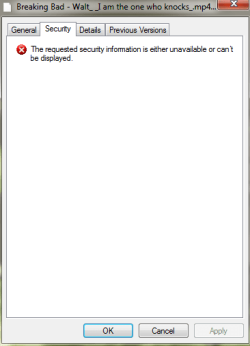
2) the error message I get when I try to delete
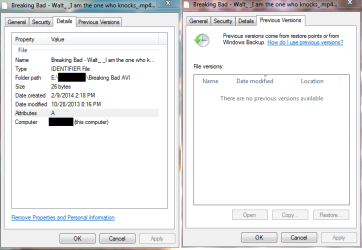
3) the properties of the zone.identifier files (personal ID blacked out)
I've attached pictures of
1) an example of the file & it's zone.identifier copy
2) the error message I get when I try to delete
3) the properties of the zone.identifier files (personal ID blacked out)
Attachments

My Computer
- Computer type
- Laptop
- Computer Manufacturer/Model Number
- Lenovo
- OS
- Win 7 Home Premium 64
- Motherboard
- 4383
- Memory
- 4096MB RAM
- Hard Drives
- Local Disk (C:) 152 GB free of 254 GB
LENOVO (D:) 26.5 GB free of 28.9 GB
- Antivirus
- Avast