
After a week to 10 days traveling with my HP Pavilion dv6 laptop running win 7 home premium 64-bit, and having big issues with a failing battery, which led to to multiple restarts, system scans, and system recoveries, my display is now all funky. It looks like a cross between Safe mode and what I am used to seeing. very boxy menus and buttons appear on the desktop, start menu and taskbar. Windows explore looks altered and many applications and browser displays are wrong. I tried a system restore from a restore point before my trip; it succeeded but didn't fix the display issues. I have fiddled with the resolution, default font, and clear text settings all to no avail.
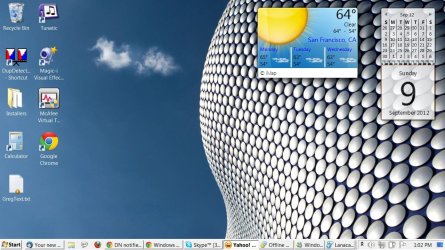
The best example of the change is the desktop gadgets and taskbar. See attached screenshot. Colors are missing in some gadgets (calendar). Notification icons are like line drawings with no color. There are several other odd changes as well. It is almost as if a new theme has been installed that is causing menus, taskbar buttons, etc to behave differently.
Suggestions on how to restore the default behavior?
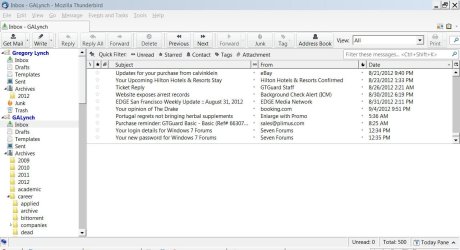
Additional information: Thunderbird themes do not stick. I have the Silvermel theme installed, among others, and Thunderbird appears as in the attached image no matter what theme I enable.
The best example of the change is the desktop gadgets and taskbar. See attached screenshot. Colors are missing in some gadgets (calendar). Notification icons are like line drawings with no color. There are several other odd changes as well. It is almost as if a new theme has been installed that is causing menus, taskbar buttons, etc to behave differently.
Suggestions on how to restore the default behavior?
Additional information: Thunderbird themes do not stick. I have the Silvermel theme installed, among others, and Thunderbird appears as in the attached image no matter what theme I enable.
Attachments
Last edited:
My Computer
At a glance
Windows 7 Home Premium 64bit
- OS
- Windows 7 Home Premium 64bit


