
Sorry.. The complete title of the thread should have been:
"How do I return or mix back these "unallocated" space to their original partition?"
While fixing something in my second computer.
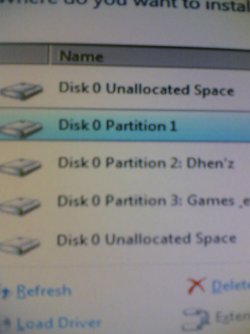
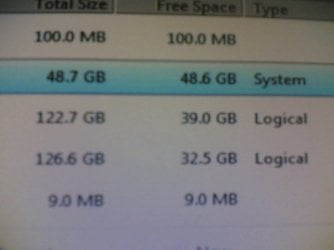
I found that there are 2 unallocated space.
100MB = From Drive C
and
9MB a space which I do not know where it came from.
Forgive me if the images are not so clear. My cellphone does not have a good camera.
(Check images supplied for important/not important info)
Any help on how to mix/merge or gain this unallocated space will be very much appreciated.
"How do I return or mix back these "unallocated" space to their original partition?"
While fixing something in my second computer.
I found that there are 2 unallocated space.
100MB = From Drive C
and
9MB a space which I do not know where it came from.
Forgive me if the images are not so clear. My cellphone does not have a good camera.
(Check images supplied for important/not important info)
Any help on how to mix/merge or gain this unallocated space will be very much appreciated.
Attachments
My Computer
- OS
- Windows 7 Ultimate 64bit
- Motherboard
- ASRock G31M-S
- Memory
- 4GB
- Graphics Card(s)
- Nvidia GeForce 9500
- Screen Resolution
- 1440x900
- Hard Drives
- C/
D/
E/
- Keyboard
- Genius


