I agree with fseal, hollyoaks, that something else might be at fault. I'm trying to run a time line though my head and thinking out loud here. If I get something wrong or out of sequence, please feel free to chastise me or beat me soundly around the head and shoulders with a usb cable. And in no way am I being critical or trying to find fault with anything you've done.
1. Your computer had Windows 7 installed along with the default IE8 for a period of time and all was good.
2. Presumably around the time IE9 was released to the public,
"I hate IE9 but they have forced it apon me as downloads are corrupted..." I take that to mean Microsoft (through Windows Update) installed IE9 before you had a chance to decline it. And once IE9 was on your machine it wasn't working right.
3.
"I tried a repair to IE8 and reinstalled it..." When you realized IE9 was borked you tried to repair/reinstall IE8, presumably from an official Microsoft website like
this. But it didn't fix the problem. For clarification, did you attempt to uninstall IE9 first?
4. Eventually,
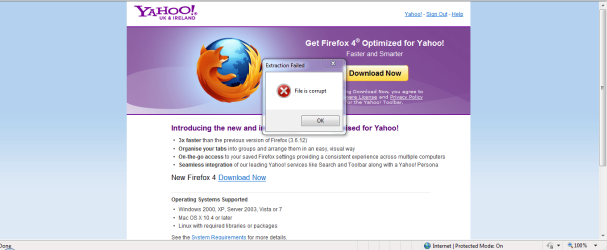
"I have now unistalled IE9 via updates installed and the icon is still IE9 but i am on IE8 won't even let me download firefox says corrupt file." So apparently there was a problem with the uninstall process and you were not able to use the reinstated IE8 to download Firefox.
5. Finally, you also uninstalled SP1 and,
"done reinstall mate and they are forcing it apon you just type in firefox and download you will get a corrupt file alert on no matter what link you choose. So i am stuck with IE9". Again, for clarification, when you say you "reinstalled" you're saying you did the Repair Install and even that didn't work.
If this accurately represents everything you've tried, it sounds like something is terribly wrong with your Windows 7 installation. Unless one of our resident experts can offer another repair option to try, I'm leaning towards a
clean install of the operating system. That would virtually guarantee (short of computer hardware issues) elimination of all the problems you're having. And it would be your choice if you want to turn Windows Updates off and stay with the basic OS and IE8.
ADDED: In researching this problem I came across a registry tweak that
might help. I tried it on my machine and it successfully removed my currently installed IE9. When I rebooted, IE8 was reinstalled. Your mileage (kilometers?) may vary. And you can disregard the instructions for removing Outlook Express.
As always, if a mistake is made in editing the registry,your computer could become an expensive paperweight.
How to uninstall Internet Explorer/Outlook Express from Windows Registry | Windows Reference