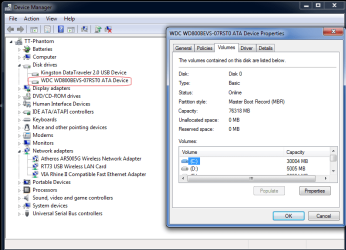
I got to thinking about the differences between W7 and Mac OS X, and one thing i'd like to know is how W7 sees disk volumes.
On the mac OS, the drives have mount points, so the volume just shows up on the desktop, or in the case of an optical or removable drive, appears when there is a cd or when the drive is plugged in.
Windows I know uses a letter addressing system, but things like card readers and the like are always visible even if there is no media present.
Why does MS keep to this protocol? is it restricted by architecture, or is there an advantage that i'm just not getting?
Also I understand that Vista and 7 both have a different boot architecture in place than XP. I might be misinformed, but how I understand it is that XP has MBR setup and Vista and 7 have GUID setups for booting. Is this the case, or have I totally got the wrong end of the stick?
What's the advantage of the new Vista/ 7 boot methodology?
Thanks in advance as i'm just curious to know these differences.
On the mac OS, the drives have mount points, so the volume just shows up on the desktop, or in the case of an optical or removable drive, appears when there is a cd or when the drive is plugged in.
Windows I know uses a letter addressing system, but things like card readers and the like are always visible even if there is no media present.
Why does MS keep to this protocol? is it restricted by architecture, or is there an advantage that i'm just not getting?
Also I understand that Vista and 7 both have a different boot architecture in place than XP. I might be misinformed, but how I understand it is that XP has MBR setup and Vista and 7 have GUID setups for booting. Is this the case, or have I totally got the wrong end of the stick?
What's the advantage of the new Vista/ 7 boot methodology?
Thanks in advance as i'm just curious to know these differences.
My Computer
- Computer type
- Laptop
- Computer Manufacturer/Model Number
- Lenovo
- OS
- Windows 7 Professional 64bit
- CPU
- Intel Core Quad 9550
- Motherboard
- Mobile Intel QM87 Express Chipset
- Memory
- 16GB factory installed
- Graphics Card(s)
- NVIDIA Quadro K2100M
- Sound Card
- Onboard
- Monitor(s) Displays
- Apple iMac 27" display
- Screen Resolution
- 2560 x 1440
- Hard Drives
- 160gb factory fitted ssd
512gb pcie m2 2242 ssd