Hello fellow Windows 7 users,
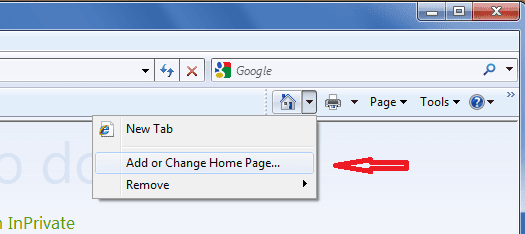
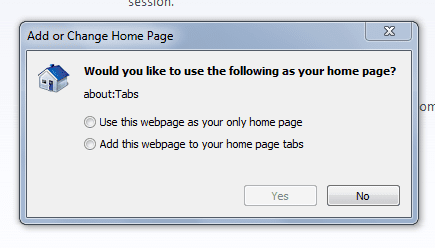
I recently installed iMesh on my computer, but I promptly uninstalled because it changed my personal settings (home page, new tab page, web search, etc.), which was very annoying. I changed my home page back to msn.com without any problems, but I can't change the new tab page. I did everything I was supposed to, but every time I test to see if it works, the new tab is always Search, rather than the blank home page that is shown here How change the Internet Explorer 8 new tab open behavior. I did what it says, but it just won't change. I went to 'Tools' (I use IE8), then 'Internet Options', then tabs, etc, I did exactly what it says then clicked 'Ok' but whenever I open a new tab its still the imesh search page. This has me very frustrated as I had to spend 30 minutes changing my settings back to the default, but it won't work. I have tried several times with no luck. Any help would be greatly appreciated.
I recently installed iMesh on my computer, but I promptly uninstalled because it changed my personal settings (home page, new tab page, web search, etc.), which was very annoying. I changed my home page back to msn.com without any problems, but I can't change the new tab page. I did everything I was supposed to, but every time I test to see if it works, the new tab is always Search, rather than the blank home page that is shown here How change the Internet Explorer 8 new tab open behavior. I did what it says, but it just won't change. I went to 'Tools' (I use IE8), then 'Internet Options', then tabs, etc, I did exactly what it says then clicked 'Ok' but whenever I open a new tab its still the imesh search page. This has me very frustrated as I had to spend 30 minutes changing my settings back to the default, but it won't work. I have tried several times with no luck. Any help would be greatly appreciated.
My Computer
At a glance
Windows 7 Home Premium 64bit
- OS
- Windows 7 Home Premium 64bit