Hi Ayoosh & welcome to the forum, dude!
I'm gonna try to answer to your first question;
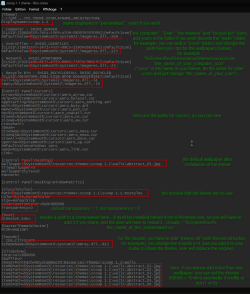
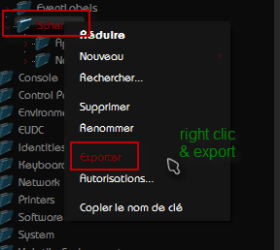
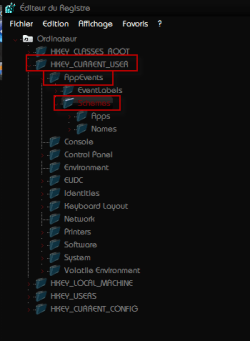
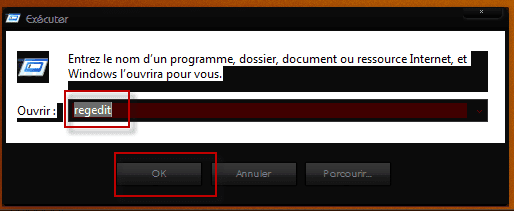
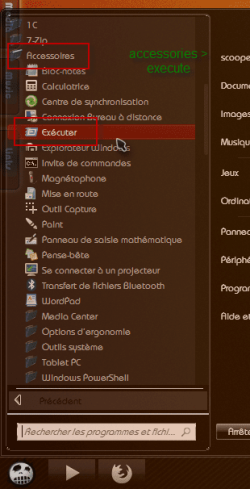
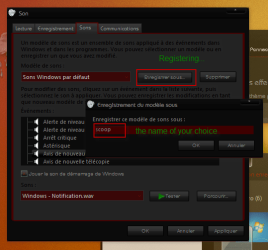
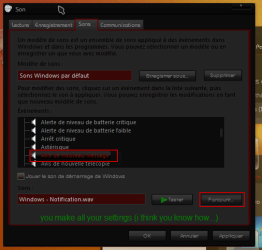
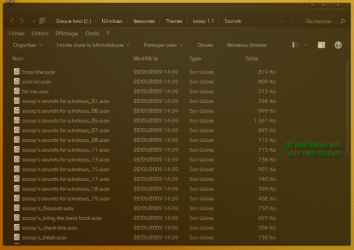
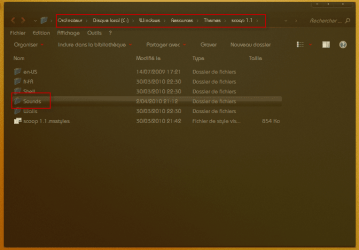
if you want a theme to use sounds, wallpapers & even screensaver of your choice, you have to edit the "xxxxx.theme" file in itself. I add some screenshot to show you how to do...
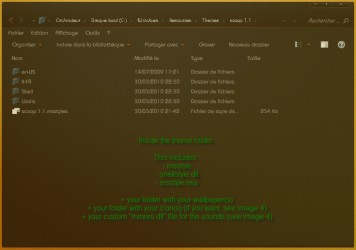
If you wanna share that theme, you will have to furnish the "xxxxx.theme" file PLUS the "xxxxx" folder which contains vsstyle, shellstyle, your walls & a custom "mmres.dll" for sounds (you can do that with ResourceHacker).
You'll see in my exemple, i made a wall folder into my theme folder and "said" to the theme to use them... (words are blur, images more explicit...

)
I'm a beginner too, so i'm not good enough in editing "shellstyle" & stuffs like that...
I learned that it is less important to do in 7 than in Vista (don't ask me why, i don't know... ). Of course there are some cool things to do, like changing the side for the navigation panel (with a custom "shell32"), if you browse the WSB forum or DeviantArt, you will find some tips...
Here are some links about that which could match your search...
Move the navig pane to right by Rajtheeban95 on DA
Shellstyle-Windowblinds-Win7 by amaeli on DA
Formatting UIFILEs for readability by Panda X on WSB forum
It's not so much but i hope it will help you a little!!!

If you have any question, don't hesitate!
scoopeeedoo
EDIT : sorry, i made a mistake about the time interval in image 4 : 10min = 600000...

.
If you find this hard to figure out, contact me, we'll organize something...
EDIT 2 : erratum about the sounds... it seems to be harder than this, i have to go deeper in this experience... but i'm gonna see that...!


 . Hopefully someone else will.