
izafrogman
New member
- Local time
- 6:33 AM
- Messages
- 2
WIN7 Install on new hardware 2023
SIW2 and All,
So...I read thru all 144 pages of the "Update your Win 7 installation media" post that you started in 2018. I read other postings and look at several videos. I have now burned several DVD ISOs and tried SO many different things that I feel more confused than anything. I am at a loss...
I am currently using Windows 10 Ultimate on my: ASUS TUF Gaming X570-Plus (Wi-FI) Motherboard with an AMD Ryzen 5900x cpu with 32gb of DDR4 Memory and a Radeon GPU. The W10 OS is currently installed on a Kingston 480SSD in a removable HDD tray and it works fine.
I want to do the same type of install with W7U on a separate 480 SSD.
SIW2,
I have used your system (7Upv64P) to install the AMD and ASUS USB drivers added to the ISO along with a bunch of updates. I have tried burning the DVD and installing it as stand-alone and also now I have tried installing it using my W10 machine but it always hangs at the "Starting Windows" screen with the MS color Logo.
1) One question, Sir: Where do I find the "Install Logs" to see what happened when I tried to install W7 from my Win10 machine?
I read that the logs might have been moved to a new system by MS. I also am not clear how to tell the difference between the original Win10 install logs and the newer Win7 Install Logs that failed.
2) Where do I go to start over and NOT put every .msu and Driver into the iso which might cause the install to hang.
I tried ASUS and AMD drivers, 470 stuff, 570 stuff, Chipsets, Ryzen, DISM++, Simplix, eicfg_removal...etc
Eventually, I plan to install both WIN7/10 on the two NVMe 1TB sticks I have but that will be after I get 7 working.
The amount of knowledge on this Forum is amazing! I thought I was a computer nerd until I was humbled on here. Thanks to everyone on here who has superpowers!
Thank you in advance if anyone has some answers to get me up to speed.
Cheers,
Iza
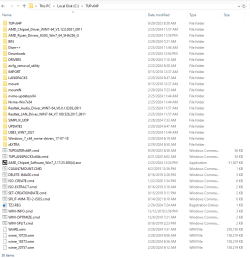
I included a screenshot of my c: drive folder. I just downloaded everything and added folders to have avail depending on what ISO I was trying to make. Just a FYI.
SIW2 and All,
So...I read thru all 144 pages of the "Update your Win 7 installation media" post that you started in 2018. I read other postings and look at several videos. I have now burned several DVD ISOs and tried SO many different things that I feel more confused than anything. I am at a loss...
I am currently using Windows 10 Ultimate on my: ASUS TUF Gaming X570-Plus (Wi-FI) Motherboard with an AMD Ryzen 5900x cpu with 32gb of DDR4 Memory and a Radeon GPU. The W10 OS is currently installed on a Kingston 480SSD in a removable HDD tray and it works fine.
I want to do the same type of install with W7U on a separate 480 SSD.
SIW2,
I have used your system (7Upv64P) to install the AMD and ASUS USB drivers added to the ISO along with a bunch of updates. I have tried burning the DVD and installing it as stand-alone and also now I have tried installing it using my W10 machine but it always hangs at the "Starting Windows" screen with the MS color Logo.
1) One question, Sir: Where do I find the "Install Logs" to see what happened when I tried to install W7 from my Win10 machine?
I read that the logs might have been moved to a new system by MS. I also am not clear how to tell the difference between the original Win10 install logs and the newer Win7 Install Logs that failed.
2) Where do I go to start over and NOT put every .msu and Driver into the iso which might cause the install to hang.
I tried ASUS and AMD drivers, 470 stuff, 570 stuff, Chipsets, Ryzen, DISM++, Simplix, eicfg_removal...etc
Eventually, I plan to install both WIN7/10 on the two NVMe 1TB sticks I have but that will be after I get 7 working.
The amount of knowledge on this Forum is amazing! I thought I was a computer nerd until I was humbled on here. Thanks to everyone on here who has superpowers!
Thank you in advance if anyone has some answers to get me up to speed.
Cheers,
Iza
I included a screenshot of my c: drive folder. I just downloaded everything and added folders to have avail depending on what ISO I was trying to make. Just a FYI.
Attachments
My Computers
-
At a glance
7 x64 Ult- OS
- 7 x64 Ult
-
- Computer type
- PC/Desktop


