WebMaximus
New member
- Local time
- 12:45 AM
- Messages
- 37
Hi guys!
Trying to figure out how to remove a Shadow Copy Storage Association but can't figure out how to.
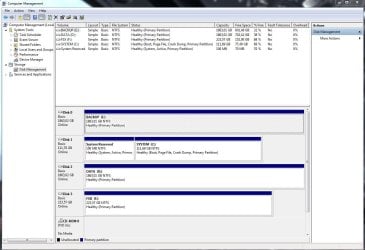
I have 4 HDDs in my computer and I use one of the disks as a pure backup disk holding both manually performed file copies but also an image of my system disk. The drive letter for this disk is E: and using the vssadmin resize shadowstorage command I have chosed to set 100 GB aside for this but when I run the command vssadmin list shadowstorage (as seen in the pic linked below) Windows for some reason I don't understand also has one of my other disks ( D: ) associated with shadow copy storage.
This is what it looks like ->

Thanks a lot in advance for any tips on how to get rid of this association for the D: disk!
//Richard
Trying to figure out how to remove a Shadow Copy Storage Association but can't figure out how to.
I have 4 HDDs in my computer and I use one of the disks as a pure backup disk holding both manually performed file copies but also an image of my system disk. The drive letter for this disk is E: and using the vssadmin resize shadowstorage command I have chosed to set 100 GB aside for this but when I run the command vssadmin list shadowstorage (as seen in the pic linked below) Windows for some reason I don't understand also has one of my other disks ( D: ) associated with shadow copy storage.
This is what it looks like ->
Thanks a lot in advance for any tips on how to get rid of this association for the D: disk!
//Richard
Last edited by a moderator:
My Computer
- Computer type
- PC/Desktop
- OS
- Windows 7 Ultimate x64