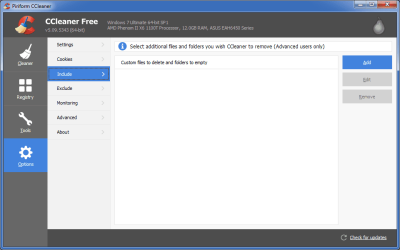
Using CCleaner, I created a text file of all my duplicate pictures. We had almost 3,000 duplicates thanks to my wife not knowing what she was doing. CCleaner does not allow you to select a group of specific folders to delete or anything, so you have to manually click all of them, except for the group you want to keep obviously. Luckily, they do allow you to save it as a text file.
So I'm hoping I can write a quick batch files that will remove the selected groups automatically. I'm just not sure how to do that. Or if someone knows of a Remove Duplicates app that actually allows you to select all of the duplicates except one.
Here is the structure of the text file if anyone can help:
----------------------------------------------------------------------------
1000.JPG C:\Users\Mike\Pictures\2013-12-19\babypics 1.12 MB 3/17/2012 1:20:41 AM
1000.JPG C:\Users\Mike\Pictures\2013-12-19\babypics\cellphone 1.12 MB 3/17/2012 1:20:41 AM
1000.JPG C:\Users\Mike\Pictures\babypics 1.12 MB 3/17/2012 1:20:41 AM
1000.JPG C:\Users\Mike\Pictures\babypics\cellphone 1.12 MB 3/17/2012 1:20:41 AM
-----------------------------------------------------------------------------
1001.MOV C:\Users\Mike\Pictures\2013-12-19\babypics 14.0 MB 3/17/2012 6:02:15 PM
1001.MOV C:\Users\Mike\Pictures\2013-12-19\babypics\cellphone 14.0 MB 3/17/2012 6:02:15 PM
1001.MOV C:\Users\Mike\Pictures\babypics 14.0 MB 3/17/2012 6:02:15 PM
1001.MOV C:\Users\Mike\Pictures\babypics\cellphone 14.0 MB 3/17/2012 6:02:15 PM
--------------------------------------------------------------------------`
There has to be an easier way to delete duplicates than selecting them individually. If there was just an option of selecting all of a group minus one. I mean, if their are duplicates, then give me an option to delete all of them except for one. Am I missing something in that logic?
Thanks
Mike
So I'm hoping I can write a quick batch files that will remove the selected groups automatically. I'm just not sure how to do that. Or if someone knows of a Remove Duplicates app that actually allows you to select all of the duplicates except one.
Here is the structure of the text file if anyone can help:
----------------------------------------------------------------------------
1000.JPG C:\Users\Mike\Pictures\2013-12-19\babypics 1.12 MB 3/17/2012 1:20:41 AM
1000.JPG C:\Users\Mike\Pictures\2013-12-19\babypics\cellphone 1.12 MB 3/17/2012 1:20:41 AM
1000.JPG C:\Users\Mike\Pictures\babypics 1.12 MB 3/17/2012 1:20:41 AM
1000.JPG C:\Users\Mike\Pictures\babypics\cellphone 1.12 MB 3/17/2012 1:20:41 AM
-----------------------------------------------------------------------------
1001.MOV C:\Users\Mike\Pictures\2013-12-19\babypics 14.0 MB 3/17/2012 6:02:15 PM
1001.MOV C:\Users\Mike\Pictures\2013-12-19\babypics\cellphone 14.0 MB 3/17/2012 6:02:15 PM
1001.MOV C:\Users\Mike\Pictures\babypics 14.0 MB 3/17/2012 6:02:15 PM
1001.MOV C:\Users\Mike\Pictures\babypics\cellphone 14.0 MB 3/17/2012 6:02:15 PM
--------------------------------------------------------------------------`
There has to be an easier way to delete duplicates than selecting them individually. If there was just an option of selecting all of a group minus one. I mean, if their are duplicates, then give me an option to delete all of them except for one. Am I missing something in that logic?
Thanks
Mike
My Computer
- Computer Manufacturer/Model Number
- Custom Built
- OS
- Windows 7
- CPU
- AMD Athlon 64 X2 Dual Core Processor 5000 2.6 Ghz
- Motherboard
- Gigabyte MA78GM
- Memory
- 4GB
- Graphics Card(s)
- Radeon 3200
- Sound Card
- RealTek HD
- Monitor(s) Displays
- Samsung LCD
- Hard Drives
- 1TB WD
600GB WD
320GB WD
320GB WD