how to save the arrangement of my DESKTOP ICONS ?

genhartsg

New member
Local time
10:31 AM
Messages
24
:confused:

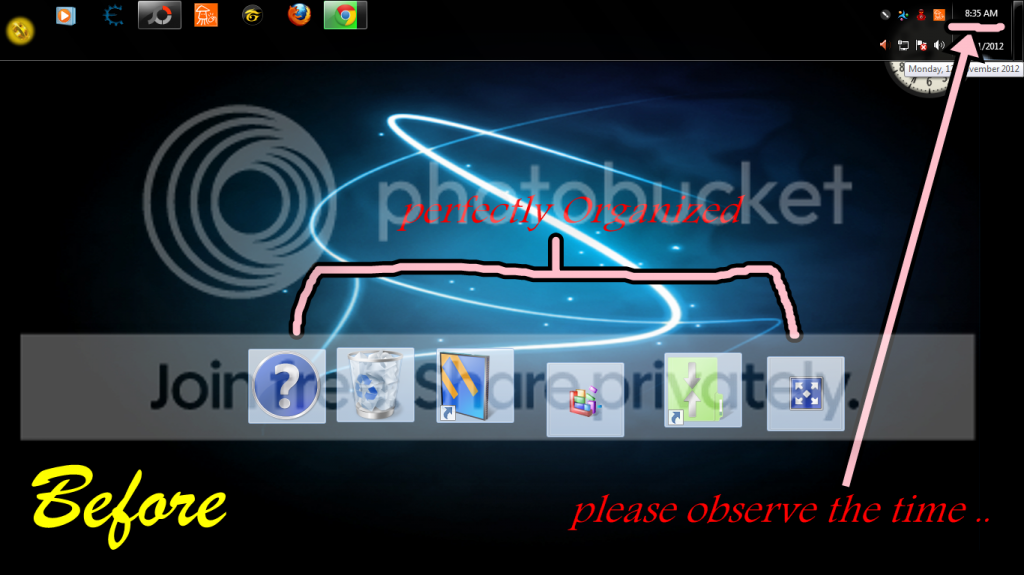
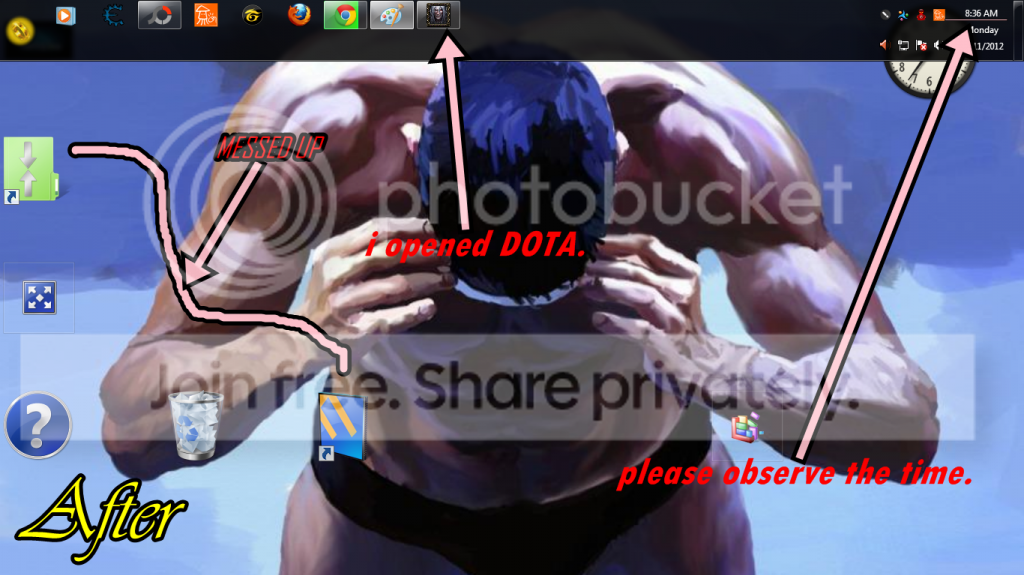
My desktop icons arrangement are always messing up after i restart , shutdown , i opened exe's like DOTA , nba2k12 etc etc. i dont know what to do . ive done checking the setting but there's no problem with it . i didnt change anything .. PLEASE HELP . :)

here's my SCREENIES ..


yea-4.png


messedup.png
 

My Computer My Computer

At a glance

Windows 7 Ultimate x64, Windows 7 Home Premiu...
OS
Windows 7 Ultimate x64, Windows 7 Home Premium 32bit.
After you postiion the icons, rightclick a blank area of the desktop and click Refresh.
 
Last edited:
its not working .. still the same :confused:
 

My Computer My Computer

At a glance

Windows 7 Ultimate x64, Windows 7 Home Premiu...
OS
Windows 7 Ultimate x64, Windows 7 Home Premium 32bit.
Try this. Right click on your desktop. Choose Personalize. On the left side find "change desktop icons". Theres a box that says " Allow themes to change desktop icons", uncheck that. Reboot and see if that worked.
 

My Computer My Computer

At a glance

Windows 10x64 Build 1709Intel i7 7700HQ Kaby Lake16 GB DDR4 @2400Nvidia Geforce GTX 1060
Computer type
Laptop
Computer Manufacturer/Model Number
MSI GE72VR Apache Pro-416
OS
Windows 10x64 Build 1709
CPU
Intel i7 7700HQ Kaby Lake
Motherboard
Micro-Star Intl. MS-179B (U3C1)
Memory
16 GB DDR4 @2400
Graphics Card(s)
Nvidia Geforce GTX 1060
Screen Resolution
1920x1080 120Hz
Hard Drives
256 GB Nvme M.2 SSD

1TB HDD@7200
Cooling
Cooler Blast 4
Keyboard
Steel Series
Antivirus
Bit Defender Free
Browser
Edge
Hello Gen,

You might also see if the free program DeskSave or DesktopOK may work for you for saving desktop icons and positions.

Hope this helps, :)
Shawn
 

My Computer My Computer

At a glance

64-bit Windows 11 Pro for WorkstationsIntel i7-8700K OC'd to 5 GHz64 GB (4x16GB) G.SKILL TridentZ RGB DDR4 3600...ASUS ROG-STRIX-GTX1080TI-O11G-GAMING
Computer type
PC/Desktop
Computer Manufacturer/Model Number
Self built custom
OS
64-bit Windows 11 Pro for Workstations
CPU
Intel i7-8700K OC'd to 5 GHz
Motherboard
ASUS ROG Maximus XI Formula Z390
Memory
64 GB (4x16GB) G.SKILL TridentZ RGB DDR4 3600 MHz
Graphics Card(s)
ASUS ROG-STRIX-GTX1080TI-O11G-GAMING
Sound Card
Integrated
Monitor(s) Displays
2 x Samsung Odyssey G7 27"
Screen Resolution
2560x1440
Hard Drives
1TB Samsung 990 PRO M.2,
4TB Samsung 990 PRO PRO M.2,
TerraMaster F8 SSD Plus NAS
PSU
Seasonic Prime Titanium 850W
Case
Thermaltake Core P3
Cooling
Corsair Hydro H115i
Keyboard
Logitech wireless K800
Mouse
Logitech MX Master 4
Internet Speed
2 Gb/s Download and 100 Mb/s Upload
Antivirus
Malwarebyte Anti-Malware Premium
Browser
Google Chrome
Other Info
Logitech Z625 speaker system,
Logitech BRIO 4K Pro webcam,
HP Color LaserJet Pro MFP M477fdn,
APC SMART-UPS RT 1000 XL - SURT1000XLI,
Galaxy S23 Plus phone
Back
Top