
D4rkr4in
New member
Hi all,
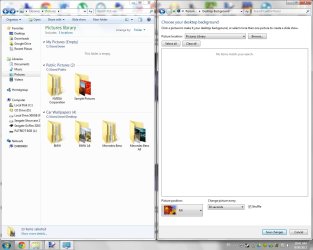
I browse 4Chan's wallpaper site very often, and I have tons of walls saved up. I have categorized them in different folders. Because of this, Windows 7 will not let me use the general folder as the wallpaper source. I have to open a subfolder to have Windows 7 use the pictures as wallpaper. How can I have the general folder be the source and have Windows 7 look for the pictures itself? Thanks in advance.
I browse 4Chan's wallpaper site very often, and I have tons of walls saved up. I have categorized them in different folders. Because of this, Windows 7 will not let me use the general folder as the wallpaper source. I have to open a subfolder to have Windows 7 use the pictures as wallpaper. How can I have the general folder be the source and have Windows 7 look for the pictures itself? Thanks in advance.
My Computer
At a glance
Windows 7 Ultimate x64Intel Core i5 3570K8GB Samsung DDR3-1600EVGA GTX 570 HD DS
- Computer Manufacturer/Model Number
- Self Built
- OS
- Windows 7 Ultimate x64
- CPU
- Intel Core i5 3570K
- Motherboard
- ASRock Z77 Extreme4
- Memory
- 8GB Samsung DDR3-1600
- Graphics Card(s)
- EVGA GTX 570 HD DS
- Monitor(s) Displays
- ViewSonic VA912b
- Screen Resolution
- 1280x1024
- Hard Drives
- Mushkin Chronos 120GB
Seagate Barracuda 500 GB
- PSU
- Corsair CX600 V2
- Case
- CoolerMaster HAF 922
- Keyboard
- Logitech Deluxe 650 Cordless Desktop
- Mouse
- Dell OEM
- Internet Speed
- 2 Mbps


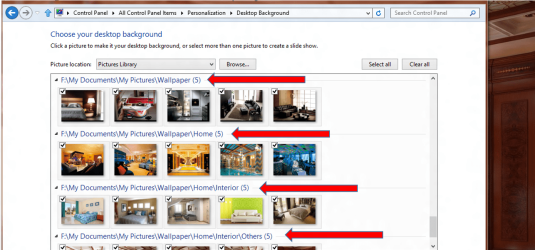
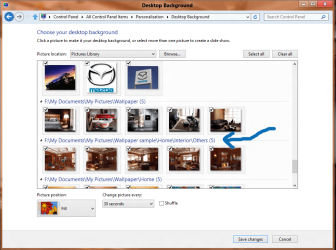
 That above explanation work for my Windows 8..


