
- Local time
- 11:30 AM
- Messages
- 350
HP 800 mini G3, shipped with Windows 10. It's Intel skylake CPU (i5-6500T processor 6th generation/Intel HD Graphics 530).
I was trying to install Windows 7 x64 on CSM mode/MBR disk but got black screen after Windows logo before "Install now".
The install media was combo of media by SIW2 adding skylake driver by Atak_Snajpera. mouse just worked fine (mouse cursor moving on black screen). hinted USB3 port ok.
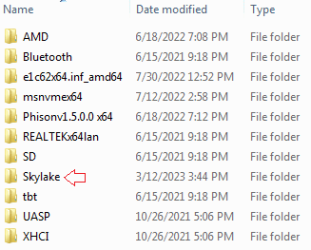
Anyone got success on this, or similar install (Intel skylake CPU 6th gen)? how can I fix the video/black screen issue. it must need a proper driver and setup.
Thanks,
btw, on this MBR disk there are existing files on other partitions. hence, I prefer MBR disk. GPT disk looked ok in my install test.
I was trying to install Windows 7 x64 on CSM mode/MBR disk but got black screen after Windows logo before "Install now".
The install media was combo of media by SIW2 adding skylake driver by Atak_Snajpera. mouse just worked fine (mouse cursor moving on black screen). hinted USB3 port ok.
Anyone got success on this, or similar install (Intel skylake CPU 6th gen)? how can I fix the video/black screen issue. it must need a proper driver and setup.
Thanks,
btw, on this MBR disk there are existing files on other partitions. hence, I prefer MBR disk. GPT disk looked ok in my install test.
My Computers
-
At a glance
Windows 7 Pro 64-bitI7-970032 GB- Computer type
- PC/Desktop
- Computer Manufacturer/Model Number
- HP Elite 800 G5
- OS
- Windows 7 Pro 64-bit
- CPU
- I7-9700
- Memory
- 32 GB
-
At a glance
Windows 7 Pro 64-bit- Computer type
- Laptop
- System Manufacturer/Model Number
- ASUS UX305C
- OS
- Windows 7 Pro 64-bit



 )
)

