
CalypsoArt
New member
- Local time
- 12:56 AM
- Messages
- 35
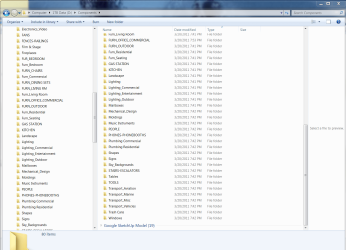
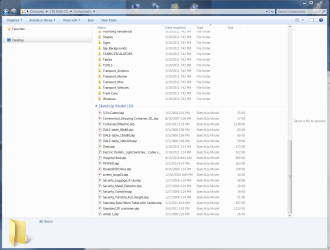
I was organizing File folders on my D drive that contain Sketchup Components. I had about 25 .skp files that I needed to sort into folders. I had selected them all and slipped with my mouse and they all disappeared. I thought I had in inadvertently dragged them into another folder. However, a search shows them to be where they were originally. This is the odd part. If I navigate to Computer>D: Data>Components, all the folders show but these files do not. If I do a search for one of the files, then chose "copy path to clipboard", and then paste the path in explorer, it goes to the same directory but all the files are listed. Huh? I'm sure I some switched off something.
Look at attached images, both paths are the same and both say 80 items. However, one does not display the .skp files at the bottom. What did I do?
Look at attached images, both paths are the same and both say 80 items. However, one does not display the .skp files at the bottom. What did I do?
Attachments
Last edited:
My Computer
At a glance
Win 7 professional 64i7 8204gbnVidia GTX285m
- Computer Manufacturer/Model Number
- Sager/Midern
- OS
- Win 7 professional 64
- CPU
- i7 820
- Memory
- 4gb
- Graphics Card(s)
- nVidia GTX285m
- Monitor(s) Displays
- 17.3"


