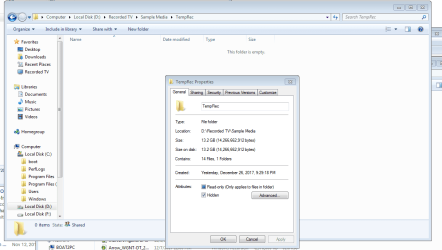
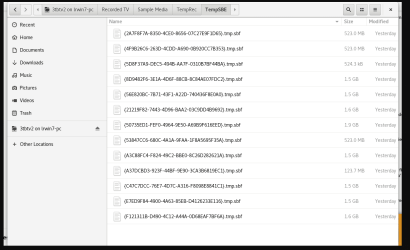
S sdowney717 New member Power User VIP Local time 2:26 AM Messages 705 Dec 27, 2017 #1 I can view them in ubuntu linux os. I ticked the show hidden files and folders setting. one view is windows file manager, other is from linux. Attachments temprec1.PNG 32.8 KB · Views: 0 temprec2.PNG 36 KB · Views: 0 My Computer My Computer At a glance Windows 7 Ultimate x64OSWindows 7 Ultimate x64
I can view them in ubuntu linux os. I ticked the show hidden files and folders setting. one view is windows file manager, other is from linux.
S sdowney717 New member Power User VIP Thread Starter Local time 2:26 AM Messages 705 Dec 27, 2017 #2 King of Tweaks: HDTV Recording Found this program, but can not use it if the files are not visible in win 7 files remain hidden! How to show hidden files in Windows 7 ok, there is another setting here to uncheck, the system files, so I can now see the files. My Computer My Computer At a glance Windows 7 Ultimate x64OSWindows 7 Ultimate x64
King of Tweaks: HDTV Recording Found this program, but can not use it if the files are not visible in win 7 files remain hidden! How to show hidden files in Windows 7 ok, there is another setting here to uncheck, the system files, so I can now see the files.
S sdowney717 New member Power User VIP Thread Starter Local time 2:26 AM Messages 705 Dec 27, 2017 #3 Freeware - Any Video Converter Free Version using any video converter free version, I simply drag the sbf files into it and converted them to mp4 files, they then play. On the install, I clicked customize and did not install the extras add on stuff that gets bundled into these things. My Computer My Computer At a glance Windows 7 Ultimate x64OSWindows 7 Ultimate x64
Freeware - Any Video Converter Free Version using any video converter free version, I simply drag the sbf files into it and converted them to mp4 files, they then play. On the install, I clicked customize and did not install the extras add on stuff that gets bundled into these things.