I cant format my laptop

versekz

New member
Local time
8:35 AM
Messages
4
hey there :D

i can't format my laptop, my dvd is broken and i need format my laptop using usb but i cant enter my bios to change externel dvd drive to usb drive. my laptop keep reboot i dont why! i already do like sfc/scannow ,malware,chkdsk eveything is okay.
 

My Computer

OS
32
Do you know how to enter the BIOS on this laptop---what key are you using? The proper key varies from brand to brand.

Fill out your system specs. At this point, we have no idea what type of laptop you have.
 

My Computer

Computer type
PC/Desktop
Computer Manufacturer/Model Number
Ignatz Special; 4 speed manual gearbox; factory air conditioning; one of one
OS
Windows 7 Home Premium SP1, 64-bit
CPU
Intel Skylake i5-6600K, not overclocked
Motherboard
AsRock Z170M Extreme 4, micro ATX
Memory
8 GB HyperX DDR4-2666 (2 x 4 GB)
Graphics Card(s)
none; graphics are integrated on CPU
Sound Card
onboard: Realtek ALC1150; external: USB Behringer UF0-202
Monitor(s) Displays
Dell S2340M 23 inch IPS
Screen Resolution
1600 x 900
Hard Drives
System: Crucial MX100 series SSD, 128 GB;
Data: Samsung Spinpoint 103SJ, 1 TB;
Backup: WD Caviar Green WD30EZRX-00D8PB0, 3 TB
PSU
Rosewill SilentNight 500 watt fanless, semi-modular
Case
Antec Solo II
Cooling
Noctua NH-U12S; Noctua F12 intake, Noctua S12A exhaust
Keyboard
Microsoft 200 6JH-00001 USB
Mouse
Dell or Microsoft optical wired; USB
Antivirus
Microsoft Security Essentials and Malwarebytes Premium
Browser
Pale Moon
Other Info
All fans PWM; speeds at idle: CPU circa 500 rpm; intake circa 600 rpm; exhaust circa 600 rpm; CPU temps 27 idle and 47 C load in a warm room (27 C/81 F) when running Intel Extreme Tuning Utility stress test.
Do you know how to enter the BIOS on this laptop---what key are you using? The proper key varies from brand to brand.

Fill out your system specs. At this point, we have no idea what type of laptop you have.

on mylaptop is f2

------------------
System Information
------------------
Time of this report: 8/20/2012, 21:13:03
Machine name: -
Operating System: Windows 7 Ultimate 32-bit (6.1, Build 7600) (7600.win7_rtm.090713-1255)
Language: English (Regional Setting: English)
System Manufacturer: Acer, inc.
System Model: Aspire 4530
BIOS: v1.3335
Processor: AMD Turion(tm) X2 Dual-Core Mobile RM-74 (2 CPUs), ~2.2GHz
Memory: 2048MB RAM
Available OS Memory: 1790MB RAM
Page File: 1598MB used, 653MB available
Windows Dir: C:\Windows
DirectX Version: DirectX 11
DX Setup Parameters: Not found
User DPI Setting: 96 DPI (100 percent)
System DPI Setting: 96 DPI (100 percent)
DWM DPI Scaling: Disabled
DxDiag Version: 6.01.7600.16385 32bit Unicode
 

My Computer

OS
32
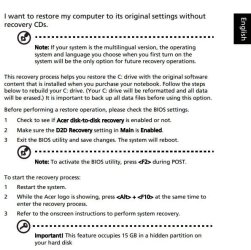
When you start the computer, start tapping the F2 key about every half second, it should enter the bios.

If that fails take a look at this...
 

Attachments

  • Acer snip.JPG
    Acer snip.JPG
    70.2 KB · Views: 18

My Computer

Computer Manufacturer/Model Number
HP p6370t
OS
Windows 7 Home Premium 64bit
CPU
i3-530
Motherboard
MSI - IONA
Memory
8 Gb
Graphics Card(s)
onboard
Sound Card
onboard
Monitor(s) Displays
Dell ST2400
Screen Resolution
1920x1080
Hard Drives
Intell 520 SSD 120Gb, WD6400AAKS, 640Gb & WD USB MyBook 1Tb
Internet Speed
1.5 Mmbps, Hughes Satellite
When you start the computer, start tapping the F2 key about every half second, it should enter the bios.

If that fails take a look at this...

i can enter the bios but only for 5-10sec then automatically shutdown or restart, and after that my windows unable to start and i don't have any problem with BSOD!
 

My Computer

OS
32
So what happens when you attempt to boot DVD or flash stick using the F12 key?
 
Download again the burn to DVD or write to flash stick using tool from Steps 1 and 2 of Clean Reinstall - Factory OEM Windows 7.

Try booting the DVD first via F12.

If it fails, write to flash stick. If stick fails to boot from F12, unplug the DVD drive and try stick again.

If all of these fail, try resetting BIOS to defaults using one of these 3 Ways to Clear the CMOS - Reset BIOS,

If this fails unplug the HD and try booting the DVD, then the flash stick. Sometimes the HD can block BIOS post or disk booting.

Report back results of each step.
 
Back
Top