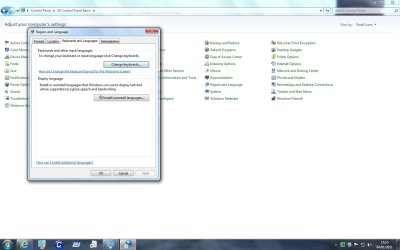
I changed my keyboard language - how?

esha

New member
Power User
Local time
1:00 PM
Messages
98
I use shortcuts and hotkeys whenever I can.
But sometimes I make a mistake somewhere and the application I'm using switches the languages, from German keyboard layout to the English layout (only the current application, not the entire OS).
I have no idea which key combination causes this and how I can get the default settings back...?
 

My Computer My Computer

OS
Win 7 Professional 64bit
CPU
Intel i7-3930K @ 3.2GHz
Memory
16 GB
Graphics Card(s)
NVIDIA GeForce GTX 650
Monitor(s) Displays
1 CRT, 1 LCD
Hard Drives
3 hard drives

Attachments

  • Language.jpg
    Language.jpg
    84.5 KB · Views: 93
Last edited by a moderator:

My Computer My Computer

Computer Manufacturer/Model Number
Advent
OS
Dual-boot: Windows 7 HP 32-bit SP1 & Windows XP Pro 32-bit SP2.
CPU
AMD Phenom X4 9550 2.8Ghz
Motherboard
FOXCONN A6VMX (Socket 940)
Memory
4.0GB RAM
Graphics Card(s)
256MB On-board ATI Radeon X1200 Series
Sound Card
UnKnown
Monitor(s) Displays
19" TFT Mointor
Screen Resolution
1400 by 900
Hard Drives
500GB Western Digital WDC
Keyboard
HP Keyboard
Internet Speed
Dial-up via Mobile phone (Three)
Other Info
80GB External Hard-drive.

Also I have an old Windows XP Laptop for backup/occasional use etc.
Thanks.
But this dialogue gives me the correct settings. It's only the application that's playing crazy...
Guess I have to re-launch it, wanted to avoid that.
 

My Computer My Computer

OS
Win 7 Professional 64bit
CPU
Intel i7-3930K @ 3.2GHz
Memory
16 GB
Graphics Card(s)
NVIDIA GeForce GTX 650
Monitor(s) Displays
1 CRT, 1 LCD
Hard Drives
3 hard drives
I use shortcuts and hotkeys whenever I can.
But sometimes I make a mistake somewhere and the application I'm using switches the languages, from German keyboard layout to the English layout (only the current application, not the entire OS).
I have no idea which key combination causes this and how I can get the default settings back...?

The key combination ist [CTRL]+[SHIFT]. You get the default settings back by pressing [CTRL]+[SHIFT] again.
 

My Computer My Computer

Computer type
PC/Desktop
Computer Manufacturer/Model Number
Supermicro
OS
Windows 7 Professional x64
CPU
Xeon E3-1275v3
Motherboard
Supermicro X10SAE
Memory
32 GB DDR3 ECC
Graphics Card(s)
PNY Quadro K620
Sound Card
RME HDSP9652
Hard Drives
lots
Case
Supermicro CSE-743TQ-865B
Back
Top