My Computer
- OS
- Windows s7ven



You need to checkup the ownership of this folder. Usually the ownership will be with "System" and even as an administrator you can not delete this folder and its contents.
To delete this folder with all it's contents, You have to take ownership of this folder, subfolders and files within as an administrator. Then you have to assign full permissions to "Administrators" to all the items inside this folder.
Then only you can delete this folder.
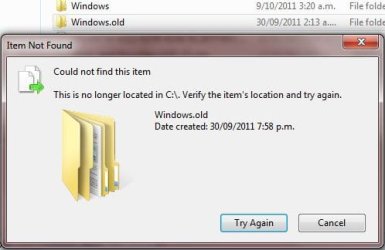
The image above said no longer located , might need to reboot.
TJG
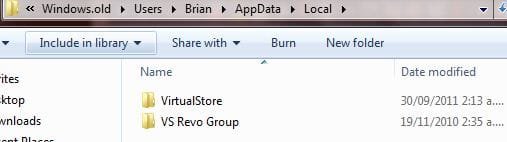
not a reboot mate,, it's been there for a month now.

NOTE: This would be a good option to do if OPTION ONE or OPTION TWO was unable to delete your C:\Windows.old folder.
what you have done is the just the quick fix solution to getting rid of your problem.
However if you premanantly want to remove the specific drive allocated for the particular OS, then you will need to format the drive and to make it available to your current OS, you will need to consolidate the free available space after format.
Please right click on your My Computer and click on "Manage", go to "Storage" and then choose "Disk Management(LOCAL)". Choose the drive and click format.
You could also do this during start up.
Have you looked at the other two options in that link? Option 3?
NOTE: This would be a good option to do if OPTION ONE or OPTION TWO was unable to delete your C:\Windows.old folder.
what you have done is the just the quick fix solution to getting rid of your problem.
However if you premanantly want to remove the specific drive allocated for the particular OS, then you will need to format the drive and to make it available to your current OS, you will need to consolidate the free available space after format.
Please right click on your My Computer and click on "Manage", go to "Storage" and then choose "Disk Management(LOCAL)". Choose the drive and click format.
You could also do this during start up.

Have you looked at the other two options in that link? Option 3?
NOTE: This would be a good option to do if OPTION ONE or OPTION TWO was unable to delete your C:\Windows.old folder.
would love to try option 3 but it's already 5 am, i have to sleep now ey? will get back to you guys later,, thanks.
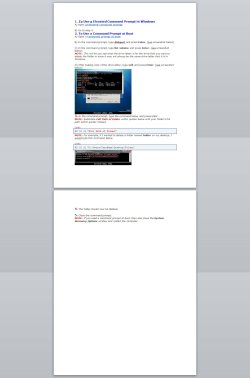
I tried that and it says "File doesnt exist"
Adding a file then deleting entire folder works if it keeps telling you the folder doesnt exist anymore but is still there in C:/

