I have problem with taskbar plese help me!

Condor93

New member
Local time
10:46 AM
Messages
9
Hello,

normally i have all icons to the left on taskbar (internet exoloreer,wmp,mozilla..) but now when i open new icons (such as programs) they are on center.
How to make all icons to appear on left side (the one attached to toolbar and new i open)?
Loo at this picture to see what i mean Imgur
 

My Computer

Computer type
PC/Desktop
Computer Manufacturer/Model Number
custom
OS
windows 7 home premium x64
Hi and welcome to SevenForums,
Please use this forums upload features in the reply editor to upload files here,
Try this,
Use Clean boot,
http://www.sevenforums.com/tutorials/179159-troubleshoot-application-conflicts-performing-clean-startup.html
Click Start and type in the search box,
msconfig
Click on the suggestion on top or hit the Enter key,
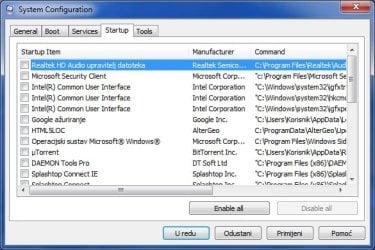
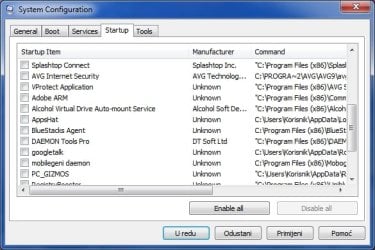
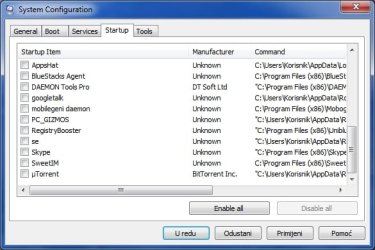
Go to the Startup section and take some screen shots for a complete list,
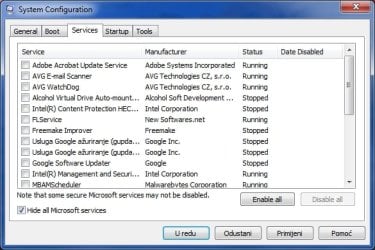
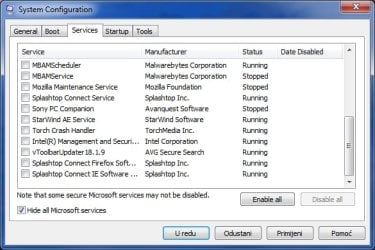
Go to the Services section and on the bottom left Check the box to Hide All Microsoft services,
Repeat the screen shots,
See the links above my signature on how to take and upload screen shots here,

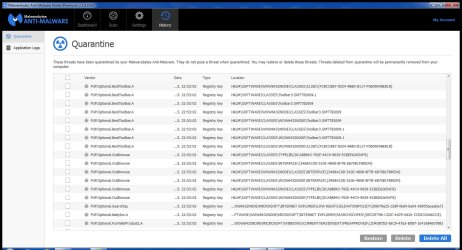
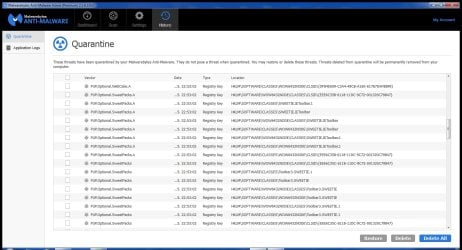
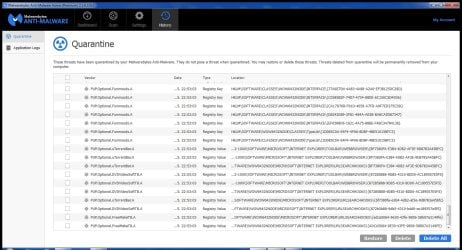
Also from the hosting site you posted here I'd also run Superantispyware and Malwarebytes to see if they find anything,
You can use these free tools to see if they find anything,
Manually Update them before running full scans,
Try not to use your computer while the scans are running, (one at a time of course).
See this tutorial on how to download and run Malwarebytes,
http://www.sevenforums.com/tutorials/338716-malwarebytes-anti-malware-free.html
Also use the Custom scan option not the Threat scan,

Please Do Not clean/ Delete or Remove Any detections before posting the scan results first before review especially Malwarebytes,
http://www.malwarebytes.org/products/malwarebytes_free
SAS is safe to remove anything it finds ;)
http://www.superantispyware.com/?tag=SUPERANTISPYWARE
Cheers.
 

My Computer

Computer type
PC/Desktop
Computer Manufacturer/Model Number
Custom assembled by me :}
OS
Win-7-Pro64bit 7-H-Prem-64bit
CPU
i7-5930K 2nd i9-9940x both water blocked VRM's too
Motherboard
ASUS SABERTOOTH X99 2nd ASUS x299 Apex
Memory
Trident-z 3200C14 2nd Trident-z 3600C16
Graphics Card(s)
EVGA 1080ti ftw3 2nd Titan Xp both water blocked
Sound Card
Built-in Realtek
Monitor(s) Displays
1-AOC G2460PG 24"G-Sync 144Hz/ 2nd 1-ASUS VG248QE 24" 144Hz
Screen Resolution
1920 x 1080 144Hz
Hard Drives
2-Samsung M.2 Evo & Evo Plus
2-Samsung 850 EVO 500GB SSD's/ 3-2.5 W.D. Black 1tb-&3-1tb/3-3.5 WD Black 1tb hdd's
PSU
EVGA SuperNOVA 1000-P2 2nd 1200-P2
Case
2-Corsair Obsidian Series 450D Black ATX Mid Tower
Cooling
Custom water loops
Keyboard
Logitech G710+/ 2nd Logitech G910
Mouse
2-RedDragon M901 Perdition 16400 dpi Gaming mouse = wired
Internet Speed
Comcast Ping 19ms 89.31mbps download speed 6.12mbps upload
Antivirus
Malwarebytes Pro/ Superantispyware Pro
Browser
FireFox & Pale moon
Other Info
2nd ASUS X299 Apex/Intel i9-9940x with Custom water loop/7H-Prem-x64/Corsair 450D case/Ram Trident-z 3600C16 4x8gb / Samsung970Evo plus 500gb SSD/Dual ssd EZ swap evo/PSU EVGA SuperNova 1200w-P2 80+Platinum/GPU Titan Xp /8-ML-140 on push-pull on 2-280GTX rads
Hi, thanks for welcome and answer.
I did as you told me, here are screenshoots:
I only dont understand why is now new icons at center of toolbar.
I didnt change any setting or installed any new program.
I run 2 aplicattiions for viruses and they found nothin.
 

Attachments

  • ScreenHunter_666 May. 30 15.17.jpg
    ScreenHunter_666 May. 30 15.17.jpg
    153 KB · Views: 16
  • ScreenHunter_667 May. 30 15.18.jpg
    ScreenHunter_667 May. 30 15.18.jpg
    139.5 KB · Views: 16
  • ScreenHunter_668 May. 30 15.18.jpg
    ScreenHunter_668 May. 30 15.18.jpg
    126 KB · Views: 16
  • ScreenHunter_669 May. 30 15.19.jpg
    ScreenHunter_669 May. 30 15.19.jpg
    142.7 KB · Views: 16
  • ScreenHunter_670 May. 30 15.19.jpg
    ScreenHunter_670 May. 30 15.19.jpg
    135.7 KB · Views: 16

My Computer

Computer type
PC/Desktop
Computer Manufacturer/Model Number
custom
OS
windows 7 home premium x64
Hi,
You don't want to turn off or uncheck your security please recheck those boxes and restart your machine asap if not sooner :)

You have some interesting entries
Post a screen shot of the odd Icons you speak off on the taskbar
Post the scan results for Adwcleaner too,
Cheers.
 

My Computer

Computer type
PC/Desktop
Computer Manufacturer/Model Number
Custom assembled by me :}
OS
Win-7-Pro64bit 7-H-Prem-64bit
CPU
i7-5930K 2nd i9-9940x both water blocked VRM's too
Motherboard
ASUS SABERTOOTH X99 2nd ASUS x299 Apex
Memory
Trident-z 3200C14 2nd Trident-z 3600C16
Graphics Card(s)
EVGA 1080ti ftw3 2nd Titan Xp both water blocked
Sound Card
Built-in Realtek
Monitor(s) Displays
1-AOC G2460PG 24"G-Sync 144Hz/ 2nd 1-ASUS VG248QE 24" 144Hz
Screen Resolution
1920 x 1080 144Hz
Hard Drives
2-Samsung M.2 Evo & Evo Plus
2-Samsung 850 EVO 500GB SSD's/ 3-2.5 W.D. Black 1tb-&3-1tb/3-3.5 WD Black 1tb hdd's
PSU
EVGA SuperNOVA 1000-P2 2nd 1200-P2
Case
2-Corsair Obsidian Series 450D Black ATX Mid Tower
Cooling
Custom water loops
Keyboard
Logitech G710+/ 2nd Logitech G910
Mouse
2-RedDragon M901 Perdition 16400 dpi Gaming mouse = wired
Internet Speed
Comcast Ping 19ms 89.31mbps download speed 6.12mbps upload
Antivirus
Malwarebytes Pro/ Superantispyware Pro
Browser
FireFox & Pale moon
Other Info
2nd ASUS X299 Apex/Intel i9-9940x with Custom water loop/7H-Prem-x64/Corsair 450D case/Ram Trident-z 3600C16 4x8gb / Samsung970Evo plus 500gb SSD/Dual ssd EZ swap evo/PSU EVGA SuperNova 1200w-P2 80+Platinum/GPU Titan Xp /8-ML-140 on push-pull on 2-280GTX rads
Hi,

"You don't want to turn off or uncheck your security please recheck those boxes and restart your machine asap if not sooner"

uhm can you explain me what settings i musst get back to? I did as you and tutorial told me...
I scanned everything with AVG nad Microsoft tool and they only found one toolbar.

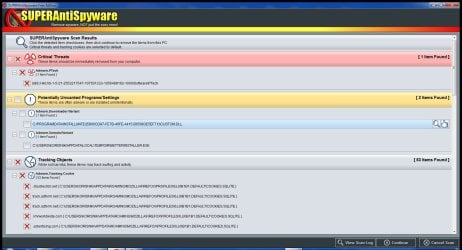
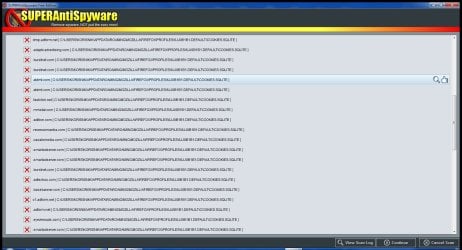
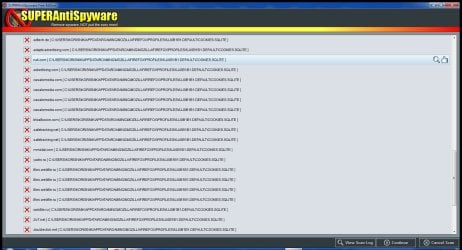
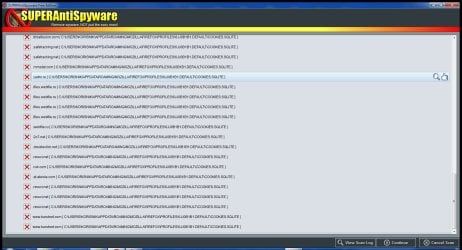
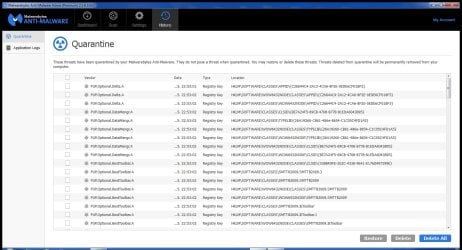
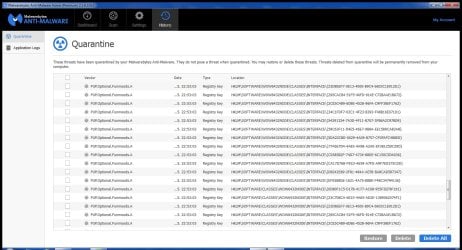
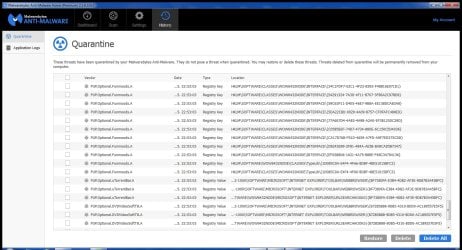
I scanned with Malware software you gave me and they found 123 (!) possible threats. Based on names mostly programs for video processing and some toolbars...

What interesting entries do i have? Because my brother use computer too, maybe he downloaded some program with virus (he make some videos and sounds).

"Post a screen shot of the odd Icons you speak off on the taskbar"
I think you didnt understand me.
I dont have odd Icons. I have all normal icons, but the thing is that until yesterday all icons (the one pinned to taskbar) and new i open were on left side as since the day i bought pc. From yesterday onl y icons that were pinned to taskbar (Notepad and Internet Explorer) remains to the left side when i open them (new notepad text file, new intenet explorer window). Every other icon (windows media player,folde,pdf,image anything else) is centered at the cente of toolbar. I can move them to the left to be behind other icons (in a row, as it always been) but when i close them and reopen theyre back at center.
Look at this pictre to see what i meant: http://i.imgur.com/HmYkOci.jpg

p.s. im not native english speaker so forgive my spelling.

Anyway here are results of Malware bytes and Superanti spyware search:
 

Attachments

  • ScreenHunter_676 May. 30 22.57.jpg
    ScreenHunter_676 May. 30 22.57.jpg
    517.3 KB · Views: 0
  • ScreenHunter_675 May. 30 22.57.jpg
    ScreenHunter_675 May. 30 22.57.jpg
    524.1 KB · Views: 0
  • ScreenHunter_674 May. 30 22.56.jpg
    ScreenHunter_674 May. 30 22.56.jpg
    481.8 KB · Views: 0
  • ScreenHunter_673 May. 30 22.55.jpg
    ScreenHunter_673 May. 30 22.55.jpg
    506.8 KB · Views: 0
  • ScreenHunter_672 May. 30 22.55.jpg
    ScreenHunter_672 May. 30 22.55.jpg
    496.7 KB · Views: 0
  • ScreenHunter_677 May. 30 22.57.jpg
    ScreenHunter_677 May. 30 22.57.jpg
    551.7 KB · Views: 0
  • ScreenHunter_678 May. 30 22.58.jpg
    ScreenHunter_678 May. 30 22.58.jpg
    576.4 KB · Views: 0
  • ScreenHunter_679 May. 30 22.58.jpg
    ScreenHunter_679 May. 30 22.58.jpg
    578.2 KB · Views: 1
  • ScreenHunter_681 May. 31 00.09.jpg
    ScreenHunter_681 May. 31 00.09.jpg
    430.6 KB · Views: 0
  • ScreenHunter_682 May. 31 00.09.jpg
    ScreenHunter_682 May. 31 00.09.jpg
    493.3 KB · Views: 0
  • ScreenHunter_683 May. 31 00.09.jpg
    ScreenHunter_683 May. 31 00.09.jpg
    487.2 KB · Views: 0
  • ScreenHunter_684 May. 31 00.10.jpg
    ScreenHunter_684 May. 31 00.10.jpg
    477.9 KB · Views: 1
Last edited:

My Computer

Computer type
PC/Desktop
Computer Manufacturer/Model Number
custom
OS
windows 7 home premium x64
Back
Top