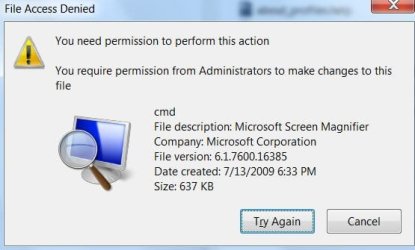
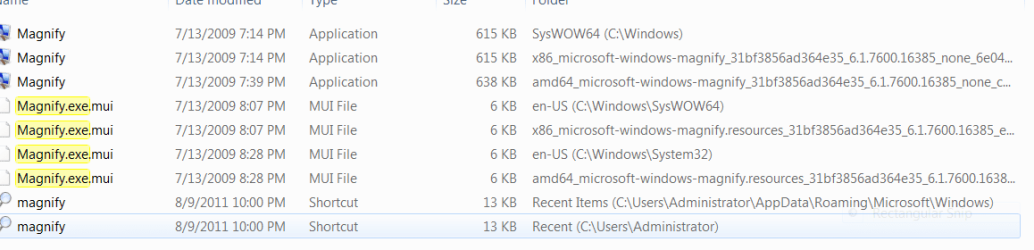
I couldn't sleep. I finally figured out what I did wrong when I got into my system and reset the passwords. I guess I kind of always do learn the hard way. I have printed up so many instructions and I was just straightening up and under my printer desk I found the rest of the directions on changing your password. I went through the boot from cd and cmd prompt to enable the System Administrator route. It would have worked properly I am sure if I hadn't skipped a major step in the middle of the process, the 2nd page that fell between the crack. I knew I hadn't done it the first time because of the errors but I didn't understand the meaning behind and the process that it flowed through. Before I changed the passwords I was suppose to rename the system32 file. It doesn't explain why, someone should update that with an idea or suggestion as to why and what to just so that it is clear that you are doing this so that you don't lock your files. Then you are suppose to rename the magnigy.exe to cmd.exe adn then rename oldmagnify.exe back to magnify.exe. I tried to do this somehow some way or I must have because I have about three different magnify.exe accounts. UNLESS, that someone who got into my account. Let's just call him Josh for now, used that method and he had created the magnify.exe extra accounts?????
Okay, now that I figured it out, how do I get out of this one????
Okay, now that I figured it out, how do I get out of this one????
My Computer
At a glance
Vista Spk 2 x64 Home Premium/Windows 7 Home p...Laptop NVIDIA/ 22" envision NVIDIANVIDIA G9600
- Computer Manufacturer/Model Number
- HP HDX 18T 1100CTO/Gateway SX2000
- OS
- Vista Spk 2 x64 Home Premium/Windows 7 Home premium
- CPU
- Laptop NVIDIA/ 22" envision NVIDIA
- Graphics Card(s)
- NVIDIA G9600
- Other Info
- This was made to order and since it was there is no documentation online about it.


 rb: | type SNIPP | ENTER