lostinmyhope
New member
- Local time
- 1:20 AM
- Messages
- 2
Today I was looking at the themes under personalize for the desktop and have somehow messed up my desktop font settings that I had.
Before this happened I was using the "ECS" theme but had changed the background to one of my own. Due to my background being white I had issues with the fonts not showing up obviously. I had goggled and found how to turn of the drop shadow and somehow I made the desktop font bold aswell. I installed TransText so I could change the font color too. Was working perfectly. Until I clicked on a different theme in the personalization catagory.....
Now my desktop font is no longer bold. For the life of me I cannot figure out how to get this back.
I have set the theme back to the ECS one I was using, changed the desktop back to the one I wanted.
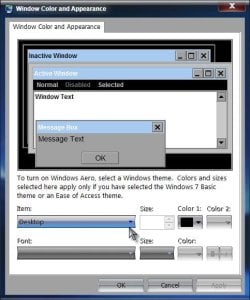
Dropshadow is not checked. It doesn't matter whether cleartype is on or not, the bold does not return. I checked under the theme\windowcolor\advanced appearance settings and bolded the fonts there but that does not affect my desktop font at all.
I can still change it to black with the help of transtext program, but it isn't bold. My eyes are not great and the bold really helped me see things better. Also noticed on the my computer window that the text under my hard drive "bars" that says xxx free of xxx GB is now a very light grey. This used to be black.
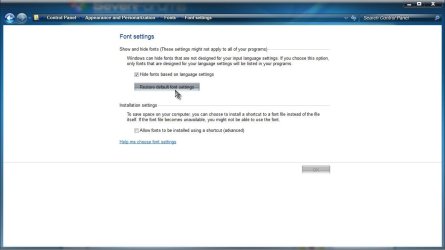
I have changed all the font settings under the personalization thing to black/bold and it doesn't change anything for this issue. Please help!!! I know it can be bolded because thats what I've had for 2 months!!
Before this happened I was using the "ECS" theme but had changed the background to one of my own. Due to my background being white I had issues with the fonts not showing up obviously. I had goggled and found how to turn of the drop shadow and somehow I made the desktop font bold aswell. I installed TransText so I could change the font color too. Was working perfectly. Until I clicked on a different theme in the personalization catagory.....
Now my desktop font is no longer bold. For the life of me I cannot figure out how to get this back.
I have set the theme back to the ECS one I was using, changed the desktop back to the one I wanted.
Dropshadow is not checked. It doesn't matter whether cleartype is on or not, the bold does not return. I checked under the theme\windowcolor\advanced appearance settings and bolded the fonts there but that does not affect my desktop font at all.
I can still change it to black with the help of transtext program, but it isn't bold. My eyes are not great and the bold really helped me see things better. Also noticed on the my computer window that the text under my hard drive "bars" that says xxx free of xxx GB is now a very light grey. This used to be black.
I have changed all the font settings under the personalization thing to black/bold and it doesn't change anything for this issue. Please help!!! I know it can be bolded because thats what I've had for 2 months!!
My Computer
- OS
- Windows 7 ultimate x32