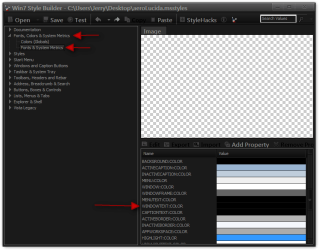
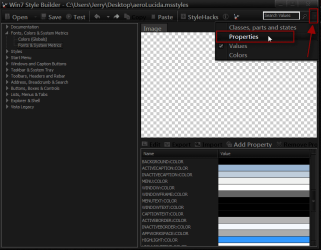
It can only edit the .msstyles that has both Aero and Basic themes in it if you look under the start menu or taskbar you will see both Aero & Basic. When you start a new theme you can go to C:\Windows\Resources\Ease of Access Themes and get a copy of basic.themeQuestion #1: Is it possible to edit all themes using Vista Style Builder? Or can we just modify Aero?
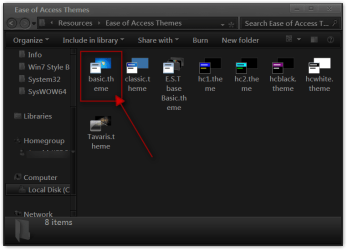
and follow this post #38 steps 4 and 5 to rename it http://www.sevenforums.com/customization/135985-start-menu-color-change-4.html#post1358071
You need to hit the edit button and set your image editor and start editing, But I got it for you.Question #2: I couldn't manage to remove the shine effect on active task bar buttons cos I don't really know what to do when I open the parts you indicated on your previous posts using Vista Style Builder. To be honest, it is really hard for such a rookie as me to capture all these things at once
Open the zip you will get just the .msstyles
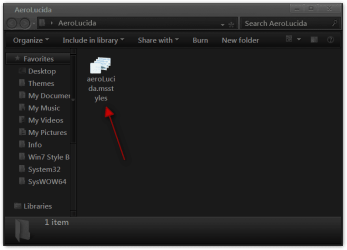
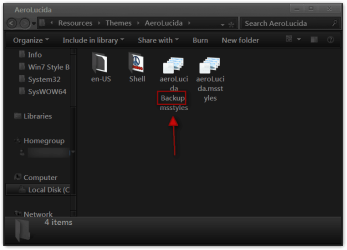
Switch to default aero theme then logoff/logon go to C:\Windows\Resources\Themes\AeroLucida and rename the old aeroLucida.msstyles to aeroLucidaBackup.msstyles and put the new 1 in there then you're good to go.
It is Lucida Sans Unicode I think it's the text color that makes it hard to see I changed it to black and made all the text that was size 9 to size 10.Question #3: I also want to have Lucida Sans Unicode as the font of explorer windows commands which is placed under the explorer address bar. Is it tangible?
You can edit the .msstyles with both but WSB I think you can change fonts, text colors, and more test easier. But Restorator you can edit system files for icons and other things WSB will not do.PS: I have witnessed many theme creators use Restorator, which you also recommended, and then I have downloaded it. If it is more practical than Vista Style Builder
Jerry
Attachments
My Computer
At a glance
Win 7 Pro x64 / Win 10 ProIntel(R) Core(TM) i7-3630QM CPU @ 2.40GHz12 GB(1) Intel(R) HD Graphics 4000 (2) NVIDIA GeFo...
- Computer type
- Laptop
- Computer Manufacturer/Model Number
- Sager NP9170
- OS
- Win 7 Pro x64 / Win 10 Pro
- CPU
- Intel(R) Core(TM) i7-3630QM CPU @ 2.40GHz
- Motherboard
- CLEVO P170EM
- Memory
- 12 GB
- Graphics Card(s)
- (1) Intel(R) HD Graphics 4000 (2) NVIDIA GeForce GTX 675M
- Sound Card
- (1) Realtek High Definition Audio (2) Intel(R) Display Aud
- Monitor(s) Displays
- 17.3
- Screen Resolution
- 1920x1080
- Hard Drives
- (1) Samsung 860 EVO 500GB(OS) (1) Samsung 860 EVO 500GB(Data)
- Keyboard
- Backlite
- Antivirus
- MSE, Malwarebytes Pro
- Browser
- Firefox
- Other Info
- DESKTOP: Custom-built.
OS: Win 10 Pro x64.
CASE: Rosewill R5.
CPU: Intel I5 4670K CPU @ 3.40GHz.
CPU COOLER: Cool Master Hyper 212 EVO.
MOTHERBOARD: Asus Z87-A.
MEMORY: Kingston HyperX 2x4 GB.
GPU: Nvidia Geforce 650 TI.
PSU: Corsair TX750.
DRIVES: (1) Samsung 840 120 GB SSD (2) Western Digital blue 500 GB 7200 RPM.