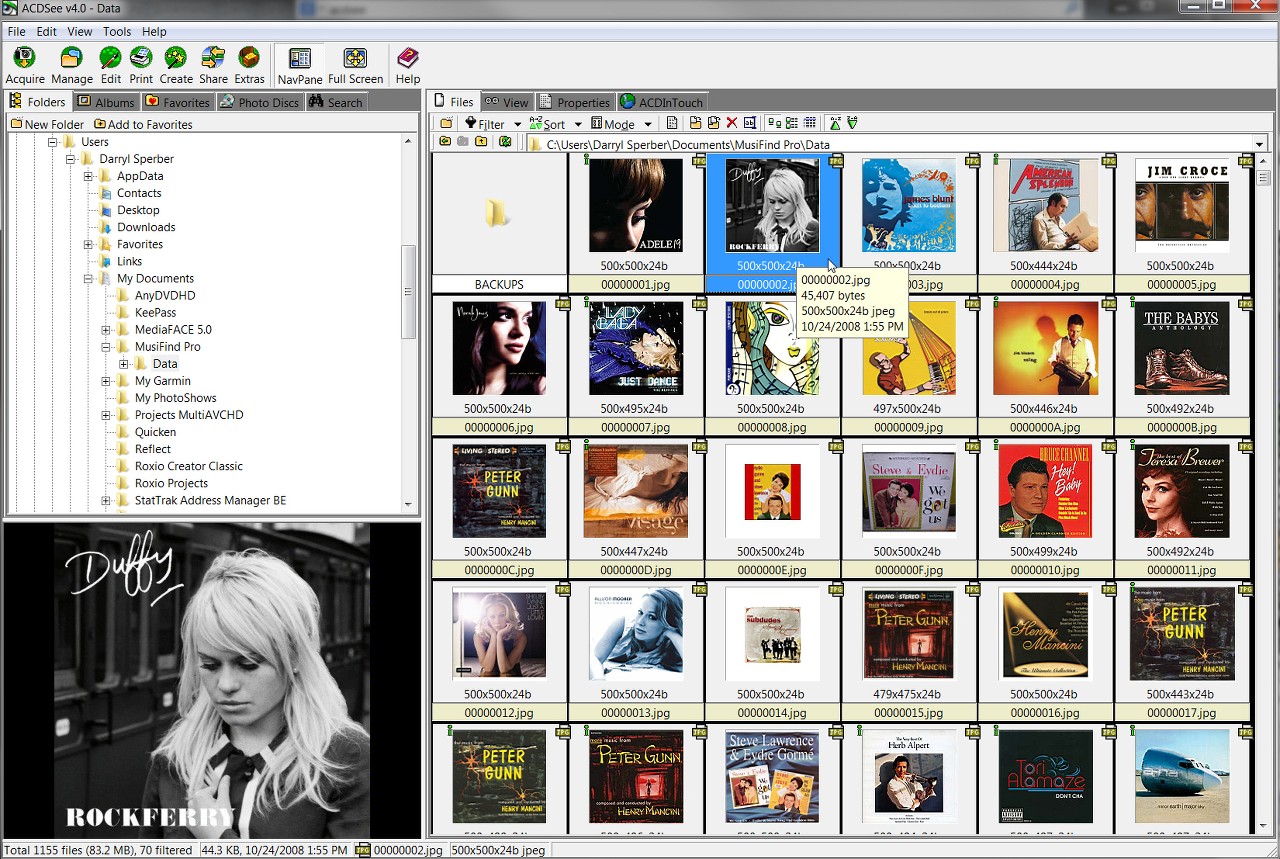
Okay I hope I have the right forum & here is my beef! I have Windows 7 Ultimate, & I do TWO things, program & work on websites. Now with websites, I process LOTS of images, I probably have 50,000 images or so.
Now as a programmer when I look at a file, I want to see a detail of the file, with it's extension, such as myfile.exe or myfile.dll. (modified date, size are good to see too)
BUT when I work with images, I want to see thumbnails, not details, not ocean water, the default image, or white paper background image. I know thumbnails take time to index, hence part of my problem. BUT you see when I work with a photo editor, I use Fireworks (but whether in Dreamweaver or Photoshop, I want to see the images so I can pick.
Lately, I am getting the green bar across the folder slowing down showing files, I am re-indexing now, which is taking time, but what is frustrating is that I can't get any work done, because I am constantly having to reboot to get Windows Explorer to work without the spinning circle & green bar progress.
Not sure what to do? Do I have too many images on the computer? If so, I never had this much of a problem with Vista?
Now as a programmer when I look at a file, I want to see a detail of the file, with it's extension, such as myfile.exe or myfile.dll. (modified date, size are good to see too)
BUT when I work with images, I want to see thumbnails, not details, not ocean water, the default image, or white paper background image. I know thumbnails take time to index, hence part of my problem. BUT you see when I work with a photo editor, I use Fireworks (but whether in Dreamweaver or Photoshop, I want to see the images so I can pick.
Lately, I am getting the green bar across the folder slowing down showing files, I am re-indexing now, which is taking time, but what is frustrating is that I can't get any work done, because I am constantly having to reboot to get Windows Explorer to work without the spinning circle & green bar progress.
Not sure what to do? Do I have too many images on the computer? If so, I never had this much of a problem with Vista?
My Computer
At a glance
Windows 7 Ultimate x646 Gig RAM
- Computer type
- Laptop
- Computer Manufacturer/Model Number
- Acer
- OS
- Windows 7 Ultimate x64
- Memory
- 6 Gig RAM
- Hard Drives
- SSD & Hard drive
- Antivirus
- AVG 2014
- Browser
- Chrome or Firefox


 my hair! But I have printed out both documents you sent. And will make a note to make sure thumbnails is selected on the cleaner program!