Icon Cache - Rebuild

How to Rebuild the Icon Cache in Windows

   Information
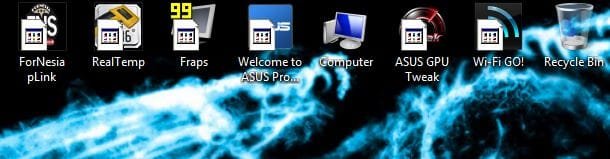
If one or more of your icons are not displaying correctly, or that your icon cache is corrupted, then you might consider rebuilding the icon cache to reset and reload the icon images into the icon cache in Vista, Windows 7, and Windows 8.

   Note
This will not help with any of the following icon issues:
  • A shortcut's icon that is not displayed properly due to the source of the shortcut being moved or deleted. You may need to recreate a new shortcut directly from the source (ex: program's exe) file to replace it instead.
  • All icons for a specific file extension display the wrong icon. This may be due to setting the wrong association for what program to open the file extension instead. You can restore the default file extension's associations to fix this icon instead.


OPTION ONE

Automatically Rebuild the Icon Cache


1. Click/tap on the download button below to download the file below.
Rebuild_Icon_Cache.bat

Download


2. Save the file to your desktop, and run it.

3. Click/tap on Run when prompted.

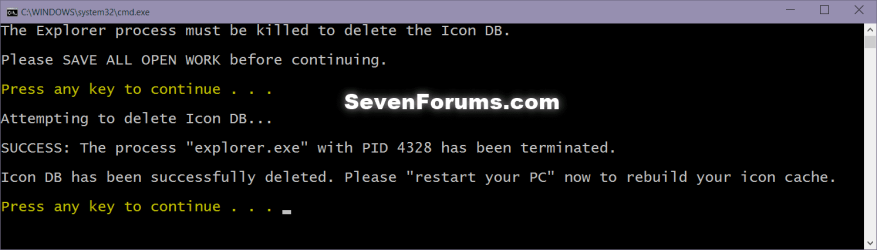
4. Follow the instructions in the command prompt to rebuild the Icon Cache. (see screenshot below)
Icon_cache_command.png
5. Restart your computer to generate a new IconCache.db file.

6. If the icons are still not displaying properly, then download and merge the ICO option in this tutorial for Windows 7 or Windows 8 to restore the default associations of .ico (icon) files.


OPTION TWO

To Manually Rebuild the Icon Cache using the Command Prompt


1. Close and save anything that you are working on. This command will kill explorer and restart the computer when completed.

2. Open a command prompt in Windows 7 or Windows 8.

3. In the command prompt, Copy and paste each command line below exactly as is one at a time and press enter after each command.
:warn:WARNING: The last command will restart the computer, so be sure to close and save anything that you are working on first.
  • ie4uinit.exe -ClearIconCache
  • taskkill /IM explorer.exe /F
  • DEL "%localappdata%\IconCache.db" /A
  • DEL "%localappdata%\Microsoft\Windows\Explorer\iconcache*" /A
  • shutdown /r /f /t 00
4. The IconCache.db file has now been rebuilt.

5. If the icons are still not displaying properly, then download and merge the ICO option in this tutorial for Windows 7 or Windows 8 to restore the default associations of .ico (icon) files.

That's it,
Shawn


Attachments

Last edited:
Hello Nick, and welcome to Seven Forums.

It's going to be hard to help without knowing what you tweaked in the registry. If you have any ideas, please let us know. :(
 

My Computer

Computer type
PC/Desktop
Computer Manufacturer/Model Number
Self built custom
OS
64-bit Windows 11 Pro for Workstations
CPU
Intel i7-8700K OC'd to 5 GHz
Motherboard
ASUS ROG Maximus XI Formula Z390
Memory
64 GB (4x16GB) G.SKILL TridentZ RGB DDR4 3600 MHz
Graphics Card(s)
ASUS ROG-STRIX-GTX1080TI-O11G-GAMING
Sound Card
Integrated
Monitor(s) Displays
2 x Samsung Odyssey G7 27"
Screen Resolution
2560x1440
Hard Drives
1TB Samsung 990 PRO M.2,
4TB Samsung 990 PRO PRO M.2,
TerraMaster F8 SSD Plus NAS
PSU
Seasonic Prime Titanium 850W
Case
Thermaltake Core P3
Cooling
Corsair Hydro H115i
Keyboard
Logitech wireless K800
Mouse
Logitech MX Master 4
Internet Speed
2 Gb/s Download and 100 Mb/s Upload
Antivirus
Malwarebyte Anti-Malware Premium
Browser
Google Chrome
Other Info
Logitech Z625 speaker system,
Logitech BRIO 4K Pro webcam,
HP Color LaserJet Pro MFP M477fdn,
APC SMART-UPS RT 1000 XL - SURT1000XLI,
Galaxy S23 Plus phone
Hello Nick, and welcome to Seven Forums.

It's going to be hard to help without knowing what you tweaked in the registry. If you have any ideas, please let us know. :(
As I said I could not remember the exact tweaks I had made. Fortunately, I remembered that 50 days ago (before the registry tweaks) I had created an image backup of my entire main disk (with Acronis True Image). So, I restored my older image backup and the problem dissapeared.
The lessons I learned from this is
1) NEVER tweak registry entries unless you are absolutely sure what you are sure what you are doing
2) Always keep an image backup of your system, just in bad case..

Thank you anyway for your assistance
Nick
 

My Computer

Computer type
PC/Desktop
OS
Windows 7 Pro 64
CPU
Intel i7-3770 3.4 GHz
Motherboard
Gigabyte GA-Z77X-UD3H
Memory
Corsair RAM DDR3 8GB (2x4)Kit 2000MHz XMS3
Graphics Card(s)
MSI Nvidia GTX 770
Monitor(s) Displays
Samsung PX2370
Screen Resolution
1920 x 1080
Hard Drives
OCZ SSD Vertex 4 240 Gb
PSU
Corsair 1000 W
Case
Coolermaster
Keyboard
Microsoft Multimedia Keyboard
Mouse
Microsoft Wireless mouse 2.0
Internet Speed
1.2 Mbs
Antivirus
Norton Internet Security 2014
Browser
Chrome
Hello All,

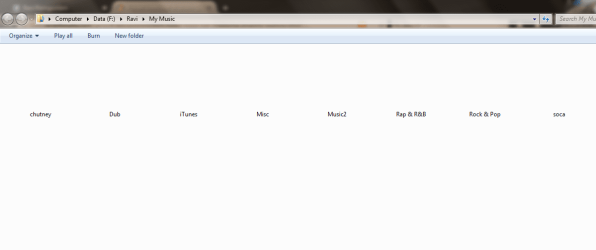
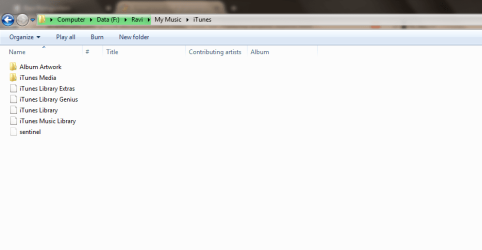
Recently I've noticed my folder icons aren't showing up at all. The files would open normally when I click on them. Can anyone provide some assistance as to what is exactly happening here? I've tried the bat file it works for a while then goes back to not showing. I have to restart the computer for the files to show.


Regards
 

Attachments

  • Untitled.png
    Untitled.png
    69 KB · Views: 153
  • Untitled1.png
    Untitled1.png
    57.3 KB · Views: 129

My Computer

Computer type
PC/Desktop
Computer Manufacturer/Model Number
Custom Build
OS
Microsoft Windows 7 Ultimate 64-bit 7601 Multiprocessor Free Service Pack 1
CPU
Intel(R) Core(TM) i5-3570K CPU @ 3.40GHz
Motherboard
ASUSTeK COMPUTER INC. P8Z77-V
Memory
8.00 GB
Graphics Card(s)
NVIDIA GeForce GTX 660
Sound Card
(1) USB Audio Device (2) High Definition Audio Device (3
Screen Resolution
1360 x 768 x 32 bits (4294967296 colors) @ 60 Hz
Hard Drives
(1) M4-CT128M4SSD2 ATA Device (2) WDC WD1002FAEX-00Z3A0 ATA Device (3) WDC WD10EZEX-22BN5A0 ATA Device
PSU
Corsair Enthusiast Series TX650M
Case
NZXT Phantom 410
Cooling
Cooler Master Hyper 212 EVO
Keyboard
Logitech HID-Compliant Keyboard
Mouse
Logitech HID-compliant MX320 Laser Mouse
Hello Nick, and welcome to Seven Forums.

It's going to be hard to help without knowing what you tweaked in the registry. If you have any ideas, please let us know. :(
As I said I could not remember the exact tweaks I had made. Fortunately, I remembered that 50 days ago (before the registry tweaks) I had created an image backup of my entire main disk (with Acronis True Image). So, I restored my older image backup and the problem dissapeared.
The lessons I learned from this is
1) NEVER tweak registry entries unless you are absolutely sure what you are sure what you are doing
2) Always keep an image backup of your system, just in bad case..

Thank you anyway for your assistance
Nick

I'm glad to hear that you were able to do a system image recovery to fix it.

Don't forget to create restore points as well. They can be a real life saver when needed. :)
 

My Computer

Computer type
PC/Desktop
Computer Manufacturer/Model Number
Self built custom
OS
64-bit Windows 11 Pro for Workstations
CPU
Intel i7-8700K OC'd to 5 GHz
Motherboard
ASUS ROG Maximus XI Formula Z390
Memory
64 GB (4x16GB) G.SKILL TridentZ RGB DDR4 3600 MHz
Graphics Card(s)
ASUS ROG-STRIX-GTX1080TI-O11G-GAMING
Sound Card
Integrated
Monitor(s) Displays
2 x Samsung Odyssey G7 27"
Screen Resolution
2560x1440
Hard Drives
1TB Samsung 990 PRO M.2,
4TB Samsung 990 PRO PRO M.2,
TerraMaster F8 SSD Plus NAS
PSU
Seasonic Prime Titanium 850W
Case
Thermaltake Core P3
Cooling
Corsair Hydro H115i
Keyboard
Logitech wireless K800
Mouse
Logitech MX Master 4
Internet Speed
2 Gb/s Download and 100 Mb/s Upload
Antivirus
Malwarebyte Anti-Malware Premium
Browser
Google Chrome
Other Info
Logitech Z625 speaker system,
Logitech BRIO 4K Pro webcam,
HP Color LaserJet Pro MFP M477fdn,
APC SMART-UPS RT 1000 XL - SURT1000XLI,
Galaxy S23 Plus phone
Hello All,

Recently I've noticed my folder icons aren't showing up at all. The files would open normally when I click on them. Can anyone provide some assistance as to what is exactly happening here? I've tried the bat file it works for a while then goes back to not showing. I have to restart the computer for the files to show.


Regards

Hello Ravi,

Since this is with folders, you might see if clearing and resetting the thumbnail cache may help. :)

http://www.sevenforums.com/tutorials/10797-thumbnail-cache-clear-reset.html
 

My Computer

Computer type
PC/Desktop
Computer Manufacturer/Model Number
Self built custom
OS
64-bit Windows 11 Pro for Workstations
CPU
Intel i7-8700K OC'd to 5 GHz
Motherboard
ASUS ROG Maximus XI Formula Z390
Memory
64 GB (4x16GB) G.SKILL TridentZ RGB DDR4 3600 MHz
Graphics Card(s)
ASUS ROG-STRIX-GTX1080TI-O11G-GAMING
Sound Card
Integrated
Monitor(s) Displays
2 x Samsung Odyssey G7 27"
Screen Resolution
2560x1440
Hard Drives
1TB Samsung 990 PRO M.2,
4TB Samsung 990 PRO PRO M.2,
TerraMaster F8 SSD Plus NAS
PSU
Seasonic Prime Titanium 850W
Case
Thermaltake Core P3
Cooling
Corsair Hydro H115i
Keyboard
Logitech wireless K800
Mouse
Logitech MX Master 4
Internet Speed
2 Gb/s Download and 100 Mb/s Upload
Antivirus
Malwarebyte Anti-Malware Premium
Browser
Google Chrome
Other Info
Logitech Z625 speaker system,
Logitech BRIO 4K Pro webcam,
HP Color LaserJet Pro MFP M477fdn,
APC SMART-UPS RT 1000 XL - SURT1000XLI,
Galaxy S23 Plus phone

My Computer

Computer type
PC/Desktop
Computer Manufacturer/Model Number
Custom Build
OS
Microsoft Windows 7 Ultimate 64-bit 7601 Multiprocessor Free Service Pack 1
CPU
Intel(R) Core(TM) i5-3570K CPU @ 3.40GHz
Motherboard
ASUSTeK COMPUTER INC. P8Z77-V
Memory
8.00 GB
Graphics Card(s)
NVIDIA GeForce GTX 660
Sound Card
(1) USB Audio Device (2) High Definition Audio Device (3
Screen Resolution
1360 x 768 x 32 bits (4294967296 colors) @ 60 Hz
Hard Drives
(1) M4-CT128M4SSD2 ATA Device (2) WDC WD1002FAEX-00Z3A0 ATA Device (3) WDC WD10EZEX-22BN5A0 ATA Device
PSU
Corsair Enthusiast Series TX650M
Case
NZXT Phantom 410
Cooling
Cooler Master Hyper 212 EVO
Keyboard
Logitech HID-Compliant Keyboard
Mouse
Logitech HID-compliant MX320 Laser Mouse
You're most welcome Ravi. :)
 

My Computer

Computer type
PC/Desktop
Computer Manufacturer/Model Number
Self built custom
OS
64-bit Windows 11 Pro for Workstations
CPU
Intel i7-8700K OC'd to 5 GHz
Motherboard
ASUS ROG Maximus XI Formula Z390
Memory
64 GB (4x16GB) G.SKILL TridentZ RGB DDR4 3600 MHz
Graphics Card(s)
ASUS ROG-STRIX-GTX1080TI-O11G-GAMING
Sound Card
Integrated
Monitor(s) Displays
2 x Samsung Odyssey G7 27"
Screen Resolution
2560x1440
Hard Drives
1TB Samsung 990 PRO M.2,
4TB Samsung 990 PRO PRO M.2,
TerraMaster F8 SSD Plus NAS
PSU
Seasonic Prime Titanium 850W
Case
Thermaltake Core P3
Cooling
Corsair Hydro H115i
Keyboard
Logitech wireless K800
Mouse
Logitech MX Master 4
Internet Speed
2 Gb/s Download and 100 Mb/s Upload
Antivirus
Malwarebyte Anti-Malware Premium
Browser
Google Chrome
Other Info
Logitech Z625 speaker system,
Logitech BRIO 4K Pro webcam,
HP Color LaserJet Pro MFP M477fdn,
APC SMART-UPS RT 1000 XL - SURT1000XLI,
Galaxy S23 Plus phone
I'm glad to hear that you were able to do a system image recovery to fix it.

Don't forget to create restore points as well. They can be a real life saver when needed. :)

By the way, my main HD is a SSD drive in which it is supposed NOT to create restore points in such drives (for preventing continious write cycles). Is it right ? alternatively, can I create a restore point for my SSD in another HD ? and if yes, how ?
Thx in advance
 

My Computer

Computer type
PC/Desktop
OS
Windows 7 Pro 64
CPU
Intel i7-3770 3.4 GHz
Motherboard
Gigabyte GA-Z77X-UD3H
Memory
Corsair RAM DDR3 8GB (2x4)Kit 2000MHz XMS3
Graphics Card(s)
MSI Nvidia GTX 770
Monitor(s) Displays
Samsung PX2370
Screen Resolution
1920 x 1080
Hard Drives
OCZ SSD Vertex 4 240 Gb
PSU
Corsair 1000 W
Case
Coolermaster
Keyboard
Microsoft Multimedia Keyboard
Mouse
Microsoft Wireless mouse 2.0
Internet Speed
1.2 Mbs
Antivirus
Norton Internet Security 2014
Browser
Chrome
You don't have to worry about the number of writes on a SSD anymore, so it's fine to turn on system protection for Windows on the SSD if you have enough free space for it. :)
 

My Computer

Computer type
PC/Desktop
Computer Manufacturer/Model Number
Self built custom
OS
64-bit Windows 11 Pro for Workstations
CPU
Intel i7-8700K OC'd to 5 GHz
Motherboard
ASUS ROG Maximus XI Formula Z390
Memory
64 GB (4x16GB) G.SKILL TridentZ RGB DDR4 3600 MHz
Graphics Card(s)
ASUS ROG-STRIX-GTX1080TI-O11G-GAMING
Sound Card
Integrated
Monitor(s) Displays
2 x Samsung Odyssey G7 27"
Screen Resolution
2560x1440
Hard Drives
1TB Samsung 990 PRO M.2,
4TB Samsung 990 PRO PRO M.2,
TerraMaster F8 SSD Plus NAS
PSU
Seasonic Prime Titanium 850W
Case
Thermaltake Core P3
Cooling
Corsair Hydro H115i
Keyboard
Logitech wireless K800
Mouse
Logitech MX Master 4
Internet Speed
2 Gb/s Download and 100 Mb/s Upload
Antivirus
Malwarebyte Anti-Malware Premium
Browser
Google Chrome
Other Info
Logitech Z625 speaker system,
Logitech BRIO 4K Pro webcam,
HP Color LaserJet Pro MFP M477fdn,
APC SMART-UPS RT 1000 XL - SURT1000XLI,
Galaxy S23 Plus phone
Recently had the black icon problem also (I had previously got rid of the icon arrows several months ago). Running the rebuild icon cache program worked until I restarted the computer and then they went back to black squares. What I ended up having to do was to restore the icon arrows and now the icons are displaying correctly again. Hopefully this may help somebody if they keep having the problem after running the rebuild cache program and still have black icons after a restart.

http://www.sevenforums.com/tutorials/3606-shortcut-arrow-change-remove-restore.html
 
Last edited by a moderator:

My Computer

Computer Manufacturer/Model Number
ME
OS
Win7 Home Premium 64 bit
CPU
AMD Phenom II X2 555 Black
Motherboard
Gigabyte GA-MA770-UD3
Memory
4 GB Kingston DDR2 800
Graphics Card(s)
Sapphire ATI Raedon HD6570 2GB DDR3
Sound Card
Built in
Monitor(s) Displays
HP 2010i
Screen Resolution
1600x900
Hard Drives
2 WD 500GB Caviar blue
1 WD 250GB
1 WD 80GB (usb)
Case
Antec P-160
Cooling
Hyper 212 EVO
Keyboard
Logitech K320
Mouse
Logitech Trackman Wheel Optical
Recently had the black icon problem also (I had previously got rid of the icon arrows several months ago). Running the rebuild icon cache program worked until I restarted the computer and then they went back to black squares. What I ended up having to do was to restore the icon arrows and now the icons are displaying correctly again.
Yea well, very cool but not a solution.
I have exactly same situation.
And what you are proposing is basically "forget your dream" kind of option which is opposite of what the topic is about.
 

My Computer

Computer type
PC/Desktop
OS
Windows 7 Ultimate x32

My Computer

Computer type
PC/Desktop
Computer Manufacturer/Model Number
Self built custom
OS
64-bit Windows 11 Pro for Workstations
CPU
Intel i7-8700K OC'd to 5 GHz
Motherboard
ASUS ROG Maximus XI Formula Z390
Memory
64 GB (4x16GB) G.SKILL TridentZ RGB DDR4 3600 MHz
Graphics Card(s)
ASUS ROG-STRIX-GTX1080TI-O11G-GAMING
Sound Card
Integrated
Monitor(s) Displays
2 x Samsung Odyssey G7 27"
Screen Resolution
2560x1440
Hard Drives
1TB Samsung 990 PRO M.2,
4TB Samsung 990 PRO PRO M.2,
TerraMaster F8 SSD Plus NAS
PSU
Seasonic Prime Titanium 850W
Case
Thermaltake Core P3
Cooling
Corsair Hydro H115i
Keyboard
Logitech wireless K800
Mouse
Logitech MX Master 4
Internet Speed
2 Gb/s Download and 100 Mb/s Upload
Antivirus
Malwarebyte Anti-Malware Premium
Browser
Google Chrome
Other Info
Logitech Z625 speaker system,
Logitech BRIO 4K Pro webcam,
HP Color LaserJet Pro MFP M477fdn,
APC SMART-UPS RT 1000 XL - SURT1000XLI,
Galaxy S23 Plus phone
@Brink
Thanks, 1st (program) method worked, which I didn't try at first bcos I don't like installing side programs and only now read that it doesn't install xD
ty again
 

My Computer

Computer type
PC/Desktop
OS
Windows 7 Ultimate x32
You're most welcome Jeck. :)
 

My Computer

Computer type
PC/Desktop
Computer Manufacturer/Model Number
Self built custom
OS
64-bit Windows 11 Pro for Workstations
CPU
Intel i7-8700K OC'd to 5 GHz
Motherboard
ASUS ROG Maximus XI Formula Z390
Memory
64 GB (4x16GB) G.SKILL TridentZ RGB DDR4 3600 MHz
Graphics Card(s)
ASUS ROG-STRIX-GTX1080TI-O11G-GAMING
Sound Card
Integrated
Monitor(s) Displays
2 x Samsung Odyssey G7 27"
Screen Resolution
2560x1440
Hard Drives
1TB Samsung 990 PRO M.2,
4TB Samsung 990 PRO PRO M.2,
TerraMaster F8 SSD Plus NAS
PSU
Seasonic Prime Titanium 850W
Case
Thermaltake Core P3
Cooling
Corsair Hydro H115i
Keyboard
Logitech wireless K800
Mouse
Logitech MX Master 4
Internet Speed
2 Gb/s Download and 100 Mb/s Upload
Antivirus
Malwarebyte Anti-Malware Premium
Browser
Google Chrome
Other Info
Logitech Z625 speaker system,
Logitech BRIO 4K Pro webcam,
HP Color LaserJet Pro MFP M477fdn,
APC SMART-UPS RT 1000 XL - SURT1000XLI,
Galaxy S23 Plus phone
i've tried all method in page 1 but its still not fix my problem..
see
 

Attachments

  • 1.JPG
    1.JPG
    33.7 KB · Views: 1,584

My Computer

Computer type
PC/Desktop
Computer Manufacturer/Model Number
Asus
OS
Windows 7 Ultimate x64

My Computer

Computer type
PC/Desktop
Computer Manufacturer/Model Number
Self built custom
OS
64-bit Windows 11 Pro for Workstations
CPU
Intel i7-8700K OC'd to 5 GHz
Motherboard
ASUS ROG Maximus XI Formula Z390
Memory
64 GB (4x16GB) G.SKILL TridentZ RGB DDR4 3600 MHz
Graphics Card(s)
ASUS ROG-STRIX-GTX1080TI-O11G-GAMING
Sound Card
Integrated
Monitor(s) Displays
2 x Samsung Odyssey G7 27"
Screen Resolution
2560x1440
Hard Drives
1TB Samsung 990 PRO M.2,
4TB Samsung 990 PRO PRO M.2,
TerraMaster F8 SSD Plus NAS
PSU
Seasonic Prime Titanium 850W
Case
Thermaltake Core P3
Cooling
Corsair Hydro H115i
Keyboard
Logitech wireless K800
Mouse
Logitech MX Master 4
Internet Speed
2 Gb/s Download and 100 Mb/s Upload
Antivirus
Malwarebyte Anti-Malware Premium
Browser
Google Chrome
Other Info
Logitech Z625 speaker system,
Logitech BRIO 4K Pro webcam,
HP Color LaserJet Pro MFP M477fdn,
APC SMART-UPS RT 1000 XL - SURT1000XLI,
Galaxy S23 Plus phone
Hello kry666, and welcome to Seven Forums.

You have an issue with your shortcut arrow overlay on the icon instead of with the icon cache. You can use an option in the tutorial below to restore the default shortcut arrow overlay to fix this for you. :)

http://www.sevenforums.com/tutorials/3606-shortcut-arrow-change-remove-restore.html

Wow great!!! its working for me using option 4 :D , i thought its was icon cache problem.. thanks a lots for helping me, now i can sleep in peace ;)
 

My Computer

Computer type
PC/Desktop
Computer Manufacturer/Model Number
Asus
OS
Windows 7 Ultimate x64
You're most welcome. :)
 

My Computer

Computer type
PC/Desktop
Computer Manufacturer/Model Number
Self built custom
OS
64-bit Windows 11 Pro for Workstations
CPU
Intel i7-8700K OC'd to 5 GHz
Motherboard
ASUS ROG Maximus XI Formula Z390
Memory
64 GB (4x16GB) G.SKILL TridentZ RGB DDR4 3600 MHz
Graphics Card(s)
ASUS ROG-STRIX-GTX1080TI-O11G-GAMING
Sound Card
Integrated
Monitor(s) Displays
2 x Samsung Odyssey G7 27"
Screen Resolution
2560x1440
Hard Drives
1TB Samsung 990 PRO M.2,
4TB Samsung 990 PRO PRO M.2,
TerraMaster F8 SSD Plus NAS
PSU
Seasonic Prime Titanium 850W
Case
Thermaltake Core P3
Cooling
Corsair Hydro H115i
Keyboard
Logitech wireless K800
Mouse
Logitech MX Master 4
Internet Speed
2 Gb/s Download and 100 Mb/s Upload
Antivirus
Malwarebyte Anti-Malware Premium
Browser
Google Chrome
Other Info
Logitech Z625 speaker system,
Logitech BRIO 4K Pro webcam,
HP Color LaserJet Pro MFP M477fdn,
APC SMART-UPS RT 1000 XL - SURT1000XLI,
Galaxy S23 Plus phone
THANKYOU SO MUCH!!!!

Do you know how long i've been searching for this solution?

You have just reached godlike status in my opinion!


Thankyou so very much!
 

My Computer

Computer type
PC/Desktop
Computer Manufacturer/Model Number
Gigabyte Technology Co, Ltd
OS
WINDOWS 7 64 Bit Home Premium
CPU
Intel(R) Core (TM) i5 CPU 750 @2.67GHz
Motherboard
P55-UD3R
Memory
8.00GB
Graphics Card(s)
NVIDIA GeForce GTX650
Hard Drives
SAMSUNG HD103SJ ATA Device

ST3500418AS ATA Device
Case
KM9319 FIGHTER CASECOM
Cooling
Very Basic!
Keyboard
Microsoft Wireless
Mouse
Microsoft Wireless
Antivirus
MalwareBytes Premium
Browser
Google Chrome
I'm glad it could help VIKING4650, and welcome to Seven Forums. :)
 

My Computer

Computer type
PC/Desktop
Computer Manufacturer/Model Number
Self built custom
OS
64-bit Windows 11 Pro for Workstations
CPU
Intel i7-8700K OC'd to 5 GHz
Motherboard
ASUS ROG Maximus XI Formula Z390
Memory
64 GB (4x16GB) G.SKILL TridentZ RGB DDR4 3600 MHz
Graphics Card(s)
ASUS ROG-STRIX-GTX1080TI-O11G-GAMING
Sound Card
Integrated
Monitor(s) Displays
2 x Samsung Odyssey G7 27"
Screen Resolution
2560x1440
Hard Drives
1TB Samsung 990 PRO M.2,
4TB Samsung 990 PRO PRO M.2,
TerraMaster F8 SSD Plus NAS
PSU
Seasonic Prime Titanium 850W
Case
Thermaltake Core P3
Cooling
Corsair Hydro H115i
Keyboard
Logitech wireless K800
Mouse
Logitech MX Master 4
Internet Speed
2 Gb/s Download and 100 Mb/s Upload
Antivirus
Malwarebyte Anti-Malware Premium
Browser
Google Chrome
Other Info
Logitech Z625 speaker system,
Logitech BRIO 4K Pro webcam,
HP Color LaserJet Pro MFP M477fdn,
APC SMART-UPS RT 1000 XL - SURT1000XLI,
Galaxy S23 Plus phone
Back
Top