Good day sir! . i got some BIG TIME PROBLEM HERE ..
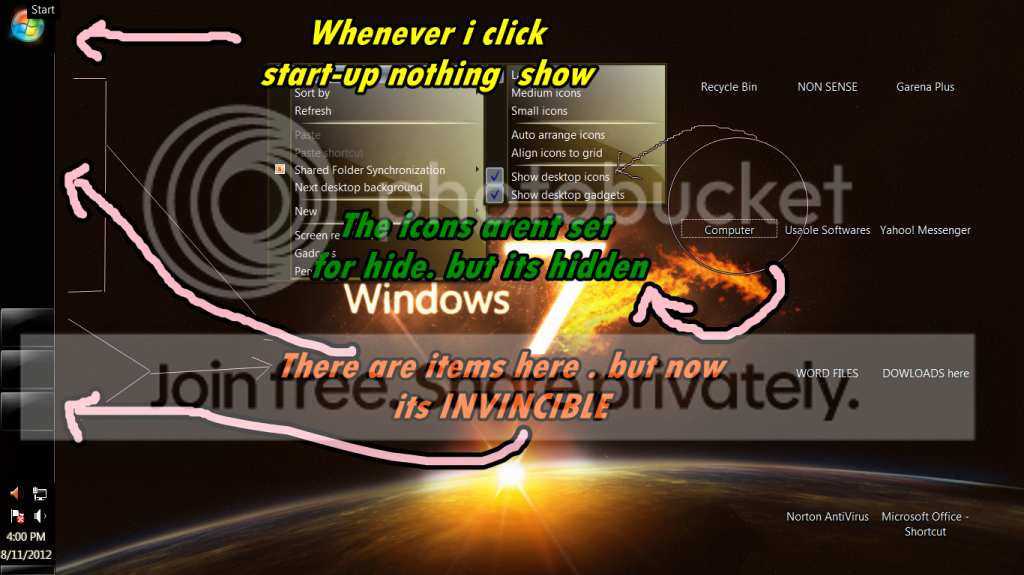
my desktop ICON is not showing up . Also the ICONS in taskbar , ICONS INSIDE THE FOLDER , MOST IMPORTANTLY THE START - UP BOX .
the ICONS ARE NOT SHOWING UP , BUT THE NAME is There.
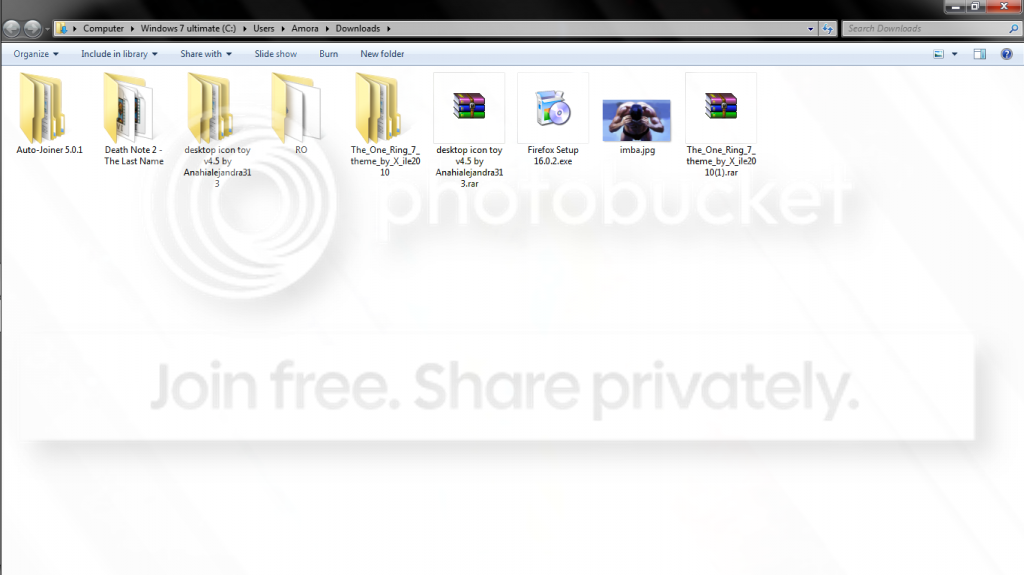
ICONS INSIDE THE FOLDER ARE ALSO INVINCIBLE
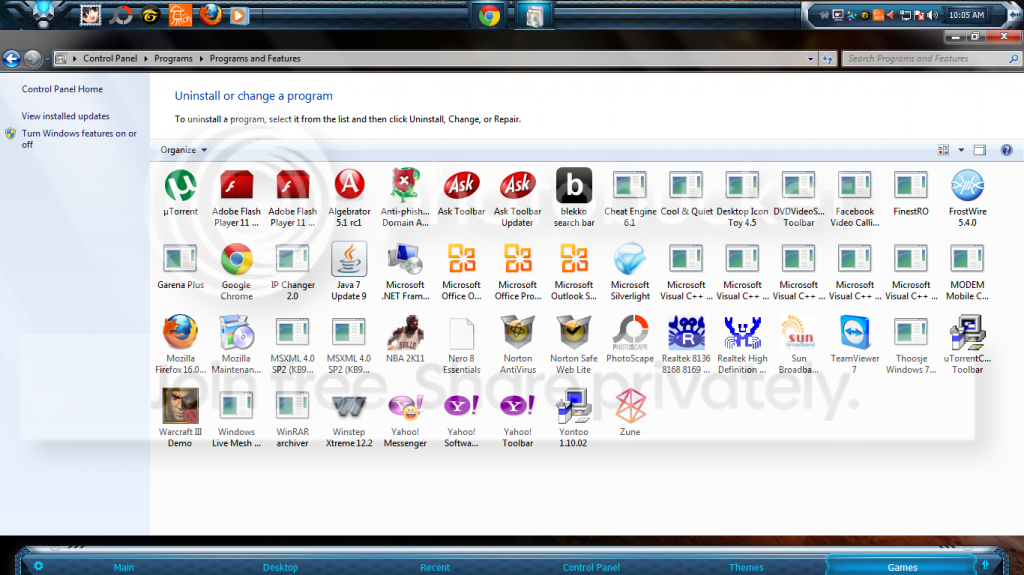
BY THE WAY THIS PROBLEM HAPPEN AFTER i UNINSTALLED SOME PROGRAM but i cant REMEMBER WHAT IT IS.
PLEASE HELP ME.
Last edited by a moderator:
My Computer
At a glance
Windows 7 Ultimate x64, Windows 7 Home Premiu...
OS
Windows 7 Ultimate x64, Windows 7 Home Premium 32bit.
This may be an association issue. If you like, download and merge the .reg files for the listed EXE and lnk (LNK) options in the tutorial below. They will restore the default associations for these file types, and hopefully fix this for you.
if you dont mind sir can you please help me via team viewer ?
i dont want to Configure anything aagain in my COMPUTER cause i might harm
any setting again. Please help . thanks
My Computer
At a glance
Windows 7 Ultimate x64, Windows 7 Home Premiu...
OS
Windows 7 Ultimate x64, Windows 7 Home Premium 32bit.
What I posted above will not harm your computer. It will only restore the default associations for EXE and LNK (shortcut) files. The link in my post above will give you step by step instructions on how to do it.
If you have any questions, then please feel free to ask.
My Computer
At a glance
64-bit Windows 11 Pro for WorkstationsIntel i7-8700K OC'd to 5 GHz64 GB (4x16GB) G.SKILL TridentZ RGB DDR4 3600...ASUS ROG-STRIX-GTX1080TI-O11G-GAMING
Computer type
PC/Desktop
Computer Manufacturer/Model Number
Self built custom
OS
64-bit Windows 11 Pro for Workstations
CPU
Intel i7-8700K OC'd to 5 GHz
Motherboard
ASUS ROG Maximus XI Formula Z390
Memory
64 GB (4x16GB) G.SKILL TridentZ RGB DDR4 3600 MHz
Graphics Card(s)
ASUS ROG-STRIX-GTX1080TI-O11G-GAMING
Sound Card
Integrated
Monitor(s) Displays
2 x Samsung Odyssey G7 27"
Screen Resolution
2560x1440
Hard Drives
1TB Samsung 990 PRO M.2,
4TB Samsung 990 PRO PRO M.2,
TerraMaster F8 SSD Plus NAS
PSU
Seasonic Prime Titanium 850W
Case
Thermaltake Core P3
Cooling
Corsair Hydro H115i
Keyboard
Logitech wireless K800
Mouse
Logitech MX Master 4
Internet Speed
2 Gb/s Download and 100 Mb/s Upload
Antivirus
Malwarebyte Anti-Malware Premium
Browser
Google Chrome
Other Info
Logitech Z625 speaker system,
Logitech BRIO 4K Pro webcam,
HP Color LaserJet Pro MFP M477fdn,
APC SMART-UPS RT 1000 XL - SURT1000XLI,
Galaxy S23 Plus phone
You most likely will need to enable or reinstall whatever skin or tweak again that you used before that made the folder background transparent since that is not that way by default in Windows 7.
My Computer
At a glance
64-bit Windows 11 Pro for WorkstationsIntel i7-8700K OC'd to 5 GHz64 GB (4x16GB) G.SKILL TridentZ RGB DDR4 3600...ASUS ROG-STRIX-GTX1080TI-O11G-GAMING
Computer type
PC/Desktop
Computer Manufacturer/Model Number
Self built custom
OS
64-bit Windows 11 Pro for Workstations
CPU
Intel i7-8700K OC'd to 5 GHz
Motherboard
ASUS ROG Maximus XI Formula Z390
Memory
64 GB (4x16GB) G.SKILL TridentZ RGB DDR4 3600 MHz
Graphics Card(s)
ASUS ROG-STRIX-GTX1080TI-O11G-GAMING
Sound Card
Integrated
Monitor(s) Displays
2 x Samsung Odyssey G7 27"
Screen Resolution
2560x1440
Hard Drives
1TB Samsung 990 PRO M.2,
4TB Samsung 990 PRO PRO M.2,
TerraMaster F8 SSD Plus NAS
PSU
Seasonic Prime Titanium 850W
Case
Thermaltake Core P3
Cooling
Corsair Hydro H115i
Keyboard
Logitech wireless K800
Mouse
Logitech MX Master 4
Internet Speed
2 Gb/s Download and 100 Mb/s Upload
Antivirus
Malwarebyte Anti-Malware Premium
Browser
Google Chrome
Other Info
Logitech Z625 speaker system,
Logitech BRIO 4K Pro webcam,
HP Color LaserJet Pro MFP M477fdn,
APC SMART-UPS RT 1000 XL - SURT1000XLI,
Galaxy S23 Plus phone
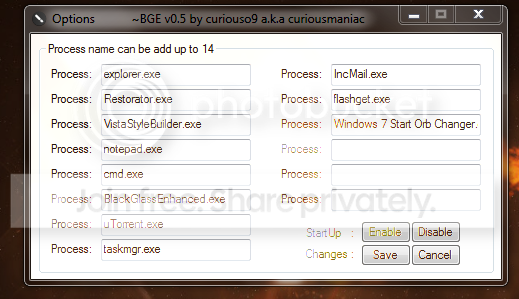
As Brink pointed out you need to enable the transparency again that most likely came with that custom theme you are using like Full Glass.exe or Black Glass Enhanced are two apps that create transparency.
Jerry
My Computer
At a glance
Win 7 Pro x64 / Win 10 ProIntel(R) Core(TM) i7-3630QM CPU @ 2.40GHz12 GB(1) Intel(R) HD Graphics 4000 (2) NVIDIA GeFo...
Computer type
Laptop
Computer Manufacturer/Model Number
Sager NP9170
OS
Win 7 Pro x64 / Win 10 Pro
CPU
Intel(R) Core(TM) i7-3630QM CPU @ 2.40GHz
Motherboard
CLEVO P170EM
Memory
12 GB
Graphics Card(s)
(1) Intel(R) HD Graphics 4000 (2) NVIDIA GeForce GTX 675M
Sound Card
(1) Realtek High Definition Audio (2) Intel(R) Display Aud
Monitor(s) Displays
17.3
Screen Resolution
1920x1080
Hard Drives
(1) Samsung 860 EVO 500GB(OS) (1) Samsung 860 EVO 500GB(Data)
Keyboard
Backlite
Antivirus
MSE, Malwarebytes Pro
Browser
Firefox
Other Info
DESKTOP: Custom-built.
OS: Win 10 Pro x64.
CASE: Rosewill R5.
CPU: Intel I5 4670K CPU @ 3.40GHz.
CPU COOLER: Cool Master Hyper 212 EVO.
MOTHERBOARD: Asus Z87-A.
MEMORY: Kingston HyperX 2x4 GB.
GPU: Nvidia Geforce 650 TI.
PSU: Corsair TX750.
DRIVES: (1) Samsung 840 120 GB SSD (2) Western Digital blue 500 GB 7200 RPM.
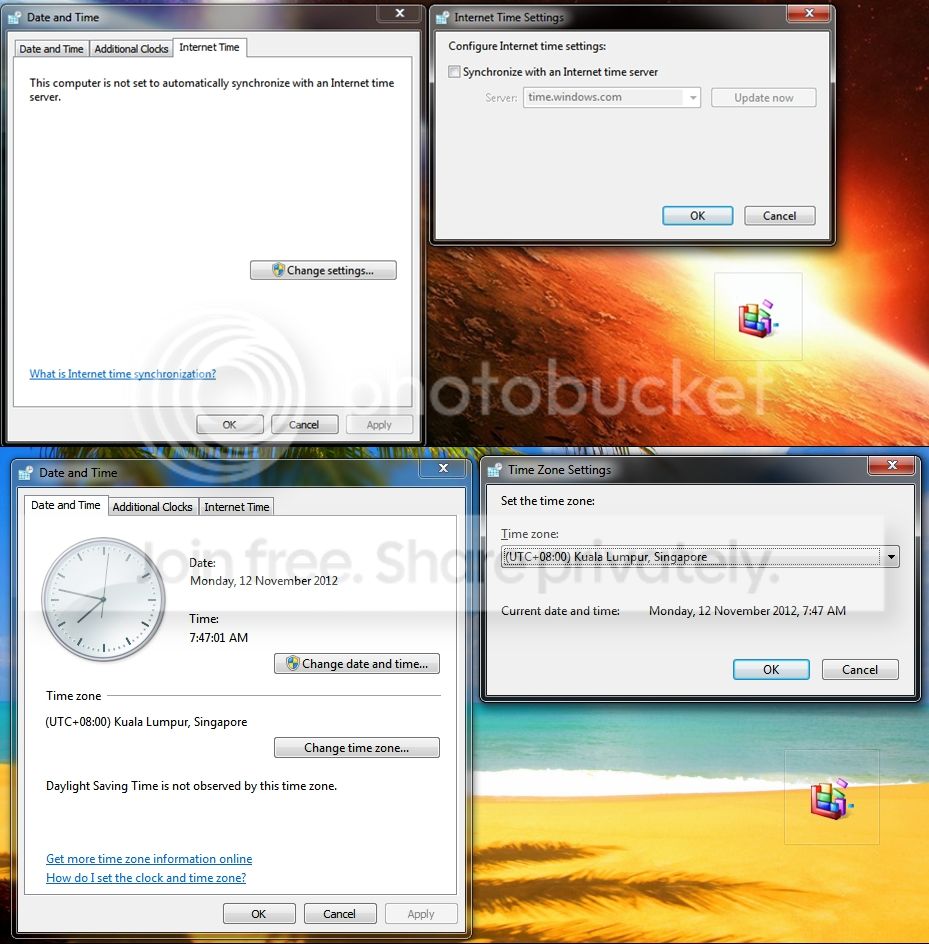
1. the time in my computer is always late .
ive done CHECKING our timezone. Philippines timezone is utc+8
but its still always been late in my computers time.. heres my setting looks like.
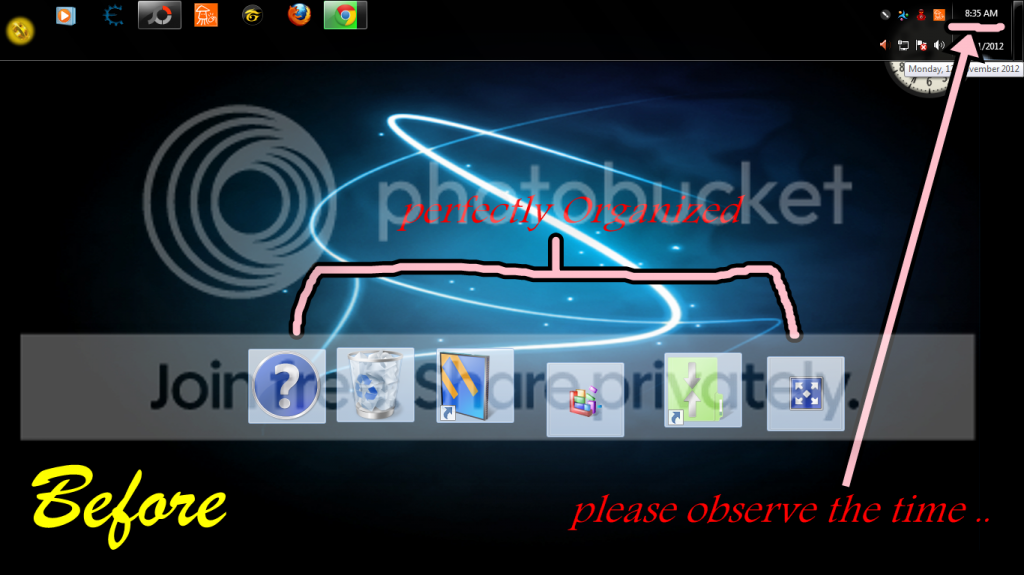
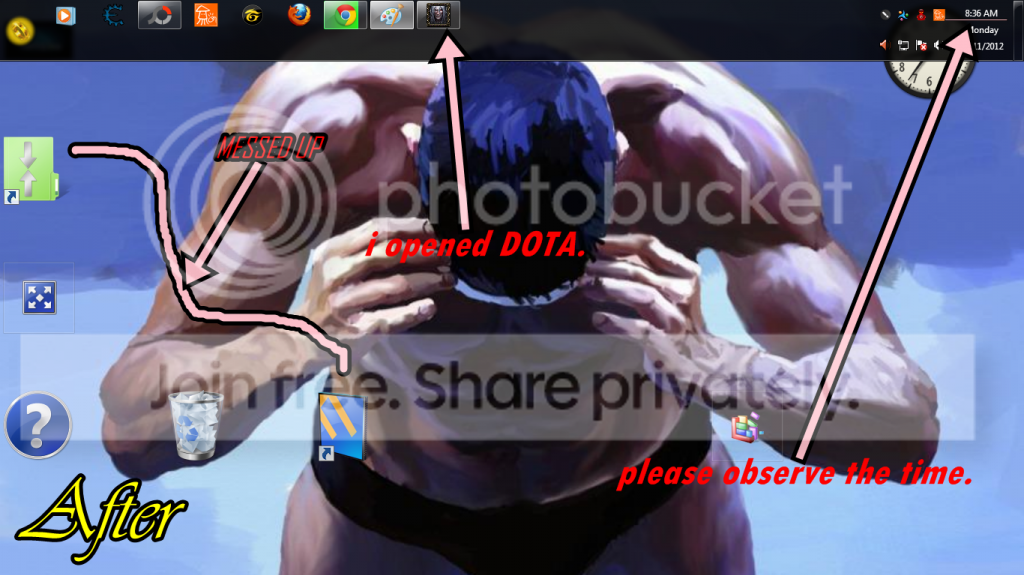
2. My desktop icons arrangement are always messing up after i restart , shutdown , i opened exe's like DOTA , nba2k12 etc etc. i dont know what to do . ive done checking the setting but there's no problem with it . i didnt change anything .. PLEASE HELP .
here's my SCREENIES ..
My Computer
At a glance
Windows 7 Ultimate x64, Windows 7 Home Premiu...
OS
Windows 7 Ultimate x64, Windows 7 Home Premium 32bit.