IDE interface?

drak

New member
Local time
10:23 AM
Messages
18
Location
okc oklahoma
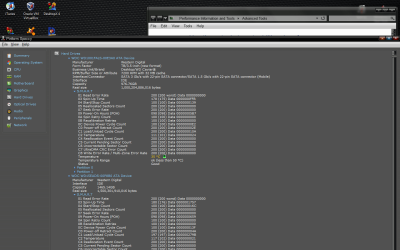
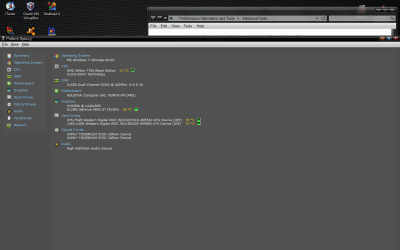
not sure how to preview my system specs on these forums but when i use speccy to view my system information my sata hard drives show up as having an IDE interface. can anyone tell me why that is? is there something in the bios that i need to change? here is a screen of what i am seeing. thanks in advance any help is appreciated.
 

Attachments
  • IDE sata.png
    IDE sata.png
    72 KB · Views: 11
  • IDE sata2.png
    IDE sata2.png
    81.6 KB · Views: 5

My Computer

Computer Manufacturer/Model Number
Manufacturer ASUSTeK Computer INC. Model M3N78-VM Version System Version Chipset Vendor NVIDIA Chips
OS
windows vista and 7 ultimate
CPU
amd athlon 7750 dual core black edition 2700
Motherboard
asus m3n78-vm
Memory
Memory Type DDR2 Size 8192 MBytes Channels # Dual DRAM F
Graphics Card(s)
geforce9800gt/ NVIDIA GeForce GT 220 GeForce 9800 GT GPU G
Sound Card
on board
Monitor(s) Displays
envision
Screen Resolution
Current Resolution 1440x900 pixels
Hard Drives
Manufacturer Western Digital
Form Factor TB/3.5-inch (new format)
Business Unit/Brand Desktop/WD Caviar®
RPM/Buffer Size or Attribute 7200 RPM with 32 MB cache
Interface/Connector SATA 3 Gb/s with 22-pin SATA connector/SATA 1.5 Gb/s with 22-
Keyboard
razar
Mouse
razar deathadder
Is there anything wrong? No. Is it worth switching it to SATA mode? Not really. The small (if even noticeable) performance increase isn't worth it, even more so when making the change on a working OS install can render the OS unbootable. This is one of those settings that is better to be set when the OS is installed than after.

P.S. You're also the second (at least) person to ask this same question this week,

http://www.sevenforums.com/hardware...e-my-hard-drives-sata-should-i-concerned.html

If you do decide to make the change there is a link to a tutorial that will show you what you need to do before making the change in the last post.
 

My Computer

Computer type
PC/Desktop
Computer Manufacturer/Model Number
Me
OS
Win 7 Ultimate x64
CPU
FX-8350 @ 4.6 GHz so far
Motherboard
Asus M5A97 EVO
Memory
ADATA XPG V1 Series Black 8GB DDR3 1600
Graphics Card(s)
Sapphire R9 270x Dual-X
Sound Card
Xonar DGX w/ Corsair Vengence 1300
Monitor(s) Displays
Acer S232HL Abid
Screen Resolution
1920x1080
Hard Drives
120 GB OCZ Vertex 3
500 GB Seagate 7200.12
PSU
Antec Earthwatts 650W Green
Case
Antec Three Hundred
Cooling
Cooler Master 212 EVO
Keyboard
Logitech G510
Mouse
Logitech G500s
Internet Speed
35000/3000
thanks for the quick reply, i must have missed the original post. its hard to navigate this site with my crappy internet connection. ill check out that link, and change the settings later tonight when i reinstall 7.
 

My Computer

Computer Manufacturer/Model Number
Manufacturer ASUSTeK Computer INC. Model M3N78-VM Version System Version Chipset Vendor NVIDIA Chips
OS
windows vista and 7 ultimate
CPU
amd athlon 7750 dual core black edition 2700
Motherboard
asus m3n78-vm
Memory
Memory Type DDR2 Size 8192 MBytes Channels # Dual DRAM F
Graphics Card(s)
geforce9800gt/ NVIDIA GeForce GT 220 GeForce 9800 GT GPU G
Sound Card
on board
Monitor(s) Displays
envision
Screen Resolution
Current Resolution 1440x900 pixels
Hard Drives
Manufacturer Western Digital
Form Factor TB/3.5-inch (new format)
Business Unit/Brand Desktop/WD Caviar®
RPM/Buffer Size or Attribute 7200 RPM with 32 MB cache
Interface/Connector SATA 3 Gb/s with 22-pin SATA connector/SATA 1.5 Gb/s with 22-
Keyboard
razar
Mouse
razar deathadder
Back
Top