
IE 11 on Windows 2008 R2
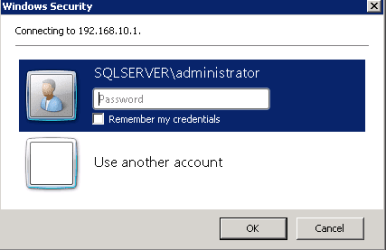
I used to be able to save a password in IE, and it would not prompt for the password next time I visited the site (an SSRS report server). Since yesterday, every time I visit the site, IE prompts me for username and password. Regardless of whether I check the "Remember my credentials" box, next time I reopen IE and go to the site, I again see the prompt.
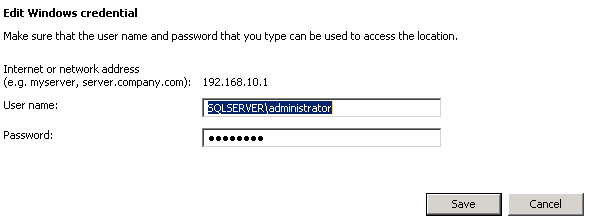
I have verified that the password exists in the Credentials Manager, and updated the password to be sure, but I still see the prompt every time.
Possibly related, the only changes I recall making yesterday was that I made some changes in the registry to add a couple of sites to the Trusted zone, including the site where I am trying to save the password for. I have always manually added these sites to the trusted zone manually and never had this problem, but maybe doing so in the registry has caused and issue? I have attached the .reg file for reference.
The second change I made yesterday was to use local group policy to add the site to the Compatibility List. This is another change that I was making manually per user before yesterday with no problem: Computer Configuration\Administrative Templates\Windows Components\Internet Explorer\ Compatibility View\Use Policy List of Internet Explorer 7 sites
For testing, I reverted the registry key "HKEY_LOCAL_MACHINE\SOFTWARE\Policies\Microsoft\Windows\CurrentVersion\Internet Settings\Security_HKLM_only" back to 0, and de-configured the group policy setting for Compatibility List, but I am still seeing the login prompt every time.
I have tried searching for solutions but so far have come up with nothing. Any ideas?
I used to be able to save a password in IE, and it would not prompt for the password next time I visited the site (an SSRS report server). Since yesterday, every time I visit the site, IE prompts me for username and password. Regardless of whether I check the "Remember my credentials" box, next time I reopen IE and go to the site, I again see the prompt.
I have verified that the password exists in the Credentials Manager, and updated the password to be sure, but I still see the prompt every time.
Possibly related, the only changes I recall making yesterday was that I made some changes in the registry to add a couple of sites to the Trusted zone, including the site where I am trying to save the password for. I have always manually added these sites to the trusted zone manually and never had this problem, but maybe doing so in the registry has caused and issue? I have attached the .reg file for reference.
The second change I made yesterday was to use local group policy to add the site to the Compatibility List. This is another change that I was making manually per user before yesterday with no problem: Computer Configuration\Administrative Templates\Windows Components\Internet Explorer\ Compatibility View\Use Policy List of Internet Explorer 7 sites
For testing, I reverted the registry key "HKEY_LOCAL_MACHINE\SOFTWARE\Policies\Microsoft\Windows\CurrentVersion\Internet Settings\Security_HKLM_only" back to 0, and de-configured the group policy setting for Compatibility List, but I am still seeing the login prompt every time.
I have tried searching for solutions but so far have come up with nothing. Any ideas?
Attachments
Last edited:
My Computer
At a glance
Windows 7 Professional x64i7 4xxx16 GB
- Computer type
- PC/Desktop
- Computer Manufacturer/Model Number
- HP
- OS
- Windows 7 Professional x64
- CPU
- i7 4xxx
- Memory
- 16 GB
- Hard Drives
- Intel 240 GB SSD


