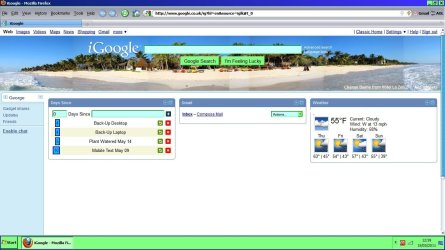
Hi All, the 3 images below are of my iGoogle Home Page. I used 'Print Screen' & 'Paint' to make them.
They have not been altered in any way except to erase some printing. All are the newest versions.
The bottom of the page is closer to the top in IE9 but not in Chrome or Firefox, WHY?
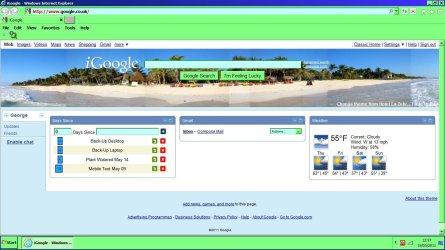
Some subtle differences in css between browsers could also be causing this. A site like iGoogle has a lot going on and the intricacies of paddings, borders, margins, etc.... can be slightly different depending on the browser you use. They will run detection on your browser/agent and then serve you up the proper stylesheet for that browser. IE likes to behave a bit differently thus a separate stylesheet is used for IE, Firefox and Chrome are most likely using the same stylesheet which is why they appear the same.
Hi Neutron16 & TCG, a big thanks for your replys. The bit that puzzles me, is, I never changed, added or removed anything, with possibly the last MS patches/updates.
This occurred on both my desktop & laptop with Win7 Home Prem. 32bit.
It would not require any change on your part to see this. The page you get will be determined by Google's server based off the browser you visit the page with. What you are seeing is at the mercy of Google.