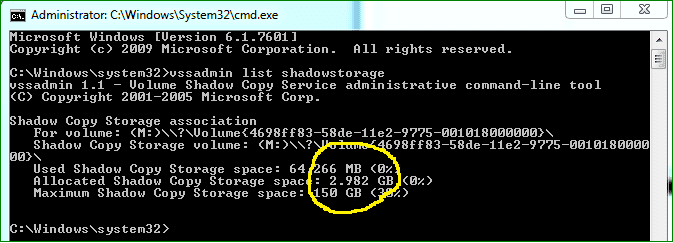
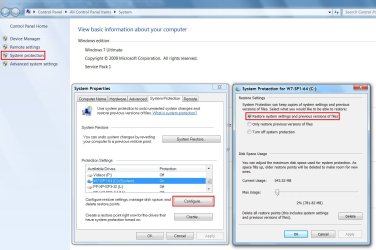
With a 'normal' set of programs installed (not games), you should easily stay below 25GB. First thing to do is to get rid of the hiberfile (unless you use hibernation). Next is to reduce the pagefile to 2GB. If you have e.g. 8GB of RAM, that saves you 14GB right there - with 4GB of RAM that would save 6GB.
Thanks for those tips... by reducing my pagefile, I was able to get down to 26.78GB... that's probably going to be my number or the approximate range that I will stay in unless I start uninstalling apps from C: and reinstalling on other drives/partitions. Don't think I'll go there, I'm pretty happy with 27GB.
Disabling hibernation using the powercfg -h off command eliminates the hiberfile, right? I have already done that.
Attachments

My Computer
At a glance
Windows 8.1 Pro with Media CenterIntel Core i7-860 processor, (8MB Cache, 2.80...8GB DDR3 SDRAM at 1333MHz-4x2GBnVidia GeForce GTS240, 1024MB GDDR3
- Computer type
- PC/Desktop
- Computer Manufacturer/Model Number
- Dell Studio XPS 8100
- OS
- Windows 8.1 Pro with Media Center
- CPU
- Intel Core i7-860 processor, (8MB Cache, 2.80GHz)
- Motherboard
- Dell (Chicony - DH57M01)
- Memory
- 8GB DDR3 SDRAM at 1333MHz-4x2GB
- Graphics Card(s)
- nVidia GeForce GTS240, 1024MB GDDR3
- Sound Card
- OEM Integrated
- Monitor(s) Displays
- Dell ST2410, 24" Flat Panel Monitor
- Hard Drives
- 256GB Samsung SSD 840 Pro, MZ-7PD256BW
Western Digital 1TB Caviar Blue, WD10EALX
Seagate Baracuda 750GB, ST3750528AS (OEM)
Western Digital 2TB Black, WD2003FZEX
- PSU
- OEM - Max Output Power 350W
- Case
- OEM
- Cooling
- OEM