Hello again!
I finally got some spare time and tried the Macrium Reflect Free! I found out it's easier to use that it seems (I don't really like the GUI so much, but I like the functionality a lot). As a side note, I discovered that it's background service is absoultely unnecessary if you're not scheduling backups so I disabled it and all's working fine.
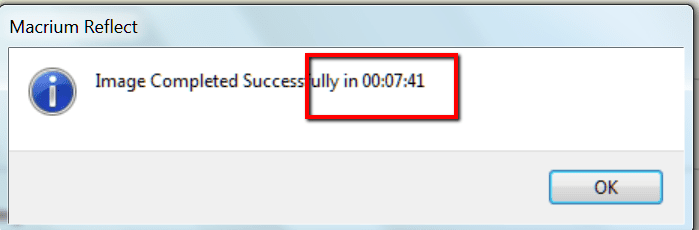
I made a full image backup (all 3 partitions off my HDD), it took about twice the time it used to when I was doing it with the Windows 7 integrated image/backup solution. I set it to verify files before creating the image. After the image was created I verified it using the Verify Image (red shield with a tick) under Image Restore tab. Verification took quite some time again and it said the file is OK. Then I browsed it and tried some files which opened nicely. I guess that means the image is working and won't let me down.

Is it enough to just verify it next time instead of browsing it and stuff? This is quite a time consuming procedure, even though I'm only making a full HDD image once a month.
Anyway, I also made a rescue CD - Win PE, 64-bit version (does that mean I can't use that CD to restore a 32-bit computer?), then booted from it but it couldn't find my USB 3.0 HDD - until I disconnected if from the USB 3.0 port and connected to USB 2.0 port. Then I searched for the USB 3.0 driver and found it and it recognised it too. But if my internal HDD dies and I get a new one there won't be any drivers on it. Ah, in that case I'll just restore from an USB 2.0 port.
Another thing concerning speed. As I said, I made a full disk image (hidden system partition + C partition + D partition), 193 GB alltogether. So I created the image on an external USB 3.0 HDD and it took 1,5 hour to do it. Transfer rates were from 43 MB/s to 35 MB/s when writing to the external HDD. Isn't that kind of slow for an USB 3.0 drive?
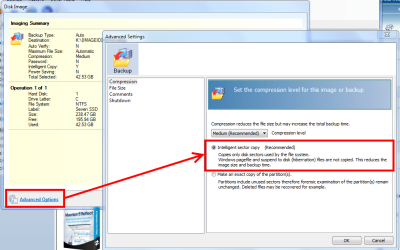
All in all I like Macrium Free, I changed some settings too (no compression etc.), I hope it will serve me well. And I apologise but I will ask this again as it's very important to me (and I can't test it right now) - are you 100% sure that Macrium Reflect Free is able to restore to a smaller drive (in my case there's 193 GB of data taken off a 500 GB HDD - so can I restore all three partitions worth of 193 GB to a new 250 GB drive)?
Any comments, suggestions, warnings etc. are much appreciated!
Thank you very much for all the help!