Solved Images not showing in ANY browser

CodeMonk

New member
Local time
8:01 AM
Messages
14
Found this thread : http://www.sevenforums.com/browsers-mail/226422-images-not-displaying-properly-any-browser.html (The image in the first post I get occasionally, particularly long images).
I also sometimes get images similar to that displayed in post #12 in that same thread.
Most of the time when the images don't display, I just see the place holder. Although sometimes I don't even get the placeholder (Although rarely)
This happens on numerous sites.
If I right click on the place holder and select "View Image" sometimes it shows the image, other times it shows no image but says "<filename here> can't display because it has errors (Or words to that effect).
But I can got on another computer in the house, on the same network, (running Windows 8.1) and using Firefox and it displays the image fine. Both computers are wireless.
And followed all the tips listed in the above URL
I've run my AV (ZoneAlarm), Anti Malware (Anti malwarebytes), Spybot, CCCleaner, Refreshed Firefox, cleared cache, deleted temp files, did SFC /scannow (Which did not report any problems), I don't have ASC either.
I had Adblock Plus (?), and thought that may be causing problems, but disabled it to no avail.
But since the refresh, its no longer installed and the problem still remains.

This happens on Firefox, Chrome, and IE.

Thanks

Edit:
Windows 7 SP1 Home Premium
Gateway NV55C
3 GB DDR3
Intel HD Graphics
All drivers up to date

Edit2:
I get these occasionally too:
http://www.sevenforums.com/browsers-mail/312330-pictures-arent-loading-any-browser.html
http://www.sevenforums.com/browsers-mail/342348-images-wont-shown-properly-google-chrome.html
 
Last edited:

My Computer My Computer

At a glance

Windows 7 Home Premium 64 bit
Computer type
Laptop
OS
Windows 7 Home Premium 64 bit
Some ideas:

Can you view images in a local program such as Irfanview?

Save an image from a browser and try it in a local viewer.

Try turning off AV/AM protection and viewing a safe site.

Try a "diagnostic boot" via MSCONFIG.

Try a portable browser, which to some degree will bypass the registry

Create a new windows user account and try there.
 

My Computer My Computer

At a glance

Linux Lite 3.2 x64; Windows 7, 8.1Core2Duo 2.46GB ddr2nVidia
Computer type
PC/Desktop
Computer Manufacturer/Model Number
dell precision t3400 tower
OS
Linux Lite 3.2 x64; Windows 7, 8.1
CPU
Core2Duo 2.4
Memory
6GB ddr2
Graphics Card(s)
nVidia
Hard Drives
120gb SSD, 1TB HD, 2TB HD; sata II
Internet Speed
12/2
Browser
Vivaldi, Slimjet (Chromium) x64
Some ideas:

Can you view images in a local program such as Irfanview?

Save an image from a browser and try it in a local viewer.

Try turning off AV/AM protection and viewing a safe site.

Try a "diagnostic boot" via MSCONFIG.

Try a portable browser, which to some degree will bypass the registry

Create a new windows user account and try there.

#1. I can view images already on my system fine.
#2. Images that show bad or corrupted up in browser, saved, then opened in an image app (Paint Shop Pro usually), look the same as they do in the browser.
#3. Done that. No difference.

Will try the others tonight.
Thanks
 

My Computer My Computer

At a glance

Windows 7 Home Premium 64 bit
Computer type
Laptop
OS
Windows 7 Home Premium 64 bit
OK, did diagnostic boot.
No services, so not internet connection.
Is there a log somewhere.
Or something else I should look for?
ipconfig showed nothing connected.
And it wiped my startup tabs for firefox. Its probably hidden somewhere I guess.

BTW...I worked in IT (PC and Network Tech) for about 15 years, but have been out of that business for about 10 years so I'm not up to date with the current stuff.
I'm a bit rusty :)

Thanks
 

My Computer My Computer

At a glance

Windows 7 Home Premium 64 bit
Computer type
Laptop
OS
Windows 7 Home Premium 64 bit
I don't know the answers to your questions about a log in reference to the diagnostic boot. We will save those until paul1149 gets back.

What version of IE do you have?

Please completely reset IE via these steps...
http://www.sevenforums.com/tutorials/1222-internet-explorer-reset.html
...including step 5.

After I know the version that you have, we can look at some things from there.
 

My Computer My Computer

At a glance

W7 Pro SP1 64biti78GBIntel HD Graphics
Computer type
Laptop
Computer Manufacturer/Model Number
Employer provided Dell Latitude
OS
W7 Pro SP1 64bit
CPU
i7
Memory
8GB
Graphics Card(s)
Intel HD Graphics
Hard Drives
crappy SSD
Antivirus
Employer mandated Symantec Endpoint Protection
Browser
Pale Moon 64bit, IE11 64bit & Chrome 64bit
IE file version says : 11.0.9600.17840
Although I haven't used IE for AGES.
I used Chrome for a few years up until about a month ago (got tired of using that memory pig).
Been using Firefox since then.

Edit:
After I did the refresh procedure for Firefox, it did seem a little better, but the image problems did not go away completely.

A little background on me (Which may or may not be relevant, but may help you).
I'm a musician and play guitar and keyboards.
I'm also an electronic tech and design guitar effects pedals.
Much of my time online is spent on guitar and electronics forums.
ULTIMATE GUITAR TABS. 800,000 songs catalog with free Chords, Guitar Tabs, Bass Tabs, Ukulele Chords and Guitar Pro Tabs!
Les Paul Forum | Gibson Epiphone - MyLesPaul.com
DIYstompboxes.com
freestompboxes.org ? Index page
http://www.thegearpage.net
madbeanpedals.Home
And a few others, but mainly electronic tech reference sites.

When I'm not on these pages, and on the computer, I design circuit boards for guitar pedals.
One of those design apps is a Java app. So I try to keep Java up to date.
I also use EagleCAD.

On my "Off time", the only pages I usually go to to goof off are cracked.com and 9gag.com.
Sometimes icanhazcheesburger.
On 9gag, the images problem really stands out.
Most of the animated gifs don't play or only play partially.
And sometimes some of the images don't even show up at all.

I never go to porn sites (honest).
I'm 55 and to be perfectly honest, I find looking at porn kinda boring.
 
Last edited:

My Computer My Computer

At a glance

Windows 7 Home Premium 64 bit
Computer type
Laptop
OS
Windows 7 Home Premium 64 bit
Okay - great. Since you don't use IE, it won't hurt to change it's settings :-)

After resetting IE11, visit this very simple website:
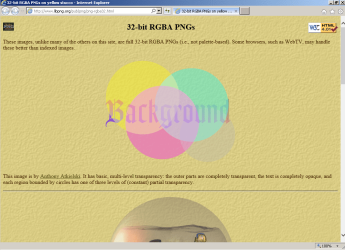
32-bit RGBA PNGs on yellow stucco

Do you see the images?

This is what I see:

IE11-images.PNG
 

My Computer My Computer

At a glance

W7 Pro SP1 64biti78GBIntel HD Graphics
Computer type
Laptop
Computer Manufacturer/Model Number
Employer provided Dell Latitude
OS
W7 Pro SP1 64bit
CPU
i7
Memory
8GB
Graphics Card(s)
Intel HD Graphics
Hard Drives
crappy SSD
Antivirus
Employer mandated Symantec Endpoint Protection
Browser
Pale Moon 64bit, IE11 64bit & Chrome 64bit
OH damn, I forgot to mention...
When I start up IE, it locks up (I went to Internet Options via control panel).

Edit:
Well it did. I just started IE up and it didn't lock up this time.

And yeah, I see that image, both in Firefox and IE.
Although I don't see the fishbowl in Firefox, just the filename.
And I don't see the image below the other gradient image (black817-480x360, etc.) just the file name.
Image4_zpscz0orhlg.gif


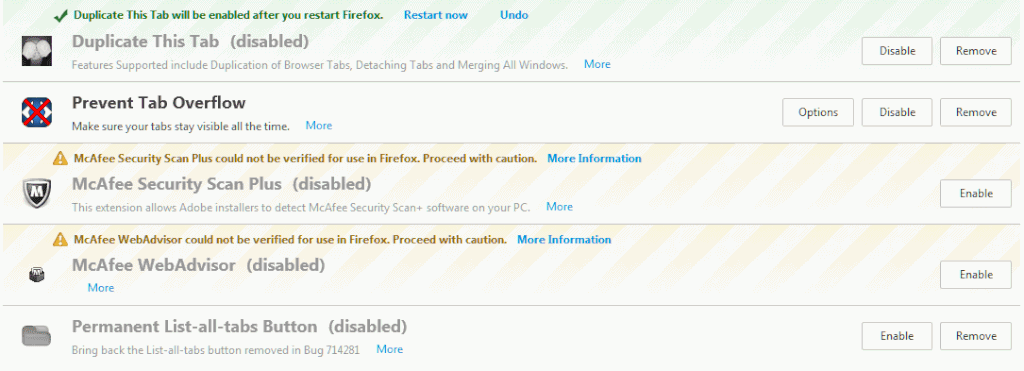
And on my current Extensions page/list


Image2_zpsbttyl6ce.gif


And before I forget, I want to thank you in advance for helping me.
I did it for a living but I also did it "on the side" for free.
I used to help people with their computers, mainly with some network problems via IRC.
It can be a real challenge.


Heres Facebook :(

Image6_zpszuzpz6uh.gif
 
Last edited:

My Computer My Computer

At a glance

Windows 7 Home Premium 64 bit
Computer type
Laptop
OS
Windows 7 Home Premium 64 bit
> When I start up IE, it locks up (I went to Internet Options via control panel).

Does that mean you were able to completely reset IE11 via the steps in the tutorial?

Does it still lock up after being reset?

Unfortunately, the path that I am taking you down requires IE. If you know Firefox or Chrome well enough to get the same results, great. I don't have access to Chrome or Firefox at the moment.

If you ever get IE to load...
...visit the simple website linked to above
...once some or all of it loads,
...press F12 and select Network along the black bar

On the far right - click the green "play" triangle to start traffic monitoring.

Now reload the website via the twin arrows to the left of the left most tab at the top of IE near the URL field.

After you think that it has finished loading, you can stop the traffic monitoring.

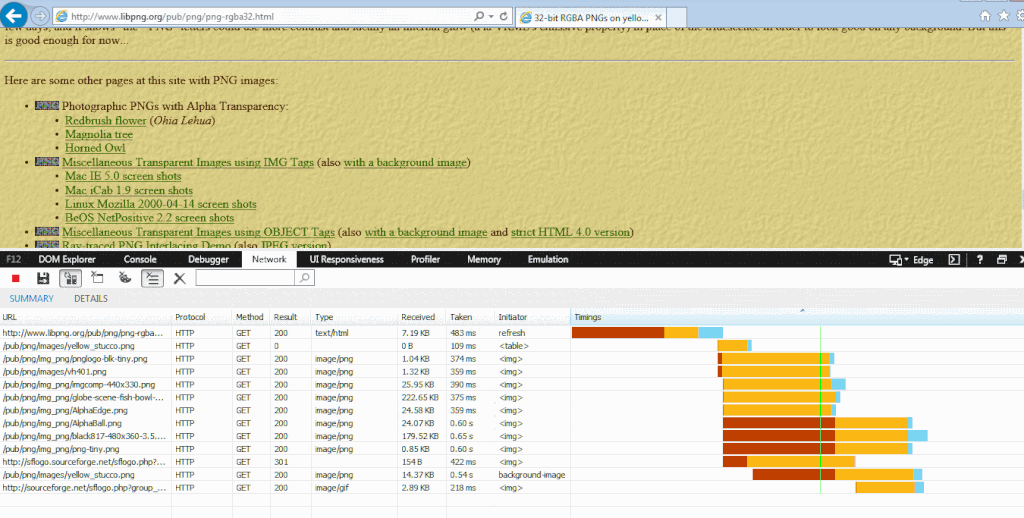
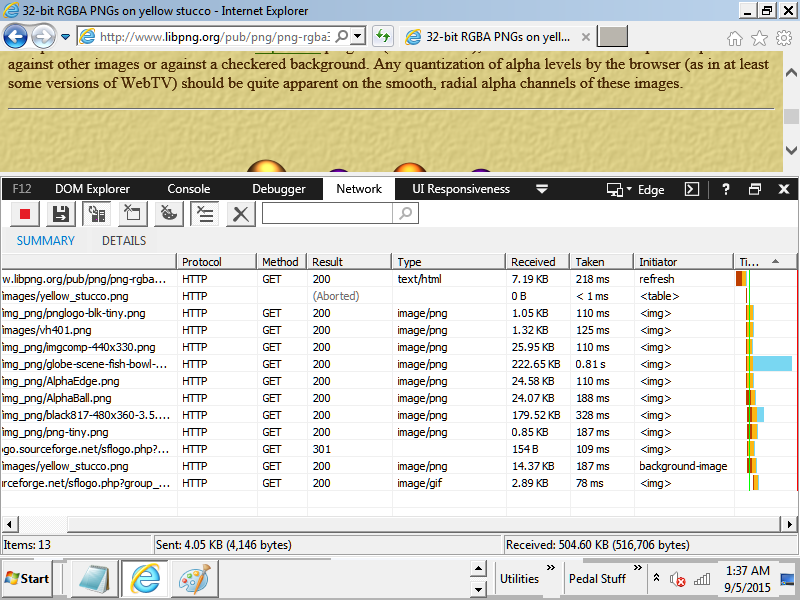
Hopefully, it will look like this:

IE11 - traffic.PNG

Please post what you see.


Edit: you are welcome...
 

My Computer My Computer

At a glance

W7 Pro SP1 64biti78GBIntel HD Graphics
Computer type
Laptop
Computer Manufacturer/Model Number
Employer provided Dell Latitude
OS
W7 Pro SP1 64bit
CPU
i7
Memory
8GB
Graphics Card(s)
Intel HD Graphics
Hard Drives
crappy SSD
Antivirus
Employer mandated Symantec Endpoint Protection
Browser
Pale Moon 64bit, IE11 64bit & Chrome 64bit
Here ya go:

IE_Monitoring_001_zpsn5rhaxyy.gif


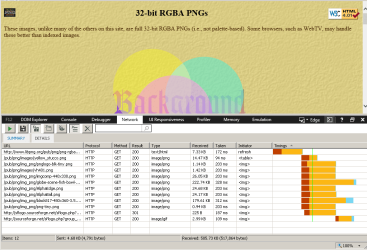
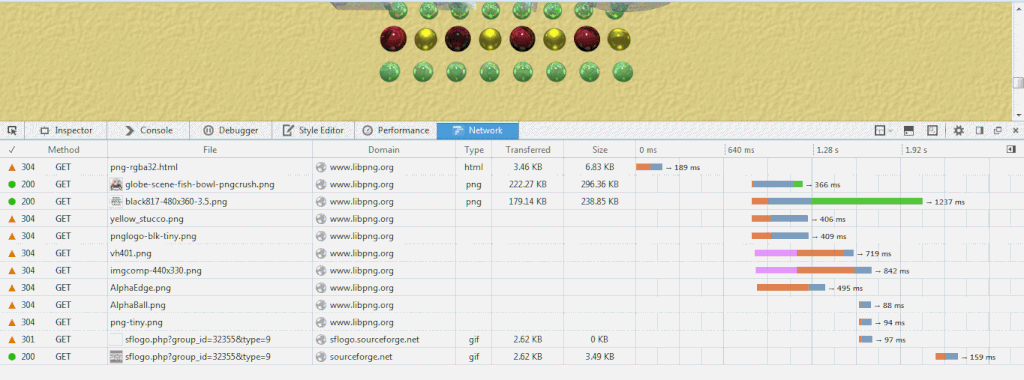
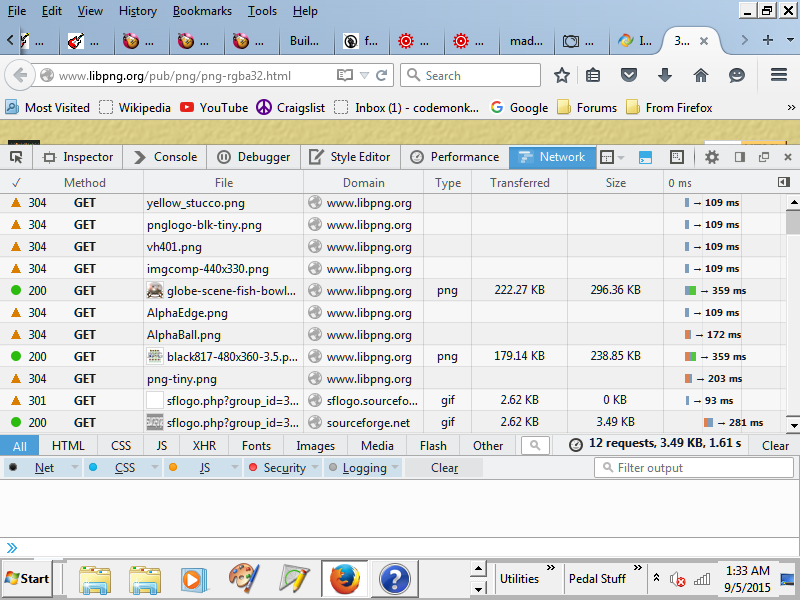
And same test with Firefox.
Oddly, those images that didn't show up before, showed up during this test.

Firefox_Monitoring_001_zpsi3edz27d.gif
 

My Computer My Computer

At a glance

Windows 7 Home Premium 64 bit
Computer type
Laptop
OS
Windows 7 Home Premium 64 bit
The IE11 one shows that all but one of the images got to IE. I really was not expecting to see that. Repeated page loads without clearing the temp folders probably impacts what is displayed, but I don't think that it impacts the traffic analysis.

The next thing to test would be to boot to the safe mode with networking. That mode might stop local filtering apps that are impacting all browsers. (I'm guessing that you already tried static DNS settings - perhaps pointing to Google's 8.8.8.8)


I've seen pages rendered like your Facebook screenshot. Sadly, I don't recall the fix. It might be a different cause for your setup anyway.
 

My Computer My Computer

At a glance

W7 Pro SP1 64biti78GBIntel HD Graphics
Computer type
Laptop
Computer Manufacturer/Model Number
Employer provided Dell Latitude
OS
W7 Pro SP1 64bit
CPU
i7
Memory
8GB
Graphics Card(s)
Intel HD Graphics
Hard Drives
crappy SSD
Antivirus
Employer mandated Symantec Endpoint Protection
Browser
Pale Moon 64bit, IE11 64bit & Chrome 64bit
Ok. heres Safe Mode with IE:

Safe_Mode_IE_001_zpsxeouf9m7.png


Safe Mode with Firefox:

Safe_Mode_FireFox_001_zps1grwutkm.png


Facebook showed up properly too.

And did a search for the facebook issue and setting DNS server to 8.8.8.8 was one solution.
I haven't done that as of yet though.
 

My Computer My Computer

At a glance

Windows 7 Home Premium 64 bit
Computer type
Laptop
OS
Windows 7 Home Premium 64 bit

My Computer My Computer

At a glance

W7 Pro SP1 64biti78GBIntel HD Graphics
Computer type
Laptop
Computer Manufacturer/Model Number
Employer provided Dell Latitude
OS
W7 Pro SP1 64bit
CPU
i7
Memory
8GB
Graphics Card(s)
Intel HD Graphics
Hard Drives
crappy SSD
Antivirus
Employer mandated Symantec Endpoint Protection
Browser
Pale Moon 64bit, IE11 64bit & Chrome 64bit
The DNS thing is on my list.

I keep meaning to get rid of that McAfee scanning tool, but I keep forgetting :(
But I'm gonna do that right now.
And the DNS thing too.

And I saved the page with the Clean Startup instructions.
I'm gonna do that tomorrow.
Starting to get a bit of a headache right now and a bit tired.

I'll let you know tomorrow how things are going (Or later today my time, its about 2:30am here).

Talk at ya later.
Thanks again
 

My Computer My Computer

At a glance

Windows 7 Home Premium 64 bit
Computer type
Laptop
OS
Windows 7 Home Premium 64 bit
I know that you said a W8 computer works via Wi-Fi on the same network - so I don't hold out too much hope for the DNS change fixing things.

You can add using a LAN cable instead of the wireless connection on the problematic computer to your list. Rest well.
 

My Computer My Computer

At a glance

W7 Pro SP1 64biti78GBIntel HD Graphics
Computer type
Laptop
Computer Manufacturer/Model Number
Employer provided Dell Latitude
OS
W7 Pro SP1 64bit
CPU
i7
Memory
8GB
Graphics Card(s)
Intel HD Graphics
Hard Drives
crappy SSD
Antivirus
Employer mandated Symantec Endpoint Protection
Browser
Pale Moon 64bit, IE11 64bit & Chrome 64bit
Well, I feel like total crap right now, but had to test. (I'm a real stubborn SOB)
I did the DNS thing plus removed McAfee Scan Plus.
Then I went to 9gag and the GIF page.
Before, MAYBE 1 out of 30 gifs animated properly. If they even showed up at all.
Now, at least so far, all of them are working.
And so far, images on other pages are working.
But I'm gonna guess that McAfee was the culprit.

I'm going to do more tests after I get up tomorrow and get caffeinated, and if all goes well, looks like we may be able to call this one solved.
 

My Computer My Computer

At a glance

Windows 7 Home Premium 64 bit
Computer type
Laptop
OS
Windows 7 Home Premium 64 bit
Good catch, @UserNameIssues. Great job.
 

My Computer My Computer

At a glance

Linux Lite 3.2 x64; Windows 7, 8.1Core2Duo 2.46GB ddr2nVidia
Computer type
PC/Desktop
Computer Manufacturer/Model Number
dell precision t3400 tower
OS
Linux Lite 3.2 x64; Windows 7, 8.1
CPU
Core2Duo 2.4
Memory
6GB ddr2
Graphics Card(s)
nVidia
Hard Drives
120gb SSD, 1TB HD, 2TB HD; sata II
Internet Speed
12/2
Browser
Vivaldi, Slimjet (Chromium) x64
Yeah, he did a great job.
Good call on that McAfee thing.
Kinda odd though.
As I said before, I used to work in IT.
I would love to get back into it, but no one around here is gonna hire a 55 year old IT "guru" that has been out of it this long.
And I used to see TONS of problems with Norton (I hope Symantec paid Peter a ton of money for ruining his name), but very, very few with McAfee.
But I've been out of that business for a few years, and I guess a few things have changed.

And to comment on this
"so I don't hold out too much hope for the DNS change fixing things."
That was actually one of the solutions I found for someone else that was having the same problems I was having with Facebook.
But I've since went back to the default DNS server setting and its still good.

I'm happy as of now.
I'm clicking the button
 

My Computer My Computer

At a glance

Windows 7 Home Premium 64 bit
Computer type
Laptop
OS
Windows 7 Home Premium 64 bit
Thanks goes to CodeMonk for working with me on the traffic analysis excursion. When I saw in post #4 that CodeMonk had been in IT, I opted to forgo the norm of opening IE without any add-ons (after resetting IE). I wanted to see how the traffic data looked while IE was not rendering websites correctly - no matter what caused the issue.

If the traffic data showed lots of random failures on loading the images, then we could look at the software controlling the wireless network adapter. Since that IE11 traffic data was almost perfect - that ended that idea.

Security related software can prevent data from getting to the browser. That should have shown up in the traffic data as very repeatable failures. The results column usually shows "(Aborted)" for traffic that never makes it to IE11. Unfortunately, "(Aborted)" can also show up for reasons that I have yet to understand. For the sample website, I see "(Aborted)" at times for the stucco background image - see the screenshot in post #12.

Security related software (like add-ons) can block stuff after it reaches the browser. (The traffic data probably won't help much for troubleshooting those.) Add-ons are supposed to be reset to their default settings when IE is completely reset.


I usually stick with Chrome for network traffic analysis, but there are lots of settings. That makes it harder to get two users setup the same way. With IE11, I felt that we would be comparing pretty much the same traffic data.


McAfee:
Yes, their reputation has declined. It would be nice (but impractical) to understand how McAfee was barfing things. The clean boot suggested in post #13 probably was not going to impact some security related software. You just have to start uninstalling stuff and hope that it all goes away. I suspect that we see forum members with website rendering problems and the cause is remnants of security software that did not properly uninstall. Installing a new browser sometimes fixes that - but only the new browser works well.


DNS:
Any DNS issue should have impacted both computers... but we sometimes see it only cause problems with one computer. Also, some Internet Service Providers ignore your DNS settings. If you use routers that they provide, the router handles DNS no matter what you set on the local computer. To get around that, users can try tools like ZenMate.

If you want, you can change your router's DNS settings so that they point to OpenDNS. That should provide you with another layer of security. Like most "free" services - you are not the consumer - you are the product. Data on where you surf to is going to be gathered. Your ISP is going to gather/sell that data or OpenDNS will. At least with OpenDNS, you get some security/protection in return for your data.


The root cause of the browsers not rendering well:
Since McAfee's Firefox extensions were disabled and Firefox failed to render all images, I'm going to guess that some other part of the McAfee software was changing the data heading to all three browsers. Whatever the data manipulation was, it was not enough to cause IE11 so the data not getting to IE.
 

My Computer My Computer

At a glance

W7 Pro SP1 64biti78GBIntel HD Graphics
Computer type
Laptop
Computer Manufacturer/Model Number
Employer provided Dell Latitude
OS
W7 Pro SP1 64bit
CPU
i7
Memory
8GB
Graphics Card(s)
Intel HD Graphics
Hard Drives
crappy SSD
Antivirus
Employer mandated Symantec Endpoint Protection
Browser
Pale Moon 64bit, IE11 64bit & Chrome 64bit
And I ran into something interesting about and hour ago.
Dunno if its related to the problem here, but, well....
I'm copying/pasting from a post on made on the forum where it happened:

==================================================

I refreshed the GG&A page ( UG Community @ Ultimate-Guitar.Com - Guitar Gear & Accessories )
(About 2:39PM Pacific time)
and got a popup (With audio) saying I was infected etc.
I tried to get a screen cap but that failed.
But I did manage to copy the text of the popup.
I'm thinking its coming from one of the ads.
I did do a search on the phone number and found this site : Access Denied

I Ran Malwarebytes last night and it came up clean.
Running it again now just to double check.

Unable to access this website !!!

A Suspicious Connection Was Trying to Access Your Logins, Banking Details & Tracking Your Internet Activity.

Windows Security Center & Firewall Services are Disabled, Error code 0x8007042c; .

Your TCP Connection Was Blocked by Your Firewall. Your Accounts May be Suspended Until You Take an Action.

Your Personal Information May Have Leaked. IMMEDIATE RESPONSE REQUIRED

Your Hard Disk May Have Trojan Virus! Please Do Not Try to Fix Manually, It May Crash Your Data.

Please Visit Your Nearest Windows Service Center OR Call Help Desk

-------------------------------------------------------------
Customer Service: +1-844-311-2724 (TOLL-FREE)
-------------------------------------------------------------


********** IMMEDIATE RESPONSE REQUIRED **********

Your System32 .net frame work file missing due to some harmful virus, Debug malware error 895-system 32.exe failure.
Please contact network administration to rectify the issue.
Please do not open internet browser for your security issue to avoid data corruption on your registery of your operating system. Please contact network administration department at +1-844-311-2724 (TOLL-FREE)

Virus Info:
A Trojan horse, or Trojan, in computing is a non-self-replicating type of malware program containing malicious code that, when executed, carries out actions determied by the nature of the Trojan, typically causing loss or theft of data, and possible system harm. The term is derived from the story of the wooden horse used to trick defenders of Troy into taking concealed warriors into their city in ancient Greece, because computer Trojans often employ a form of social engineering, presenting themselves as routine, useful, or interesting in order to persuade victims to install them on their computers.

A Trojan often acts as a backdoor, contacting a controller which can then have unauthorized access to the affected computer. The Trojan and backdoors are not themselves easily detectable, but if they carry out significant computing or communications activity may cause the computer to run noticeably slowly. Malicious programs are classified as Trojans if they do not attempt to inject themselves into other files (computer virus) or otherwise propagate themselves (worm).

A computer may host a Trojan via a malicious program a user is duped into executing files or browsing internet.
Please contact network administration department at +1-844-311-2724 (TOLL-FREE)
(Second post)

I did a little more searching and found this:
(If you get the same popup as I did, you may want to give this a look)
Remove "Debug malware error 895-system 32.exe failure" virus

Edit:
BTW, I'm running Firefox and the only add-ons I have are called:
"Duplicate This Tab"
"Prevent Tab Overflow"

So I dunno where that popup came from.
Running the suggested fixes found on the malwaretips site and it found a few things.
I can post the logs here if you like.

I don't know if what it found had anything to do with the problems that brought me here, but they were things I didn't want on my system either way.

And on the DNS server thing.
Several years ago, I wrote an app that scanned your bookmarks, got the ip addresses and wrote those into your hosts file, essentially bypassing the DNS server.
I still have it and the source code, but back when I wrote it, Firefox didn't exist.
But it worked for IE, Opera, and Netscape.
It was called, I think, "IP Helper".
Maybe its due for an update? :)


Edit:
It was called "IP Grabber".
 

My Computer My Computer

At a glance

Windows 7 Home Premium 64 bit
Computer type
Laptop
OS
Windows 7 Home Premium 64 bit
Back
Top