Hi Ron W. Welcome to SevenForums.

Just to confirm with you, did you follow the following steps:
Export Messages from Windows Mail
Create a Blank Folder on your desktop(e.g. WMExport)
Open Windows Mail
File/Export/Messages
Select Windows Mail
Click Next
Click Browse and navigate to the blank folder on the Desktop(choose the folder, do not open the folder)
Click Select Folder
Click Next(if the folder is not empty go back to the beginning)
Select All Folders or Selected Folders
Click Next
Wait for the Export to finish and the prompt 'Your messages were exported in Windows Mail format'
Click Finish
Import Messages into Windows Live Mail
Open Windows Live Mail
Ensure you have setup all email accounts
Click File\Import\Messages\
Select Windows Mail
Click Next
Click Browse and navigate to the folder created earlier for exporting the messages
Click OK(the Location of Message dialog box will now contain the correct path and folder)
Click Next
Click All or Selected Folders
Click Next
Wait for import process to finish
The Windows Live Mail Import Dialog box will prompt ' Your Messages were imported in Windows Mail Format'
Click Finish.
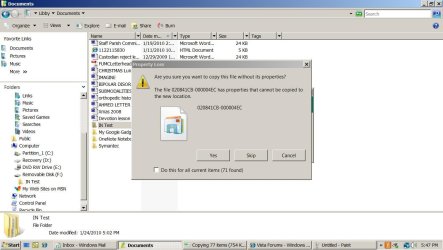
You then I presume attempted to copy this folder to your thumb drive?
Then :
Move Messages from Windows Live Mail Storage Folders to the Email Account's Folders
Scroll to the Windows Live Mail Storage folders\Imported Folder
Click to expand
Drag the messages in each sub-folder to the appropriate account
Are those the steps you followed?
.