Inaccessible internal D drive

TheDeerDude

New member
Power User
VIP
Local time
5:40 AM
Messages
204
Hello, I'm having trouble getting my machine to boot, and when it does, it keeps freezing because programs try to access the D drive which for some reason can't be accessed - appears in "my computer".

It was working just fine, I've been hibernating this machine instead of shutting it down but after a fresh boot I can't access the drive.

Diskpart doesn't load. diskmgmt also doesn't. Tried in safe mode, same thing. HDTune doesn't load.

It will not boot the first time I try, but if I unplug it and try again it does, however the drive is still inaccessible. After re-boot it loops again - won't boot (stuck on windows logo) but the next time it does.

I do have plenty of important files on that drive, would prefer to recover them rather than format


Update:
Booted into safe mode, opened devmgmt, disabled and enabled the drive - it worked until I restarded the machine. This doesn't work in normal mode. I'm going to back up any data I can.

Is there any way I can get this drive working again?
 
Last edited:

My Computer

OS
Windows 7 x64
#1....Boot in safe mode after unplugging and re-plugging the drive...
Properties---->Security---->Advanced---->Owner---->Change to YOUR ADMINISTRATOR'S name!
#2...Check boot in BIOS and check to see if drive is listed.
#3.. :orb: + R Type services.msc and hit enter.....Scroll to find Virtual Disk and start it.
 

My Computer

Computer type
Laptop
Computer Manufacturer/Model Number
Sony Corporation VAIO VPCEL22FX
OS
Microsoft Windows 7 Ultimate x64
CPU
AMD E-450 with Radeon HD Graphics
Motherboard
Sony Corporation VAIO
Memory
Nanya Technology DDR3 4.00 GB (3.60 GB usable)
Graphics Card(s)
ATI AMD Radeon HD 6320 Graphics
Sound Card
AMD High Definition Audio Device
Monitor(s) Displays
Name Generic PnP Monitor on AMD Radeon HD 6320 Graphics
Screen Resolution
1366x768 pixels
Hard Drives
-- Controller Map ----------------------------------------------------------
+ AMD SATA Controller [ATA]
- TOSHIBA MK3259GSXP SATA Disk Device
- Optiarc DVD RW AD-7740H SATA CdRom Device

--------------------------------------------------
Antivirus
Eset Smart Security 8
Browser
Google Chrome
Other Info
Old School Rock Hard Laptop...Works like a charm and reminds you of future and past.
The drive seems to have fixed itself for now, after a few restarts. I did copy all the data I want to keep onto another drive.

Safe mode and disabling/enabling the drive helped
 

My Computer

OS
Windows 7 x64
This happened again although this time I can't fix it. I tried starting that service, I tried launching diskmgmt, I tried disabling and enabling and even uninstalling it in devmgmt and I tried easeus partition master - it's stuck on the splash screen (can't load), SPINRITE never finishes finding storage devices

The computer is unusable, because everything keeps freezing because of that drive.

It does show up in bios and devmgmt, "this device is working correctly"
 

My Computer

OS
Windows 7 x64
What is on the D: drive? Can you disconnect it? If so, will it then boot?
If yes, replace the drive, copy your data back and you should be all set.
 

My Computer

Computer type
PC/Desktop
Computer Manufacturer/Model Number
Lenovo IdeaCenter 450
OS
Windows 10 Pro X64
CPU
Intel Quad Core i7-4770 @ 3.4Ghz
Memory
16.0GB PC3-12800 DDR3 SDRAM 1600 MHz
Graphics Card(s)
Intel Integrated HD Graphics
Sound Card
Realtek HD Audio
Monitor(s) Displays
HP 22" LCD
Screen Resolution
1680 x 1050
Hard Drives
250GB Samsung EVO SATA-3 SSD
2TB Seagate ST2000DM001 SATA-2
1.5TB Seagate ST3150041AS SATA
Keyboard
Dell USB
Mouse
Lenovo USB
Internet Speed
Cable via Road Runner 3MB Upload, 30MB Download
Antivirus
Windows Defender, MBAM Pro, MBAE
Browser
Seamonkey
Other Info
UEFI/GPT
PLDS DVD-RW DH16AERSH
I knew it was bad, so I mostly only kept installed games on it - worked like a charm for quite a while until GTA V crashed (because of the drive, I think - it has a tendency of catching bad sectors) and I couldn't end the process (taskkill, taskman) and it wouldn't shut down so I had to hard reset it.

The drive became innacessible then, and after reboot it'd hang the whole OS multiple times.

I can't get anything off it, although that isn't a priority. I just really want to find out what's wrong with the drive. It seems fine, but is innacessible in any way, it makes every program crash (explorer, easeus partition manager, spinrite, hdtune, etc)
 

My Computer

OS
Windows 7 x64
You are spending a lot of time and energy on a drive you already know is bad, why? Replace it and be done.
 

My Computer

Computer type
PC/Desktop
Computer Manufacturer/Model Number
Lenovo IdeaCenter 450
OS
Windows 10 Pro X64
CPU
Intel Quad Core i7-4770 @ 3.4Ghz
Memory
16.0GB PC3-12800 DDR3 SDRAM 1600 MHz
Graphics Card(s)
Intel Integrated HD Graphics
Sound Card
Realtek HD Audio
Monitor(s) Displays
HP 22" LCD
Screen Resolution
1680 x 1050
Hard Drives
250GB Samsung EVO SATA-3 SSD
2TB Seagate ST2000DM001 SATA-2
1.5TB Seagate ST3150041AS SATA
Keyboard
Dell USB
Mouse
Lenovo USB
Internet Speed
Cable via Road Runner 3MB Upload, 30MB Download
Antivirus
Windows Defender, MBAM Pro, MBAE
Browser
Seamonkey
Other Info
UEFI/GPT
PLDS DVD-RW DH16AERSH
It's because I haven't seen anything like this before, and I don't think many people have. A working hard drive, that shows up in BIOS, Windows and device management - crashes EVERYTHING that attempts to access it in any way. SPINRITE, EASEUS Partition Master, HDTune, DBAN, ANYTHING. I don't really have a choice other than upgrade, but I would like to know what's wrong with this drive.
 

My Computer

OS
Windows 7 x64
If it's an electronics problem then most likely you will never know. Ditto if it's a mechanical failure though less likely to hang an entire system like you are seeing.

You could try disconnecting all drives then connecting this defective drive only and booting DBAN (Darrick's Boot and Nuke). If it boots you could try then running autonuke and see if it can wipe the drive completely making it effectively a new, unformatted drive. Most likely this will face the same problem the other tools you've tried have faced though.

It's important you disconnect any other drives though or DBAN can easily trash them.
 

My Computer

Computer type
PC/Desktop
Computer Manufacturer/Model Number
Lenovo IdeaCenter 450
OS
Windows 10 Pro X64
CPU
Intel Quad Core i7-4770 @ 3.4Ghz
Memory
16.0GB PC3-12800 DDR3 SDRAM 1600 MHz
Graphics Card(s)
Intel Integrated HD Graphics
Sound Card
Realtek HD Audio
Monitor(s) Displays
HP 22" LCD
Screen Resolution
1680 x 1050
Hard Drives
250GB Samsung EVO SATA-3 SSD
2TB Seagate ST2000DM001 SATA-2
1.5TB Seagate ST3150041AS SATA
Keyboard
Dell USB
Mouse
Lenovo USB
Internet Speed
Cable via Road Runner 3MB Upload, 30MB Download
Antivirus
Windows Defender, MBAM Pro, MBAE
Browser
Seamonkey
Other Info
UEFI/GPT
PLDS DVD-RW DH16AERSH
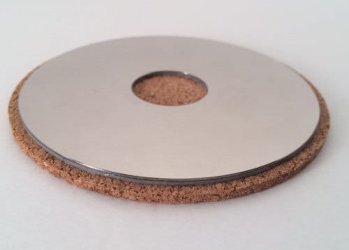
Get the data off the drive, remove it and and take it apart.

The platters make nice shinny coasters.
 

Attachments

  • il_570xN.568462603_jaod.jpg
    il_570xN.568462603_jaod.jpg
    11.3 KB · Views: 8

My Computer

Computer type
PC/Desktop
Computer Manufacturer/Model Number
Skylake Special #666
OS
Windows 10 Pro x64
CPU
Intel Core i7 6700K
Motherboard
Asus Sabertooth Z170 Mark 1
Memory
GSkill TridentZ RGB 16GB 3600 16-16-16-36
Graphics Card(s)
EVGA GTX 980 Ti SC x2
Sound Card
Realtek High Definition
Monitor(s) Displays
AOC G2460PG
Screen Resolution
1920 x 1080 144Hz
Hard Drives
Samsung 860 Pro 256GB, Seagate Barracuda 4TB x2
PSU
EVGA 1000 P2, EVGA White Custom Braided Cables
Case
Corsair Vengeance C70 Gunmetal Black
Cooling
Corsair H100i v2, Corsair ML120 x2, Thermal Grizzly Kryonaut
Keyboard
Logitech G910 Orion Spectrum
Mouse
Logitech G700s
Internet Speed
Verizon Fios Quantum Gateway 75/75
Antivirus
Windows Defender, Malwarebytes Free 3.8.3
Browser
Chrome
Other Info
Corsair SP120 x4, LG Blu-ray Drive, Durabrand HT-395 100 Watt Dolby Digital Amp, Corsair H2100 Wireless 7.1 Headset
When I first saw the image I thought it was a cookie :)
 

My Computer

Computer type
PC/Desktop
Computer Manufacturer/Model Number
Lenovo IdeaCenter 450
OS
Windows 10 Pro X64
CPU
Intel Quad Core i7-4770 @ 3.4Ghz
Memory
16.0GB PC3-12800 DDR3 SDRAM 1600 MHz
Graphics Card(s)
Intel Integrated HD Graphics
Sound Card
Realtek HD Audio
Monitor(s) Displays
HP 22" LCD
Screen Resolution
1680 x 1050
Hard Drives
250GB Samsung EVO SATA-3 SSD
2TB Seagate ST2000DM001 SATA-2
1.5TB Seagate ST3150041AS SATA
Keyboard
Dell USB
Mouse
Lenovo USB
Internet Speed
Cable via Road Runner 3MB Upload, 30MB Download
Antivirus
Windows Defender, MBAM Pro, MBAE
Browser
Seamonkey
Other Info
UEFI/GPT
PLDS DVD-RW DH16AERSH
Back
Top