Solved Installed Windows x64 on Dell Inspiron 1545 No DVD-RW

unknown01

New member
Member
Local time
10:58 PM
Messages
28
Hello guys

I have upgraded from windows vista x86 to windows 7 x64 (actually not upgraded, Fresh install) and now I don't have any DVD-RW icon in my computer under the "Devices with removable Storage"
I searched the internet and I found this link PLDS and TSST DVDRW Drives Not Found in Windows 7 | Dell

and now i'm stuck on which of them should I choose.
Any help would be appreciated.

Thank you.
 

My Computer My Computer

At a glance

Windows 8 RTM Professional X64Intel Core 2 Duo E8400 3.0GHz4GB OCZEVGA GTX 275
OS
Windows 8 RTM Professional X64
CPU
Intel Core 2 Duo E8400 3.0GHz
Motherboard
Gigabyte EP43-DS3
Memory
4GB OCZ
Graphics Card(s)
EVGA GTX 275
Monitor(s) Displays
Samsung SyncMaster T200
Screen Resolution
1680x1050
Keyboard
Logitech
Mouse
Logitech
Go to dells website and input your service tag # then look for the spec sheet...in there it should give you the make and model number of your DVD drive and then you can choose which driver to download.
 

My Computer My Computer

At a glance

Windows 7 Ultimate 64 bitAMD Phenom II X4 965 Black EditionGSkill 4 X 2 GB PC 8500XFX Radeon HD 6790 D
Computer Manufacturer/Model Number
Custom built
OS
Windows 7 Ultimate 64 bit
CPU
AMD Phenom II X4 965 Black Edition
Motherboard
Gigabyte GA-MA790X-DS4
Memory
GSkill 4 X 2 GB PC 8500
Graphics Card(s)
XFX Radeon HD 6790 D
Sound Card
On board RealTek HD
Monitor(s) Displays
Dual monitors:Samsung SyncMaster S20B300
Screen Resolution
1600 X 900
Hard Drives
Seagate Barracuda 1TB (primary)
Seagate Barracuda 2 X 320 GB
PSU
Ultra X4 750 watt fully modular
Case
Thermaltake Overseer RX 1 full tower
Cooling
Core-Contact 92 mm CPU Cooler
Keyboard
Logitech G510
Mouse
Razor DeathAdder
Internet Speed
50/5 Mbps UL/DL
Other Info
Optical: Super Muliti DVD burner w/lightscribe, Hauppauge WinTV HVR-1800
I went to Dell's website but there is no system spec.
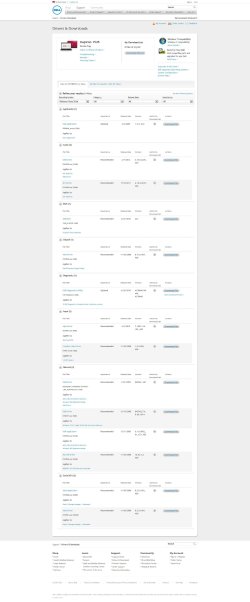
Here is a picture when I enter my service tag Dell.jpg

Thank you.
 

My Computer My Computer

At a glance

Windows 8 RTM Professional X64Intel Core 2 Duo E8400 3.0GHz4GB OCZEVGA GTX 275
OS
Windows 8 RTM Professional X64
CPU
Intel Core 2 Duo E8400 3.0GHz
Motherboard
Gigabyte EP43-DS3
Memory
4GB OCZ
Graphics Card(s)
EVGA GTX 275
Monitor(s) Displays
Samsung SyncMaster T200
Screen Resolution
1680x1050
Keyboard
Logitech
Mouse
Logitech
What does it say in your BIOS, is it listed at all?
 

My Computer My Computer

At a glance

Windows 7 Ultimate 64 bitAMD Phenom II X4 965 Black EditionGSkill 4 X 2 GB PC 8500XFX Radeon HD 6790 D
Computer Manufacturer/Model Number
Custom built
OS
Windows 7 Ultimate 64 bit
CPU
AMD Phenom II X4 965 Black Edition
Motherboard
Gigabyte GA-MA790X-DS4
Memory
GSkill 4 X 2 GB PC 8500
Graphics Card(s)
XFX Radeon HD 6790 D
Sound Card
On board RealTek HD
Monitor(s) Displays
Dual monitors:Samsung SyncMaster S20B300
Screen Resolution
1600 X 900
Hard Drives
Seagate Barracuda 1TB (primary)
Seagate Barracuda 2 X 320 GB
PSU
Ultra X4 750 watt fully modular
Case
Thermaltake Overseer RX 1 full tower
Cooling
Core-Contact 92 mm CPU Cooler
Keyboard
Logitech G510
Mouse
Razor DeathAdder
Internet Speed
50/5 Mbps UL/DL
Other Info
Optical: Super Muliti DVD burner w/lightscribe, Hauppauge WinTV HVR-1800
How can I go to BIOS? Where can I find is it listed or not?
Thank you.
 

My Computer My Computer

At a glance

Windows 8 RTM Professional X64Intel Core 2 Duo E8400 3.0GHz4GB OCZEVGA GTX 275
OS
Windows 8 RTM Professional X64
CPU
Intel Core 2 Duo E8400 3.0GHz
Motherboard
Gigabyte EP43-DS3
Memory
4GB OCZ
Graphics Card(s)
EVGA GTX 275
Monitor(s) Displays
Samsung SyncMaster T200
Screen Resolution
1680x1050
Keyboard
Logitech
Mouse
Logitech
On an install the correct and required install sequence on a Dell is (1) Install Windows (2) Install Dell Laptop (or Desktop) System Software (3) Install motherboard chipset drivers (4) Install device drivers including Video, DELL sound driver, etc.

Win 7 will install many drivers but won't always install all or the correct ones. For example, Win 7 will not install the Dell sound driver and you need the Dell sound driver for proper sound operation. If a hardware device is not detected that usually is indicative of the motherboard chipset drivers not installed (or incorrect drivers).

The Dell Windows 7 64 bit drivers can be accessed here: Drivers and Downloads | Dell [United States]
 

My Computer My Computer

At a glance

Windows 10 64 bitIntel i7 6700K16GB Corsair DominatorIntel CPU Graphics
Computer type
PC/Desktop
Computer Manufacturer/Model Number
My Own Build
OS
Windows 10 64 bit
CPU
Intel i7 6700K
Motherboard
ASUS ROG Maximus VIII Hero
Memory
16GB Corsair Dominator
Graphics Card(s)
Intel CPU Graphics
Sound Card
RealTek
Monitor(s) Displays
27" Dell S2719dgf
Screen Resolution
2560X1440
Hard Drives
1 TB Samsung 850 EVO SSD for Win 10 Pro
500GB Samsung 850 EVO SSD for Win 10 Insider
2 TB drive for backup
PSU
EVGA Supernova 750G2
Case
BeQuiet Silent Base 600
Cooling
Deepcool Captain 120EX
Keyboard
Microsoft Wireless 2000
Mouse
Microsoft wireless
Internet Speed
100 MB/sec (Cable)
Antivirus
Microsoft Defender and Malwarebytes
Browser
Edge/Firefox
Other Info
Cakewalk (Sonar) by BandLab and Studio One 4.1 Pro recording studio software. MOTU 896Mk3 Hybrid recording interface, Frontier Tranzport wireless control unit, Behringer X-Touch Control Surface.
Five USB connected optical drives for CD Audio production using Nero BurningROM
Hi,

I would be glad to assist you with the concern. Please try the following steps and revert if this helps:

Go to Fix problems with CD or DVD drives that can and Run the Microsoft Optical Drive Fixit Tool to fix compatibility/Driver issues with the Optical Drive.

Alternatively, if you wish to try the steps manually :

1. Click on Start
2. Type "regedit" in the Search Items Box
3. Open Registry Editor/ regedit from the first entry on the search results
4. Go to HKEY_LOCAL_MACHINE

Then SYSTEM

Then CURRENT CONTROL SET

Then CONTROL

Then CLASS

Then find {4D36E965-E325-11CE-BFC1-08002BE10318}

The whole thing looks like this:
HKEY_LOCAL_MACHINE\SYSTEM\CurrentControlSet\Control\Class\{4D36E965-E325-11CE-BFC1-08002BE10318}

Then delete the registry keys listed as UpperFilter and/or LowerFilter

5. Restart your machine

Disclaimer: Using the above mechanism may cause you to have issues with iTunes Application later. In case that happens, we recommend that you use the Microsoft Fixit for Optical Drives, OR Later install a manual update for the iTunes application, listed as "GearASPIWDM" Patch.

Kindly revert here if this solution helps.

Kindest Regards,
Shomprakash Sinha Ray
#iwork4dell
 

My Computer My Computer

At a glance

Windows 7 Enterprise 64 Bit
Computer Manufacturer/Model Number
Dell Optiplex
OS
Windows 7 Enterprise 64 Bit
Shompraskash, please refrain from butting into RockStar's working threads as required by Dell. We have been told by Dell that the "Adoption Agents" have been instructed not to post on our threads, on the Dell community or anywhere else.
 

My Computer My Computer

At a glance

Windows 10 64 bitIntel i7 6700K16GB Corsair DominatorIntel CPU Graphics
Computer type
PC/Desktop
Computer Manufacturer/Model Number
My Own Build
OS
Windows 10 64 bit
CPU
Intel i7 6700K
Motherboard
ASUS ROG Maximus VIII Hero
Memory
16GB Corsair Dominator
Graphics Card(s)
Intel CPU Graphics
Sound Card
RealTek
Monitor(s) Displays
27" Dell S2719dgf
Screen Resolution
2560X1440
Hard Drives
1 TB Samsung 850 EVO SSD for Win 10 Pro
500GB Samsung 850 EVO SSD for Win 10 Insider
2 TB drive for backup
PSU
EVGA Supernova 750G2
Case
BeQuiet Silent Base 600
Cooling
Deepcool Captain 120EX
Keyboard
Microsoft Wireless 2000
Mouse
Microsoft wireless
Internet Speed
100 MB/sec (Cable)
Antivirus
Microsoft Defender and Malwarebytes
Browser
Edge/Firefox
Other Info
Cakewalk (Sonar) by BandLab and Studio One 4.1 Pro recording studio software. MOTU 896Mk3 Hybrid recording interface, Frontier Tranzport wireless control unit, Behringer X-Touch Control Surface.
Five USB connected optical drives for CD Audio production using Nero BurningROM
Thank you "DELLshomprakash" the first one wasn't able to recognize my DVD+-RW but found that my DVD+-RW have problems.
The second solution I deleted the key but the "properties" but that key wouldn't delete and I restart the Laptop but the DVD+-RW still wan't there.
Guys is there any to download not all of the drivers just the DVD+-RW?

Thank you all
 

My Computer My Computer

At a glance

Windows 8 RTM Professional X64Intel Core 2 Duo E8400 3.0GHz4GB OCZEVGA GTX 275
OS
Windows 8 RTM Professional X64
CPU
Intel Core 2 Duo E8400 3.0GHz
Motherboard
Gigabyte EP43-DS3
Memory
4GB OCZ
Graphics Card(s)
EVGA GTX 275
Monitor(s) Displays
Samsung SyncMaster T200
Screen Resolution
1680x1050
Keyboard
Logitech
Mouse
Logitech
There aren't any drivers needed for optical drives. Is it possible the drive is just hidden (which is a default for Windows 7 when empty)? Check in the BIOS or Device Manager in Windows to see if the drive is listed.
 

My Computer My Computer

At a glance

Windows 7 Ultimate x64 SP1Intel Core i7-260012 GB Patriot Extreme DDR3-1333Nvidia GTX 470
OS
Windows 7 Ultimate x64 SP1
CPU
Intel Core i7-2600
Motherboard
Gigabyte GA-P67A-UD3P-B3
Memory
12 GB Patriot Extreme DDR3-1333
Graphics Card(s)
Nvidia GTX 470
Monitor(s) Displays
Dell UltraSharp 2209WA
Hard Drives
OCZ Agility3 240 GB, WD5001AALS, WD7501AALS
PSU
OCZ ModStream 700W
Case
CoolerMaster HAF 912 Advanced
Cooling
CoolerMaster Hyper 212 Plus
I went to device manager and there a question mark and then my found out my device it is "TSSTcorp DVD+-rw TS-L633B ATA Device" then I searched the internet and I found this link Incompatibility Issues with Windows 7 and the TS-L633B DVD-RW Drive I did what the last post said (cracktech) and then the question mark went away but still the drive doesn't show up.
And I checked the hidden files and it wasn't hidden neither.
Any help would be appreciated.
Thank you.
~0UnknowN1
 

My Computer My Computer

At a glance

Windows 8 RTM Professional X64Intel Core 2 Duo E8400 3.0GHz4GB OCZEVGA GTX 275
OS
Windows 8 RTM Professional X64
CPU
Intel Core 2 Duo E8400 3.0GHz
Motherboard
Gigabyte EP43-DS3
Memory
4GB OCZ
Graphics Card(s)
EVGA GTX 275
Monitor(s) Displays
Samsung SyncMaster T200
Screen Resolution
1680x1050
Keyboard
Logitech
Mouse
Logitech
There is a setting in the Windows Explorer options to hide empty drives. That's what I was referring to.

From that link, I sifted through many of the various solutions and came to the drive controllers near the bottom. Do you have the proper Intel AHCI drivers loaded?
 

My Computer My Computer

At a glance

Windows 7 Ultimate x64 SP1Intel Core i7-260012 GB Patriot Extreme DDR3-1333Nvidia GTX 470
OS
Windows 7 Ultimate x64 SP1
CPU
Intel Core i7-2600
Motherboard
Gigabyte GA-P67A-UD3P-B3
Memory
12 GB Patriot Extreme DDR3-1333
Graphics Card(s)
Nvidia GTX 470
Monitor(s) Displays
Dell UltraSharp 2209WA
Hard Drives
OCZ Agility3 240 GB, WD5001AALS, WD7501AALS
PSU
OCZ ModStream 700W
Case
CoolerMaster HAF 912 Advanced
Cooling
CoolerMaster Hyper 212 Plus
Guys thank you all it worked and it is working now I thinks I had to update the Intel AHCI driver and then I restart it after that I used the "TS-L633B_D400" that I downloaded from Dell driver and I searched to .BIN file in the tsdnwin.exe and it is working now, thanks to you guys.

Thank you.
~0UnknowN1
 

My Computer My Computer

At a glance

Windows 8 RTM Professional X64Intel Core 2 Duo E8400 3.0GHz4GB OCZEVGA GTX 275
OS
Windows 8 RTM Professional X64
CPU
Intel Core 2 Duo E8400 3.0GHz
Motherboard
Gigabyte EP43-DS3
Memory
4GB OCZ
Graphics Card(s)
EVGA GTX 275
Monitor(s) Displays
Samsung SyncMaster T200
Screen Resolution
1680x1050
Keyboard
Logitech
Mouse
Logitech
Back
Top