Installing Win98 on my desktop with Win7

Frank1

New member
Power User
VIP
Local time
3:42 AM
Messages
394
Location
Ohio
The OS for my desktop is Windows 7 Home Premium 64 bit. My BIOS is capable of vitalization. Since I have Home Premium, I know that I can't use Virtual XP. However, I do have a legal copy of Windows 98 which I purchased some years ago. If my understanding is correct I can install it on a virtual machine. Am I correct in saying that I have two choices to install a virtual machine, one of which is Virtual Box and the other is Windows Virtual Machine? If I am correct, which would be the best and/or most user friendly to use? I would appreciate any advice as I have some old applications that will not run on Windows 7. Thank you.
 

My Computer My Computer

At a glance

Desk Top with Win 7 Home Premium 64 bit and L...8Gig
Computer type
Laptop
Computer Manufacturer/Model Number
HP Pavilion g7-1260us Notebook
OS
Desk Top with Win 7 Home Premium 64 bit and Lap Top with Windows 8.1 Pro 64 bit
Memory
8Gig
Screen Resolution
1600x900
I think you mean virtualization. You actually have a free third option - VMWare Player. I have used Virtualbox and VMWare Player. They are easy to install, as well as load one or more operating systems on. You might want to give VMWare Player a try first.
 

My Computer My Computer

At a glance

Systems 1 and 2: Windows 7 Enterprise x64, Wi...System 1: i7 [email protected], System 2: AMD FX-41...System 1: 8GB System 2: 8GBSystem 1: ATI FirePro V4800 System 2: Radeon ...
Computer Manufacturer/Model Number
Dell and Custom
OS
Systems 1 and 2: Windows 7 Enterprise x64, Win 8 Developer
CPU
System 1: i7 [email protected], System 2: AMD FX-4100 Zambezi 3.6G
Motherboard
System 1:Dell 06NWYK System 2: ASUS M5A97 AM3+
Memory
System 1: 8GB System 2: 8GB
Graphics Card(s)
System 1: ATI FirePro V4800 System 2: Radeon HD 6850
Sound Card
System 1: onboard System 2: onboard
Monitor(s) Displays
System1: Viewsonic HDMI 24"
Screen Resolution
System 1: 1920x1080 System 2: 1920x1080
Hard Drives
System 1: Mirrored .5B drives System 2: Seagate Barracuda ST1000DM003 1TB 7200 RPM 64MB Cache SATA 6.0Gb/s
Case
System 1: Dell System 2: Cooler Master
Internet Speed
10 MBPS
I think you mean virtualization. You actually have a free third option - VMWare Player. I have used Virtualbox and VMWare Player. They are easy to install, as well as load one or more operating systems on. You might want to give VMWare Player a try first.
You're right, I did mean Virtualization. My
 

My Computer My Computer

At a glance

Desk Top with Win 7 Home Premium 64 bit and L...8Gig
Computer type
Laptop
Computer Manufacturer/Model Number
HP Pavilion g7-1260us Notebook
OS
Desk Top with Win 7 Home Premium 64 bit and Lap Top with Windows 8.1 Pro 64 bit
Memory
8Gig
Screen Resolution
1600x900
Sorry, but I'm having a bad time with my keyboard tonight.:( Not the keyboard's fault, it's my not-so-nimble fingers.:D I'll give your suggestion a try tomorrow--if I can get my fingers to hit the right key. Thanks
 

My Computer My Computer

At a glance

Desk Top with Win 7 Home Premium 64 bit and L...8Gig
Computer type
Laptop
Computer Manufacturer/Model Number
HP Pavilion g7-1260us Notebook
OS
Desk Top with Win 7 Home Premium 64 bit and Lap Top with Windows 8.1 Pro 64 bit
Memory
8Gig
Screen Resolution
1600x900
Virtual Box is my preferred option. Make sure you install the Guest Additions in the virtual machine. Then you have a seamless operation between 98 and Win7 and can use the full size of your screen.
 

My Computer My Computer

At a glance

Vista, Windows7, Mint Mate, Zorin, Windows 8from 1.6GHz Duo to i7
Computer Manufacturer/Model Number
HP, Dell, Gateway, Toshiba - 4 laptops and 2 desktops
OS
Vista, Windows7, Mint Mate, Zorin, Windows 8
CPU
from 1.6GHz Duo to i7
Monitor(s) Displays
2x HP w2207
Hard Drives
5x HDD, 7x SSD, 12x Externals
Keyboard
with trackball - no mices
Mouse
Trackball mice
Internet Speed
DSL 6000
As Whs, I normally recommend using VirtualBox for guest virtual machines that can not be run on Microsoft Virtual PC. However, the VirtualBox Guest Additions for Windows guest systems only work for Windows 2000 and later versions. VirtualBox Guest Additions, like Virtual PC Integration Components or VMware Tools, are needed to better integrate the guest system to your host. Without Guest Additions, you only get basic functions of Win98 installed in VirtualBox, and for instance only 16 colors. The same reason, missing integration components, makes it a real PITA to run older Windows versions in Virtual PC.

I use all three major virtualization applications, each has their pros and cons. My recommendation is Microsoft Virtual PC for XP, Vista and Seven virtual machines, VirtualBox for Linux and Unix virtual machines, and VMware Player for older Windows virtual machines.

For older Windows virtual machines the best alternative (IMO) is VMware Player, which you can download for free here: VMware Player: Run Windows 7, Chrome OS - Free Download for a Virtual PC

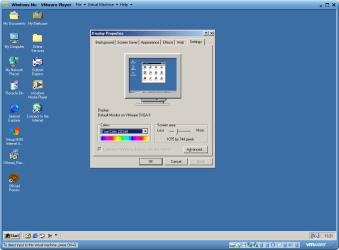
VMware Player has integration support also for pre Windows 2000 systems. Here for instance my Windows ME virtual machine running in VMware Player, with true 32-bit colors and fully integrated to my Windows 7 host. Works nice and fast:

WindowsME_in_VMWare_Player.png

If you need any help to set up your Win98 virtual machine, do not hesitate to ask.

Kari
 
Last edited:

My Computer My Computer

At a glance

Windows 10 Pro x64 EN-GB1.6 GHz Intel Core i7-720QM Processor6 GBATI Mobility Radeon HD 5850 Graphics
Computer type
Laptop
Computer Manufacturer/Model Number
HP ENVY 17-1150eg
OS
Windows 10 Pro x64 EN-GB
CPU
1.6 GHz Intel Core i7-720QM Processor
Memory
6 GB
Graphics Card(s)
ATI Mobility Radeon HD 5850 Graphics
Sound Card
Beats sound system with integrated subwoofer
Monitor(s) Displays
17" laptop display, 22" LED and 32" Full HD TV through HDMI
Screen Resolution
1600*900 (1), 1920*1080 (2&3)
Hard Drives
Internal: 2 x 500 GB SATA Hard Disk Drive 7200 rpm
External: 2TB for backups, 3TB USB3 network drive for media
Cooling
As Envy runs a bit warm, I have it on a Cooler Master pad
Keyboard
Logitech diNovo Media Desktop Laser (bluetooth)
Mouse
Logitech Performance Mouse MX
Internet Speed
50/10 Mbps VDSL
Antivirus
Windows Defender 4.3.9431.0
Browser
Maxthon 3.5.2., IE11
  • Like
Reactions: whs
Back
Top