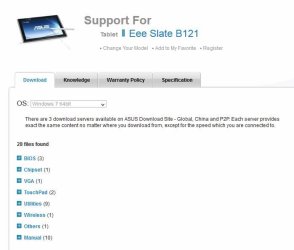
Is a clean install possible with recovery discs

paul0536

New member
Local time
9:08 AM
Messages
7
Thanks for any assistance up front! I have an ASUS Slate B121 with the recovery discs which came with computer. I have done a reinstall of the software but did not get the options to do a clean install as seen in the tutorials on this subject. The other problem I ran into on the reinstall was the missing BOOTMGR.
I have since restored a previous version to at least be able to use the computer, but it now runs terribly. Any help would be appreciated. Thank!
 

My Computer My Computer

At a glance

Win 7 Ultimate x 64
Computer type
Tablet
Computer Manufacturer/Model Number
Asus Slate B121
OS
Win 7 Ultimate x 64
I doubt the recovery disks will allow you to do a clean install if they are what is normally meant by that term.

More likely, they will return you to a state as of the day the thing was manufactured.

I guess that is some sort of a tablet. Never seen one.

You may be able to do a clean install if it has a Certificate Of Authenticity on it somewhere that includes a Product Key and if you have some way of attaching an external DVD burner or a USB thumb drive. In that case, you'd have to first download a Windows 7 ISO.

It may have some magical other way that is found only on tablets or Slates, but the above is what you'd have to do if you had an ordinary laptop or desktop PC.
 

My Computer My Computer

At a glance

Windows 7 Home Premium SP1, 64-bitIntel Skylake i5-6600K, not overclocked8 GB HyperX DDR4-2666 (2 x 4 GB)none; graphics are integrated on CPU
Computer type
PC/Desktop
Computer Manufacturer/Model Number
Ignatz Special; 4 speed manual gearbox; factory air conditioning; one of one
OS
Windows 7 Home Premium SP1, 64-bit
CPU
Intel Skylake i5-6600K, not overclocked
Motherboard
AsRock Z170M Extreme 4, micro ATX
Memory
8 GB HyperX DDR4-2666 (2 x 4 GB)
Graphics Card(s)
none; graphics are integrated on CPU
Sound Card
onboard: Realtek ALC1150; external: USB Behringer UF0-202
Monitor(s) Displays
Dell S2340M 23 inch IPS
Screen Resolution
1600 x 900
Hard Drives
System: Crucial MX100 series SSD, 128 GB;
Data: Samsung Spinpoint 103SJ, 1 TB;
Backup: WD Caviar Green WD30EZRX-00D8PB0, 3 TB
PSU
Rosewill SilentNight 500 watt fanless, semi-modular
Case
Antec Solo II
Cooling
Noctua NH-U12S; Noctua F12 intake, Noctua S12A exhaust
Keyboard
Microsoft 200 6JH-00001 USB
Mouse
Dell or Microsoft optical wired; USB
Antivirus
Microsoft Security Essentials and Malwarebytes Premium
Browser
Pale Moon
Other Info
All fans PWM; speeds at idle: CPU circa 500 rpm; intake circa 600 rpm; exhaust circa 600 rpm; CPU temps 27 idle and 47 C load in a warm room (27 C/81 F) when running Intel Extreme Tuning Utility stress test.
No ;)

Download the Windows 7 iso file of your version and burn to dvd to do a clean install.

Official Windows 7 SP1 ISO from Digital River « My Digital Life

Free ISO Burner

http://www.sevenforums.com/tutorials/1649-clean-install-windows-7-a.html

Not sure what operating system comes on a Slate, but I`m sure it`s not Windows 7 Ultimate.

I would keep the original OS, if it`s running slow, start removing programs you don`t use and defrag the hard drive numerous times.

Post a shot of disk management, it may give a clue to why it`s running poorly.
 

My Computer My Computer

At a glance

Windows 10 Pro x64Intel Core i7 6700KGSkill TridentZ RGB 16GB 3600 16-16-16-36EVGA GTX 980 Ti SC x2
Computer type
PC/Desktop
Computer Manufacturer/Model Number
Skylake Special #666
OS
Windows 10 Pro x64
CPU
Intel Core i7 6700K
Motherboard
Asus Sabertooth Z170 Mark 1
Memory
GSkill TridentZ RGB 16GB 3600 16-16-16-36
Graphics Card(s)
EVGA GTX 980 Ti SC x2
Sound Card
Realtek High Definition
Monitor(s) Displays
AOC G2460PG
Screen Resolution
1920 x 1080 144Hz
Hard Drives
Samsung 860 Pro 256GB, Seagate Barracuda 4TB x2
PSU
EVGA 1000 P2, EVGA White Custom Braided Cables
Case
Corsair Vengeance C70 Gunmetal Black
Cooling
Corsair H100i v2, Corsair ML120 x2, Thermal Grizzly Kryonaut
Keyboard
Logitech G910 Orion Spectrum
Mouse
Logitech G700s
Internet Speed
Verizon Fios Quantum Gateway 75/75
Antivirus
Windows Defender, Malwarebytes Free 3.8.3
Browser
Chrome
Other Info
Corsair SP120 x4, LG Blu-ray Drive, Durabrand HT-395 100 Watt Dolby Digital Amp, Corsair H2100 Wireless 7.1 Headset
Everything needed is here to do a Clean Reinstall Windows 7.

If you're getting "Bootmgr is missing" error then it is not booting the disk, but attempting to boot the hard drive. Follow these steps How to Boot A Computer from CD or DVD - YouTube to boot disk which is provided in Reinstall tutorial, during the booted install use the Drive Options pictured in Steps 7 and 8 of these illustrated steps for the actual Clean Install Windows 7 to delete all partitions, create and format new as you wish, or if you have no partition plans in mind then just click Next and the installer will do it for you.
 
Oops!

Greg, I followed your instructions (Very easy!). Got my ISO file, made my bootable DVD and ran the program. After about 23% of the install, I get a message that the install was cancelled.
Screen shot message says:

Windows cannot install required files. Files may be corrupt or missing. Make sure all files required for install are available, and restart the installation. Error Code; 0x80070570.

I burned another DVD and ran it and got the same message.

Should I select a different ISO file? My product tag says its Windows 7 Ult OA.
 
Last edited:

My Computer My Computer

At a glance

Win 7 Ultimate x 64
Computer type
Tablet
Computer Manufacturer/Model Number
Asus Slate B121
OS
Win 7 Ultimate x 64
On the download page for that .iso file was a mention made of MD5 or SHA? Those are codes used by a program such as MD5_and_SHA_Checksum_Utility.exe to verify the file is correct.

As for 'clean install', the Factory Restore discs are intended to put the computer back to its as-shipped condition. I have seen a Windows.old Folder on the HDD with some.
 

My Computer My Computer

At a glance

Windows 7 Ultimate 64-bit, Windows 8.1 64-bit...
Computer type
PC/Desktop
Computer Manufacturer/Model Number
Customs, Dell, Gateway, HP, Toshiba, Acer, ASUS
OS
Windows 7 Ultimate 64-bit, Windows 8.1 64-bit, Mac OS X 10.10, Linux Mint 17, Windows 10 Pro TP
Keyboard
Microsoft
Mouse
Microsoft
Burton, I did not see anything like that. But the are 2 other ISO file options that I did not see originally. I'll play with those and see if they make a difference. I'll let you know how it goes.
 

My Computer My Computer

At a glance

Win 7 Ultimate x 64
Computer type
Tablet
Computer Manufacturer/Model Number
Asus Slate B121
OS
Win 7 Ultimate x 64
Thank for your help. The information you've made available is a great help! After selecting the ISO File that matched your description of which file to use, (which I should have done in the first place), the computer is running Windows 7 without a glitch. Just getting things sorted now.
 

My Computer My Computer

At a glance

Win 7 Ultimate x 64
Computer type
Tablet
Computer Manufacturer/Model Number
Asus Slate B121
OS
Win 7 Ultimate x 64
We're getting close... Though the computer is running WIN 7, because it is a tablet, many of the drivers are missing. I tried to back up as many as I could, but the device driver list was filled with yellow triangles. Since I had completed a reformat of the hard drive, it seemed appropriate to run the recovery disks and reinstall all those missing drivers. But once again, I'm stuck at a missing bootmgr. I've gone in and changed the boot sequence but still get the same message! What am I missing?
 

My Computer My Computer

At a glance

Win 7 Ultimate x 64
Computer type
Tablet
Computer Manufacturer/Model Number
Asus Slate B121
OS
Win 7 Ultimate x 64
let me try to clarify just where I'm at with this machine.
Downloaded ISO File, installed and HD formatted. Check that off!
Was able to get WIN 7 running but was missing a lot of drivers for this tablet. I tried reinstalling what I had.
Since I was able to format the HD (something I haven't been able figure out how to do previously), I figured it wouldn't hurt to just install the factory software that came with the machine and get those missing drivers installed. With that done... I know get the message missing bootmgr!
I've changed the boot selection back to see the HD first, but continue to get the Missing Bootmgr message.

Thanks for taking the time to help me with my computer issues.
 

My Computer My Computer

At a glance

Win 7 Ultimate x 64
Computer type
Tablet
Computer Manufacturer/Model Number
Asus Slate B121
OS
Win 7 Ultimate x 64

My Computer My Computer

At a glance

Windows 10 Pro X64Intel Quad Core i7-4770 @ 3.4Ghz16.0GB PC3-12800 DDR3 SDRAM 1600 MHzIntel Integrated HD Graphics
Computer type
PC/Desktop
Computer Manufacturer/Model Number
Lenovo IdeaCenter 450
OS
Windows 10 Pro X64
CPU
Intel Quad Core i7-4770 @ 3.4Ghz
Memory
16.0GB PC3-12800 DDR3 SDRAM 1600 MHz
Graphics Card(s)
Intel Integrated HD Graphics
Sound Card
Realtek HD Audio
Monitor(s) Displays
HP 22" LCD
Screen Resolution
1680 x 1050
Hard Drives
250GB Samsung EVO SATA-3 SSD
2TB Seagate ST2000DM001 SATA-2
1.5TB Seagate ST3150041AS SATA
Keyboard
Dell USB
Mouse
Lenovo USB
Internet Speed
Cable via Road Runner 3MB Upload, 30MB Download
Antivirus
Windows Defender, MBAM Pro, MBAE
Browser
Seamonkey
Other Info
UEFI/GPT
PLDS DVD-RW DH16AERSH
Awesome! Thanks for the link.
 

My Computer My Computer

At a glance

Win 7 Ultimate x 64
Computer type
Tablet
Computer Manufacturer/Model Number
Asus Slate B121
OS
Win 7 Ultimate x 64
Did you follow the steps in Clean Reinstall Windows 7
for drivers which are important enough they are printed in red?

After install you may need to install your Network LAN driver to get online, then the first thing to do is enable Automatically deliver drivers via Windows Update (Step 3) to Check For Updates, run all Important and Optional Windows Updates, with reboots, until no more are offered.

Only then should you import any missing drivers in Device Manager from the link Rich gave you.
 
Back
Top