Hi,
Today my Sony Vaio VPCEB2C5E laptop with Windows 7 Home Premium started showing a black screen for up to 10-15 minutes every time I log in. This happens in safe mode too. The boot up until the login screen is fine - takes about 15 seconds as I'm using a new SSD. I find that I can open the task manager. Sometimes explorer won't close in the Task Manager, no matter what I do, but after 10 minutes everything works fine. Other times I can kill the explorer process and re-open it with run and then things are back to normal. Whatever happens, once my taskbar eventually loads, everything else seems to be running fine.
When I last rebooted my laptop a few days ago the laptop rebooted fine. The only thing which I recall changing in the last few days is sharing a couple of folders on my home network, and a Razer mouse driver updates.
I've been doing quite a lot of googling around the issue and trying out various solutions.
Things I've tried so far:
Performing a "clean boot" (disabling everything except microsoft services using msconfig)
sfc /scannow
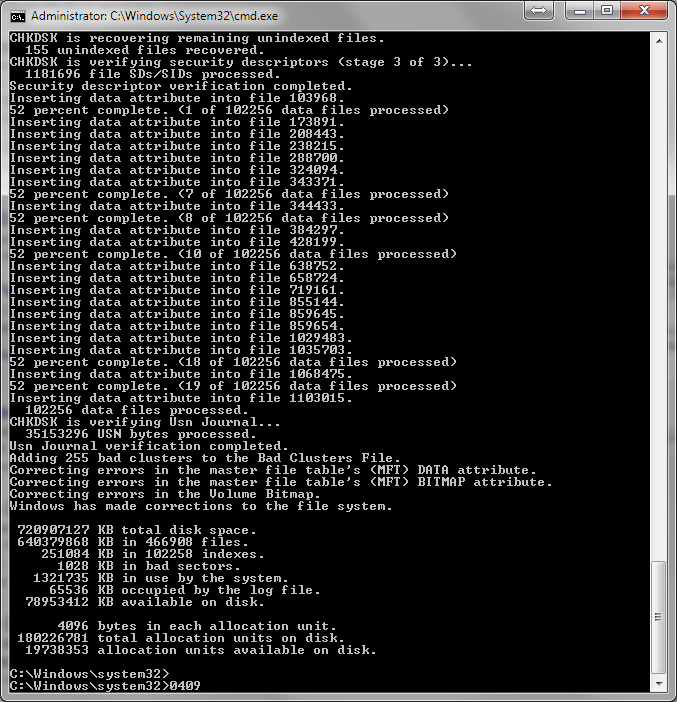
chkdsk c: /f
chkdsk c: /r
Removing all network drives
I had a look in Event Manager to see if I could see anything obvious, and it said that the Panda Antivirus Protection service was taking a very long time to start, so I uninstalled Panda and replaced it with Avast. This had no effect.
I also just did a system restore to a point several days before the issue emerged. The problem is still there.
None of these have made any difference to the issue. At this point, with the system restore not working, I'm wondering if it could be hardware related?
If anyone has any suggestions I'm all ears. Thanks
Today my Sony Vaio VPCEB2C5E laptop with Windows 7 Home Premium started showing a black screen for up to 10-15 minutes every time I log in. This happens in safe mode too. The boot up until the login screen is fine - takes about 15 seconds as I'm using a new SSD. I find that I can open the task manager. Sometimes explorer won't close in the Task Manager, no matter what I do, but after 10 minutes everything works fine. Other times I can kill the explorer process and re-open it with run and then things are back to normal. Whatever happens, once my taskbar eventually loads, everything else seems to be running fine.
When I last rebooted my laptop a few days ago the laptop rebooted fine. The only thing which I recall changing in the last few days is sharing a couple of folders on my home network, and a Razer mouse driver updates.
I've been doing quite a lot of googling around the issue and trying out various solutions.
Things I've tried so far:
Performing a "clean boot" (disabling everything except microsoft services using msconfig)
sfc /scannow
chkdsk c: /f
chkdsk c: /r
Removing all network drives
I had a look in Event Manager to see if I could see anything obvious, and it said that the Panda Antivirus Protection service was taking a very long time to start, so I uninstalled Panda and replaced it with Avast. This had no effect.
I also just did a system restore to a point several days before the issue emerged. The problem is still there.
None of these have made any difference to the issue. At this point, with the system restore not working, I'm wondering if it could be hardware related?
If anyone has any suggestions I'm all ears. Thanks
My Computer
At a glance
Windows 7 Home PremiumIntel i5 520M8GBAMD Mobility Radeon HD 5650
- Computer type
- Laptop
- Computer Manufacturer/Model Number
- Sony Vaio VPCEB2C5E
- OS
- Windows 7 Home Premium
- CPU
- Intel i5 520M
- Memory
- 8GB
- Graphics Card(s)
- AMD Mobility Radeon HD 5650
- Hard Drives
- Crucial M500 480GB
WD Scorpio Black 750GB
- Antivirus
- Avast free


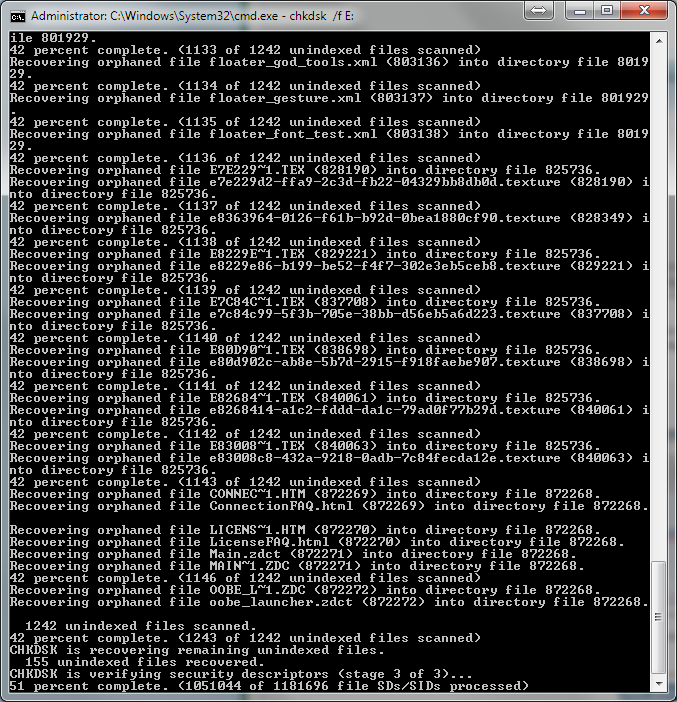
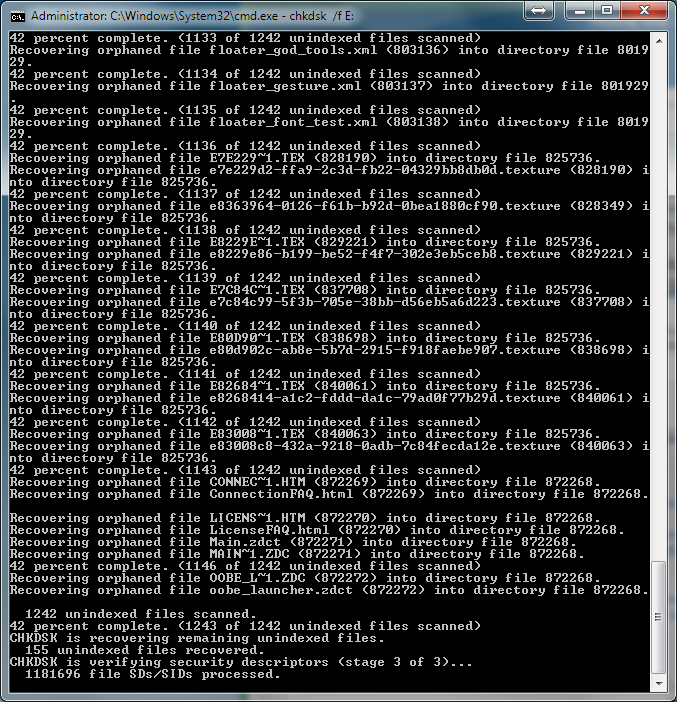
 Not too shabby. That is a likely cause.