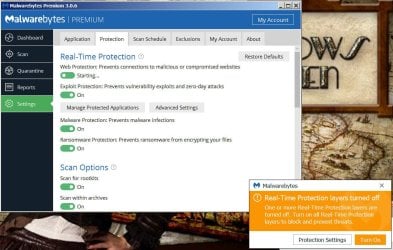
On my primary machine, however, while still for the moment using version 1.75 without issue I have started getting problems with MBAE. As someone else has posted on the Malwarebytes forum it throws up an error message after the machine has been switched on for a few minutes saying MBAE was taking too long to start and the machine should be rebooted to fix it. That worked the one time I did reboot, but I've had the same problem again today.
There's no credible reason to be running version 1.75 -- it has been outdated since March 2014.
As was explained
HERE and
HERE, the fact that version 1.75 may still be getting database updates for a few more months hardly matters. It lacks several important features, such as anti-rootkit scanning, as well as many, many improvements to the scanning engines and real-time protection capabilities under the hood (such as heuristic detection). Running version 1.75 now - even with current "databases" - is a false sense of security. It may be better than nothing at all, but it's not nearly as robust as version 2.x.
So I cannot fault Malwarebytes for removing their official download links to a program that is nearly 3 years out of date.
As for version 2.2.1.1043, at least for now, either of these download links ought to work:
https://downloads.malwarebytes.com/file/mbam_2x
https://data-cdn.mbamupdates.com/web/mbam-setup-2.2.1.1043.exe
It's up to you, but I strongly suggest that you upgrade your 1.75 installation to 2.2.1.1043.
If you need help with it on that system, you will be out of luck, once support for 2.2.1.1043 ends.
And the transition from 1.75 to version 3.x will be more of a UI/UX shock than going from 2.x to 3.x.
Support articles for version 2.x are posted
HERE.
You may try an "
on-top" upgrade, but a "clean" upgrade may be more reliable.
The "clean" reinstall instructions are
HERE -- the only difference from the posted steps is that you would use the links I just provided to obtain the 2.2.1.1043 installer, rather than using the 3.x installer.
- Be sure you have your license info handy before you start - you will need it to activate the Premium features
- Be sure to reboot when prompted by the removal tool - important!
- It's a good idea to reboot again after installation of 2.2.1.1043
As for the rest of your comments, I agree with much of what was said about the company's current direction and tactics. Time will tell if there will be a favorable outcome, either for the company or for its customers.
Cheers,
MM