- Local time
- 3:31 PM
- Messages
- 170
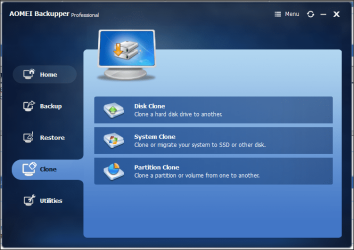
The original 500 Gbt factory HDD running Win 7 home on my Lenovo G575 works fine. I decided to upgrade to a 240 Gbt SSD by cloning using Aomei Backupper. When I installed the ssd drive and start up, the screen hangs with a black screen and flashing cursor.
I booted into a Win7 Home startup disk and chose startup repair. It said it found errors and fixed them and booted into windows fine. But on restarting I get the same black screen and flashing cursor.
I ran the startup disk again and this time it said it could not fix the errors and told me to remove any new hardware with the following report.
problem signature 02 6.1.7600.16385
problem signature 03 Unknown
problem signature 04 781
problem signature 05 External media
problem signature 06 1
problem signature 07 Bad Driver
OS version 6.1.7601.2.1.0.256.1
Locale ID 1033
The interesting thing is that after the failed attempted repair, the Win 7 startup disk gives the option to reboot. Then the computer boots into Windows on the ssd just fine.
I tried running a "Win 7 Home" upgrade installation and it failed after hanging on "expanding files at 18%" so I abandoned the install.
So with the ssd installed I can only get into Windows if I use a Win 7 startup disk and choose the reboot option.
I am wondering if this is some kind of configuration problem or if I need a special driver to make the ssd boot?
I am at a loss what to do. Your suggestions would be appreciated.
Kind regards
Chris
I booted into a Win7 Home startup disk and chose startup repair. It said it found errors and fixed them and booted into windows fine. But on restarting I get the same black screen and flashing cursor.
I ran the startup disk again and this time it said it could not fix the errors and told me to remove any new hardware with the following report.
problem signature 02 6.1.7600.16385
problem signature 03 Unknown
problem signature 04 781
problem signature 05 External media
problem signature 06 1
problem signature 07 Bad Driver
OS version 6.1.7601.2.1.0.256.1
Locale ID 1033
The interesting thing is that after the failed attempted repair, the Win 7 startup disk gives the option to reboot. Then the computer boots into Windows on the ssd just fine.
I tried running a "Win 7 Home" upgrade installation and it failed after hanging on "expanding files at 18%" so I abandoned the install.
So with the ssd installed I can only get into Windows if I use a Win 7 startup disk and choose the reboot option.
I am wondering if this is some kind of configuration problem or if I need a special driver to make the ssd boot?
I am at a loss what to do. Your suggestions would be appreciated.
Kind regards
Chris
My Computer
At a glance
Desktop Win 10 Pro 64 bit, Laptop Win 7 Home ...Desktop Intel i7 4790 CPU 3.6 GHz, Laptop AMD...Desktop 16 Gbt, Laptop 4 GbtDesktop nvidea GeForce NTX960, Laptop AMD Rae...
- Computer type
- PC/Desktop
- Computer Manufacturer/Model Number
- Desktop Custom built, Laptop Lenovo G575 Model 20081
- OS
- Desktop Win 10 Pro 64 bit, Laptop Win 7 Home 64 bit
- CPU
- Desktop Intel i7 4790 CPU 3.6 GHz, Laptop AMD C-50 1GHz
- Motherboard
- ASUS H81 Gamer
- Memory
- Desktop 16 Gbt, Laptop 4 Gbt
- Graphics Card(s)
- Desktop nvidea GeForce NTX960, Laptop AMD Raedon HD 6250M
- Sound Card
- Desktop onboard Realtec high definition audio nvidea HD aud
- Monitor(s) Displays
- BENQ G900 Digital 19 inch
- Screen Resolution
- 1024 x 768
- Hard Drives
- Silicon Power SSD SATA 3.0 450b Gbt
Seagate 4 Tbt SSHD
- PSU
- Thermaltake 1000W
- Case
- Thermaltake
- Cooling
- Onboard case fans
- Keyboard
- Standard PS/2
- Mouse
- A4 Tech optical wireless PS/2
- Internet Speed
- 10 Mbps
- Antivirus
- Microsoft Security Essentials
- Other Info
- DVD Samsung TSST corp CDDVDW - SATA