I have just upgraded Windows Live Mail from 2009 (wave 3) to the latest (July 2011) on four computers. I did not have this issue with WLMail 2009, it has only started with WLMail 2011. And only for two of the four computers.
Two computers are working as I'd expect: WLMail opens in a non-maximized window size of my choosing, as do all other windows it creates such as opening mail or newsgroup posts, repllies, forwards, etc. No problems here.
On the other two computers, WLMail always launches maximized, and opens every new window type maximized as well. These two computers are having no trouble with any other windows, it is just those from WLMail.
If I restore each window type down after WLMail opens them maximized, they are returned to sizes I have previously chosen. So, this is not an issue of remembering window sizes, but of 'remembering' not to launch them maximized.
Like other people facing this issue I have tried a half-dozen or more 'tricks' that will take care of this problem -- for any window other those originating from WLMail, apparently.
I have MS-Outlook on my work laptop, and occasionally it falls into this same behavior. Shutting Outlook fully down then deleting all FRAME keys in the registry for all Outlook versions solves this problem (HKCU\Software\Microsoft\Office\xx.0\Outlook\Office Explorer\Frame, where xx = version). I had hoped for but have not yet found a similar key that works for WLMail.
The only other possible clue I have found, is the idea this may somehow be tied to screen resolution, and WLMail program is forcing a maximized window state whenever its default size (not my chosen sizing) for the window type is nearly at or exceeds the screen size. Indeed, my two problem computers (one netbook, one VM) have non-standard screen resolutions. The only other resolution choice on these is 800x600 which is less than the normal resolutions. I tried it anyway with all the window size 'tricks' but it did not solve the issue.
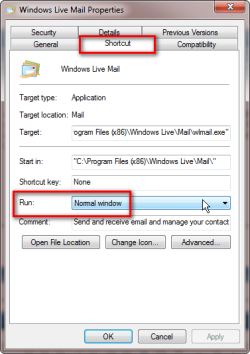
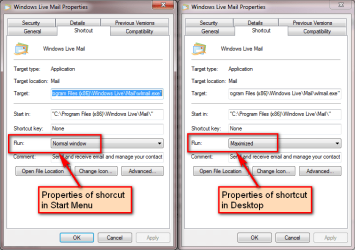
I did find a partial workaround: Prepare a shortcut that launches WLMail with MINIMIZED for the Run Window type in the shortcut. WLMail launches but remains as a taskbar button that, when clicked, will open non-maximized and in the chosen window size. Unfortunately this trick does not extend to any new windows opened by WLMail, which will continue to open maximized.
It is looking more and more likely this is something for Microsoft to fix, not something we can affect. Very frustrating.